
LT Foto
Photo editing app theme for Elementor: one photo before and after with the tone curve between them, tools on a tone wedge, looks drawn as curves, plans and support.
Key features
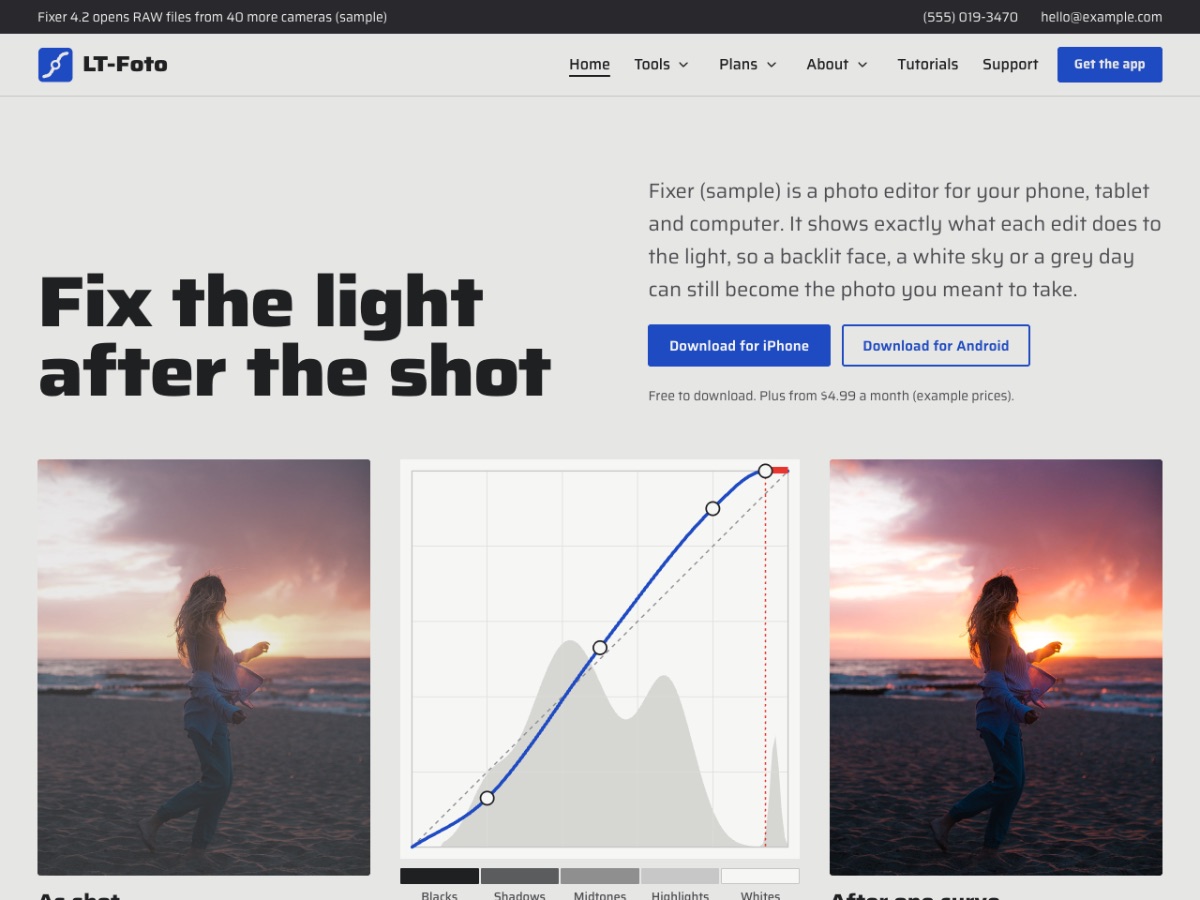
- The edit as the heroThe home page opens with a photo as shot, the tone curve applied to it and the photo after, so visitors see what the app does in one look.
- Tools on a tone wedgeEach tool row has a five-step strip from black to white with a bar under the tones it changes, plus the plan it comes in.
- Looks drawn as curvesEvery look is shown as its own small curve drawing, with a three-level branch for film, portrait and night looks.
- Plans, files and privacyPlan rows with what each plan adds and its price, what every plan includes, billing questions, and how photos and files are kept.
- One-page mode (Pro)Switch the menu to scroll links for the home page sections, with smooth scrolling and the current section highlighted.
- Free Elementor and a ready support formEvery page is built with free Elementor widgets on Hello Elementor, with a 'Support request' form made with the free WPForms Lite plugin. Fonts are bundled: no Google Fonts requests.
Let an AI assistant do the routine work
You can ask an AI assistant such as Claude, ChatGPT or Cursor to change texts, add pages or check your set-up, as our block themes already allow. Here is what this template gives you for that.
- AI kit Included with Pro Unlimited A file that explains the template to your AI assistant, ready prompts for common edits, and a checker that reports mistakes before you publish.
- AI help in ticket support Available now with Pro Open a ticket and you get an instant AI-drafted answer; a person from our team follows up. Ticket support
Compatibility and requirements
| Platform | WordPress 6.6 or newer (tested with 7.1) |
|---|---|
| Page builder | Elementor, free version (tested with 4.3); Elementor Pro not needed |
| Parent theme | Hello Elementor (free, from WordPress.org) |
| PHP | 7.4 or newer (tested with 8.3 and 8.4) |
| Contact form | WPForms Lite (free) |
| Fonts | Saira, bundled (no Google Fonts requests) |
| Licence | Free: any site, credit stays. Pro Standard: one website. Pro Unlimited: unlimited websites. |
| Help | Documentation, ticket support, install service |
Questions
Do I need Elementor Pro?
No. LT Foto uses only the free Elementor plugin and the free Hello Elementor theme. The header and footer are part of the theme, so you do not need Theme Builder.
Can I show my own app's tools and curves?
Yes. Tool rows and the wedge are normal Elementor text: mark the steps each tool changes. The curve drawings are SVG images you can replace with your own app's curves.
Does it fit apps that are not photo editors?
It is made for photo, video and camera apps, but the rows, plans, support and privacy pages fit any app sold by subscription: rename the tools and rewrite the texts.
Will my site look like the demo?
Yes, with Pro: Appearance > Demo import creates every page, the colours, fonts, menu, header and footer. The demo photos are replaced by placeholders you swap for your own.
What is the difference between Free and Pro?
Free has the design, header and footer, the About and Support pages and the blog. Pro adds the home page, the tools, looks and plans pages, sample posts, one-click demo import, credit removal, updates and support. Pro Unlimited adds the AI kit.
I have the old LT Foto. Is this an update?
It is a new version 2.0 with a new design, built for free Elementor. Your current site keeps working; install 2.0 on a new site or a staging copy and import the demo there.


