
AI-ready themes and templates: what ships today and what is next
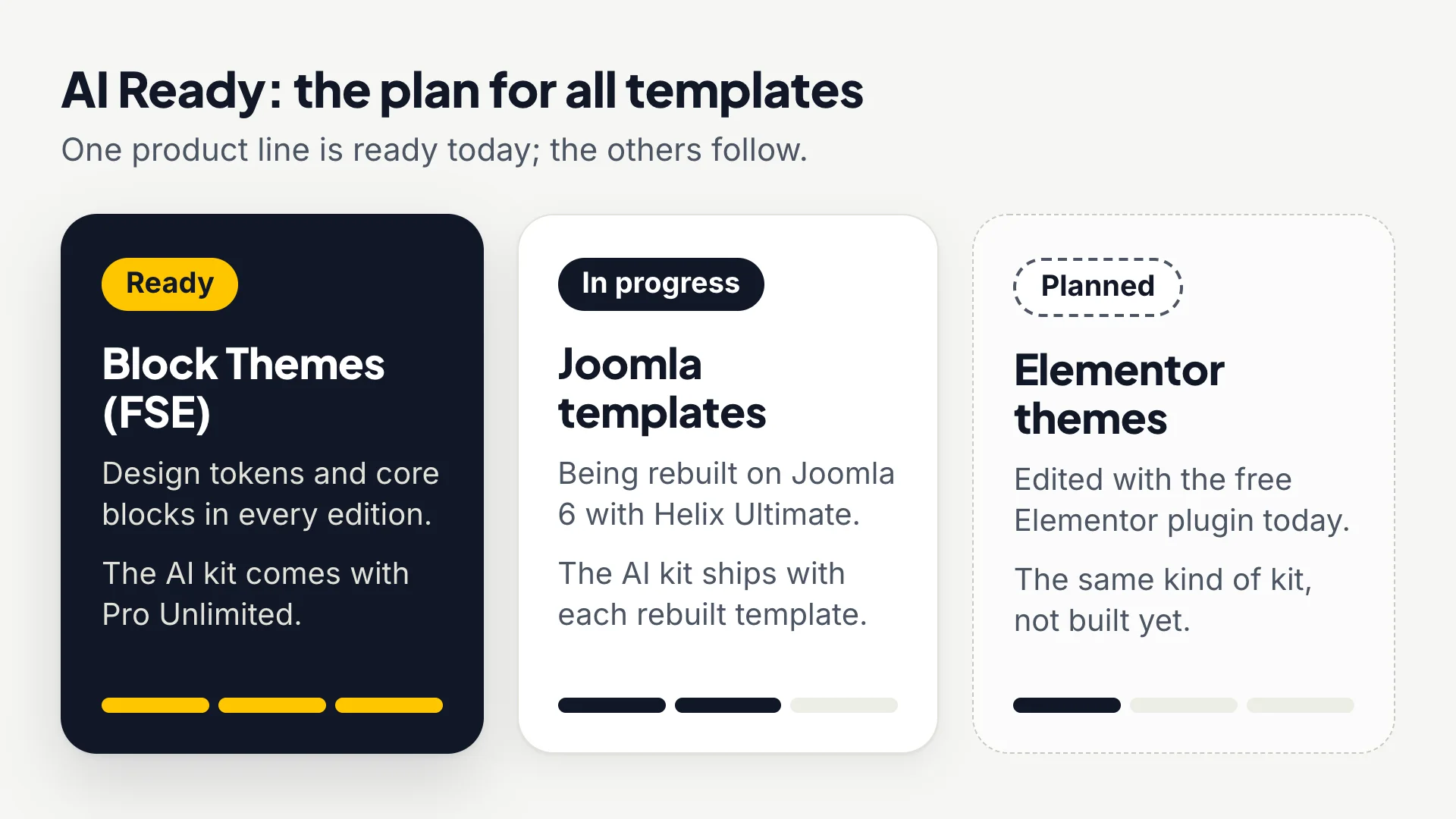
AI-ready means an AI assistant such as Claude, ChatGPT, Cursor or Copilot can change your site’s design without breaking it. Our WordPress block themes are built that way now, and Pro Unlimited adds a full AI kit. The same kit is in progress for our Joomla templates and planned for our Elementor themes, and our ticket desk already uses AI to answer you faster.
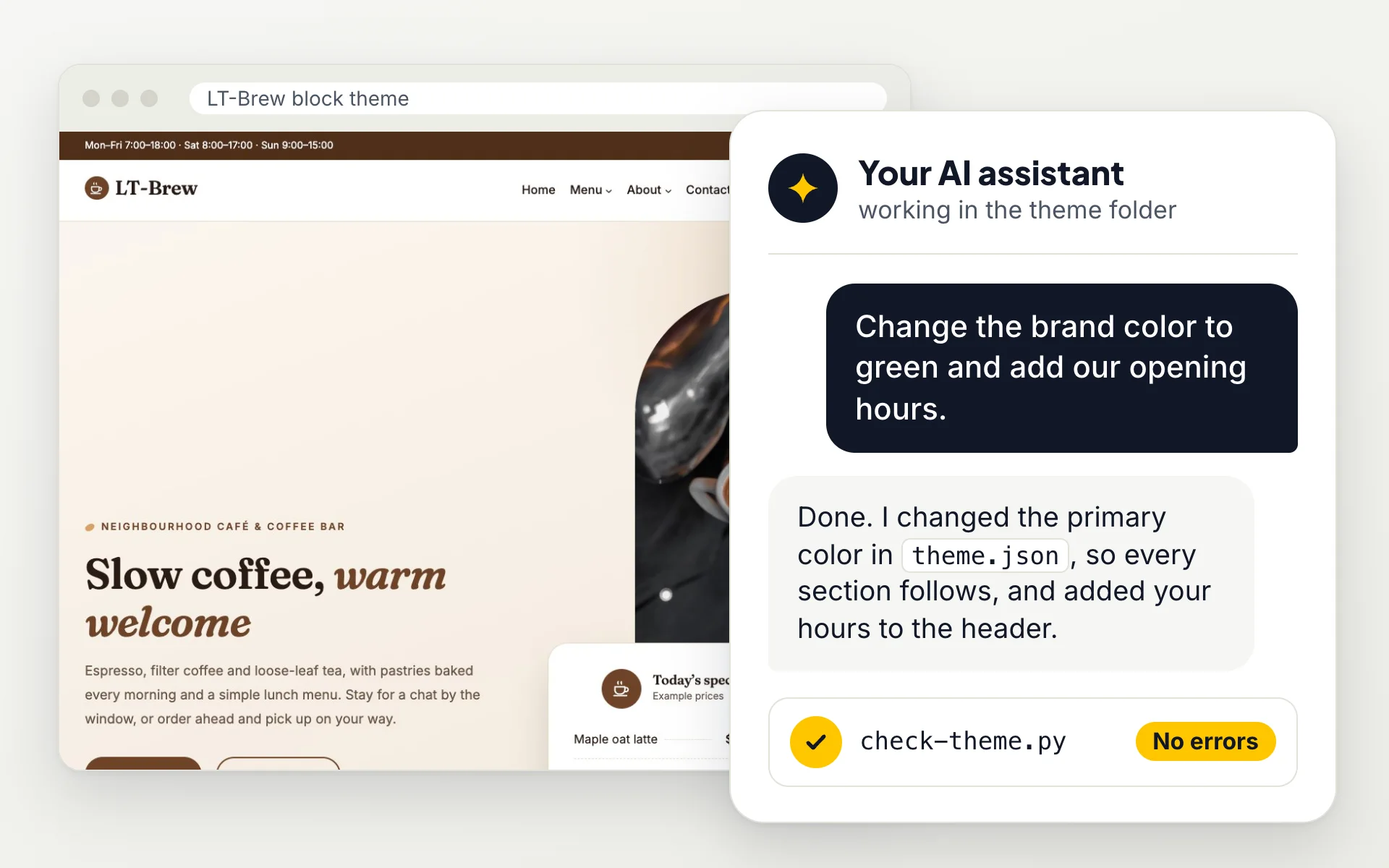
What AI-ready means
Ask an assistant to edit an ordinary theme and it has to guess. It writes new color codes and pixel sizes into every section, produces block markup WordPress refuses to open, and leaves demo phone numbers and prices behind. An AI-ready theme removes the guessing: it gives the assistant named settings to use, a fixed set of blocks to work with, written rules to follow and a way to check the result.
You never have to use AI. Every theme is a normal theme you can edit by hand. The AI side only makes the work faster if you already use an assistant.
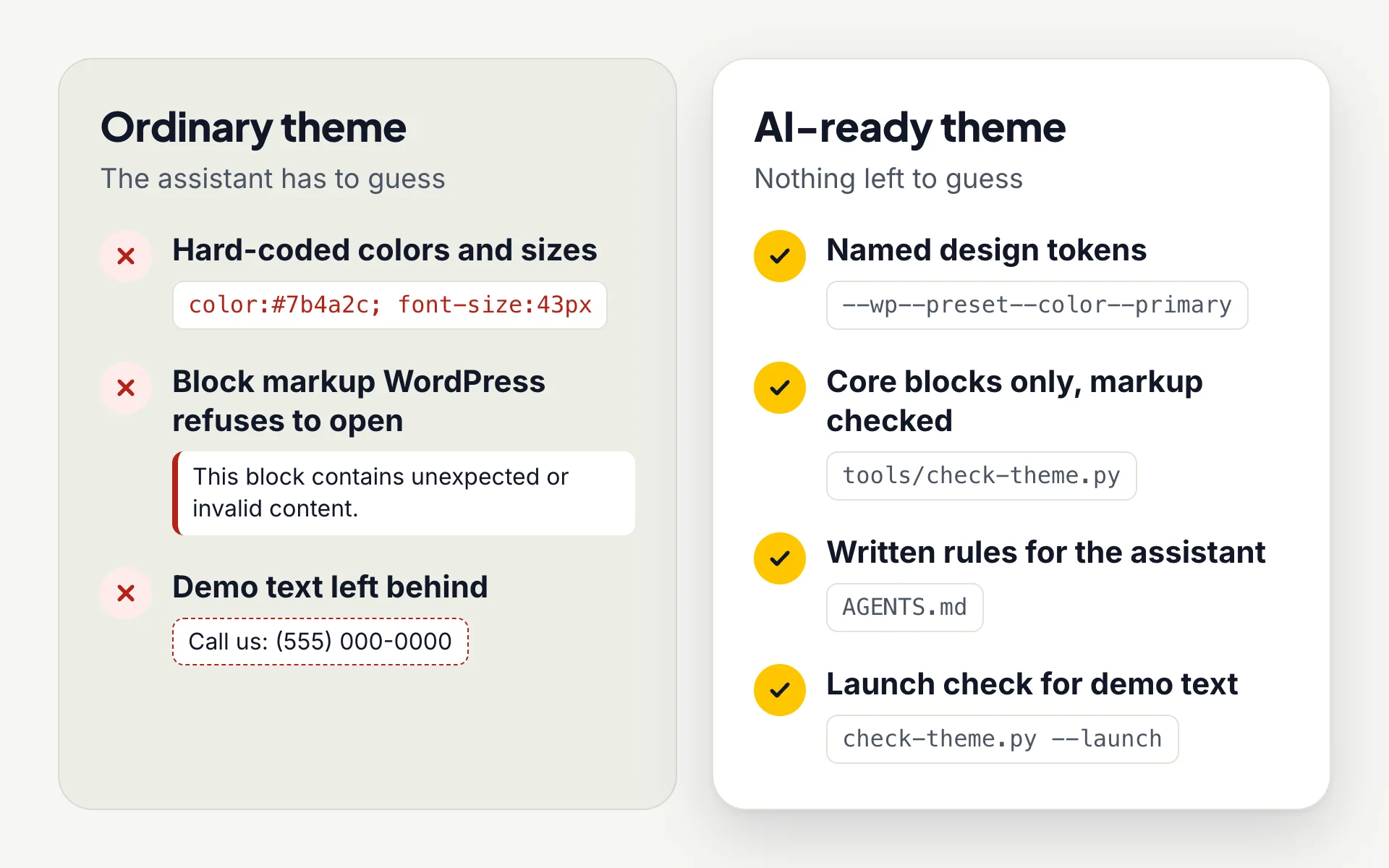
Colors and sizes stay on brand
Colors, font sizes, spacing and corner radii are named design tokens. Change the brand color once and every section follows.
No broken blocks
Sections use WordPress core blocks only, with markup that matches what WordPress saves. The checker tests every file.
No demo text left behind
Each theme lists its placeholders, and the launch check fails until every one is replaced.
In every block theme, in every edition
These foundations are part of each WordPress block theme, including the free download, so any assistant has a clean structure to work with.
Design tokens
Colors, font sizes, spacing and radii are presets in theme.json. Each theme has four color styles, all checked for readable contrast.
Core blocks only
No page builder and no required plugins. Everything is editable in Appearance → Editor, by you or by an assistant.
Local fonts
Fonts ship with the theme, so pages load without requests to Google Fonts.
Named sections
Every section is a named pattern with a description, so you and your assistant can find what to change.
The AI kit in Pro Unlimited
Pro Unlimited ($49, one payment) adds the AI kit on top of the full theme. It is a set of text files and one Python script that you use on your own computer with the assistant you prefer. Free and Pro Standard do not include it. See the AI kit documentation for every file.
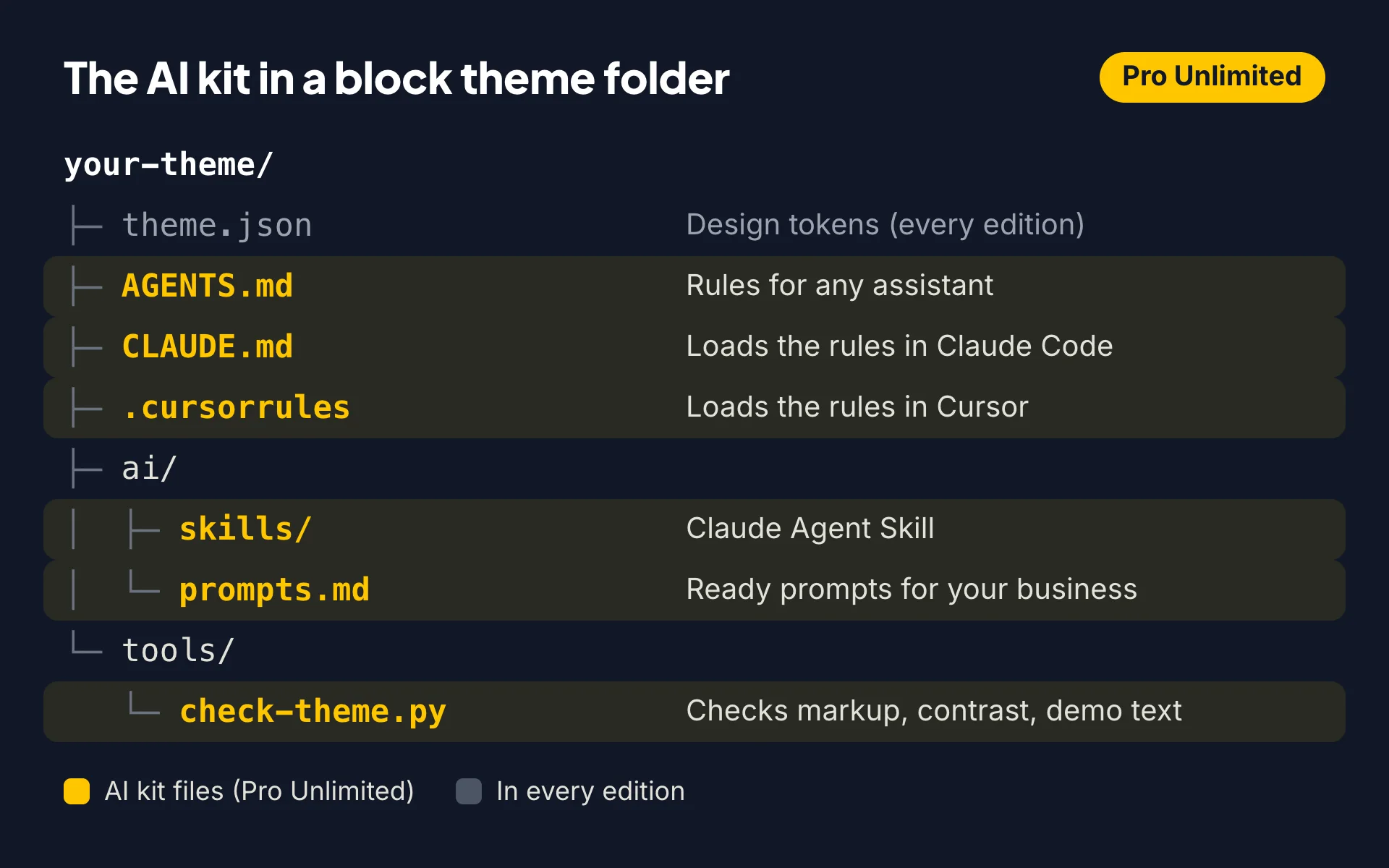
AGENTS.md
The rules for any assistant: which tokens and blocks to use, which demo content to replace, and recipes for common changes.
CLAUDE.md and .cursorrules
Load the same rules automatically in Claude Code and Cursor.
Claude Agent Skill
A skill with the theme’s design language that walks Claude through setting the theme up for a business.
Ready prompts
ai/prompts.md holds prompts written for the theme’s type of business: set up for my business, rewrite in my voice, add services, real prices, new colors, translate.
Theme checker
tools/check-theme.py checks block markup and color contrast, and with –launch lists any demo content left. It needs only Python 3.
From download to your own site in four steps
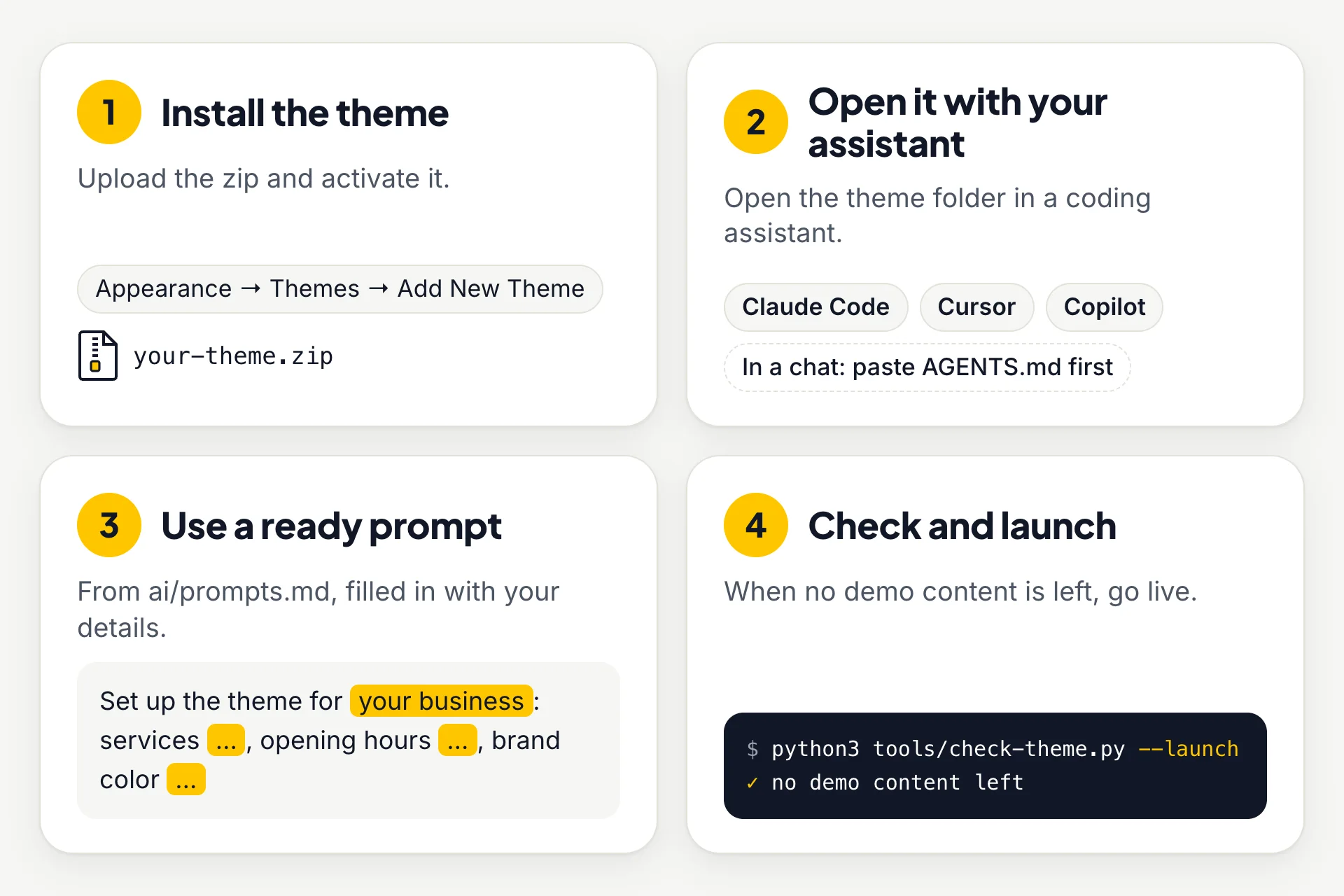
1. Install the theme
Upload the zip in Appearance → Themes → Add New Theme and activate it.
2. Open it with your assistant
Open the theme folder in Claude Code, Cursor or Copilot. With ChatGPT, Claude.ai or Gemini, paste AGENTS.md first.
3. Use a ready prompt
Copy the setup prompt, fill in your name, services, hours and brand color, and send it.
4. Check and launch
Run python3 tools/check-theme.py –launch. When it reports no demo content left, upload the theme and go live.
Joomla templates: AI kit in progress
We are rebuilding our Joomla templates on Joomla 6 with Helix Ultimate, SP Page Builder, Smart Slider 3 and Convert Forms, and the AI kit is being built with them: an instructions file for assistants such as Claude, ChatGPT or Cursor, ready prompts for common edits and a checker script. It ships with each rebuilt template, and the rebuilt demos appear on joomla.ltheme.com as they are finished.
Until a template has it, its page says “AI kit: Planned for the rebuilt version”, and you edit it the usual way with SP Page Builder and Helix Ultimate.
Elementor themes: AI kit planned
Our Elementor WordPress themes do not include an AI kit yet. It is planned, not built: the same kind of kit as the block themes, with an instructions file for assistants, ready prompts and a checker script.
Today these themes are edited the usual way, with the free Elementor plugin.
AI help in ticket support
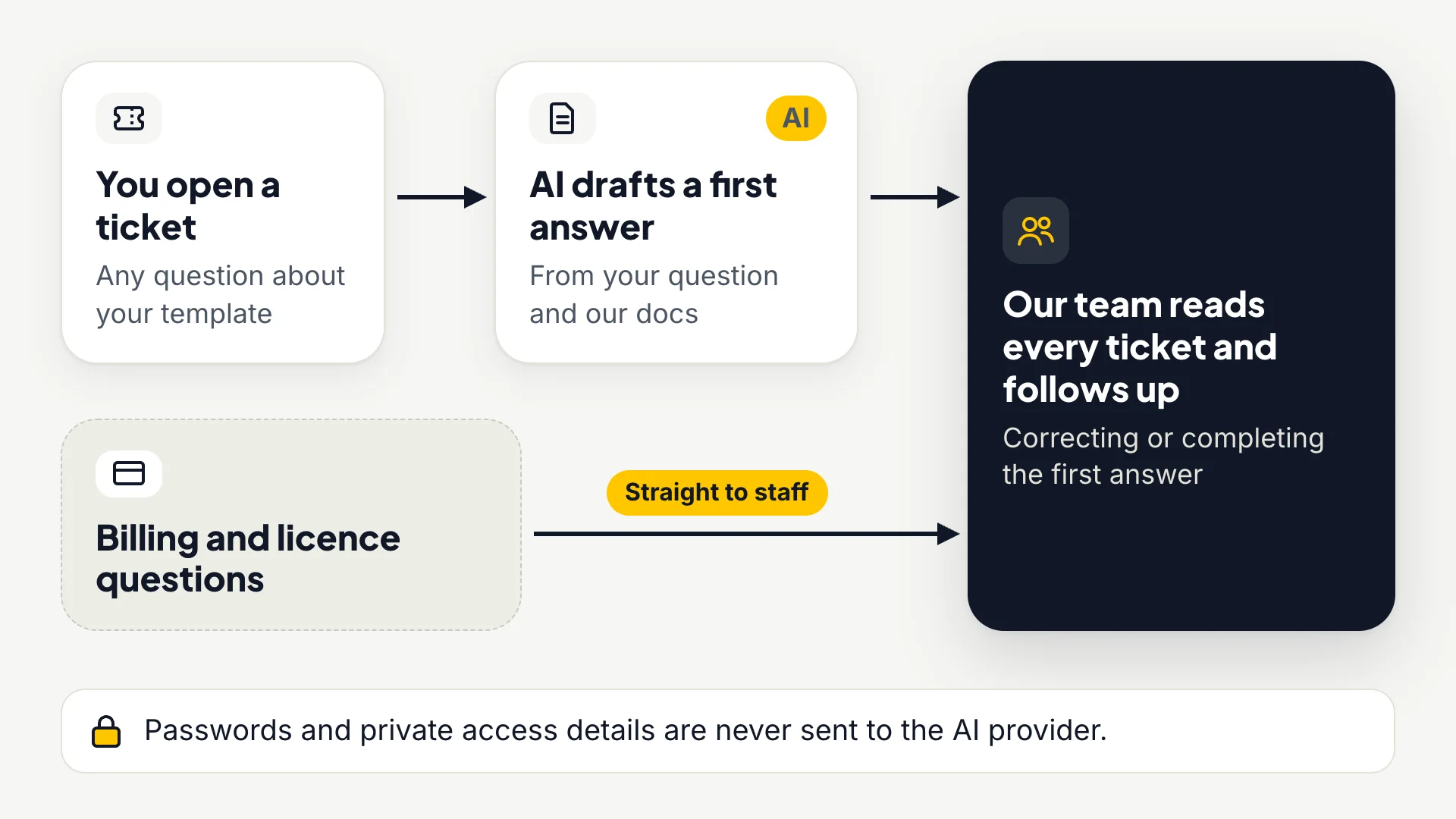
When you open a ticket on ticket support, our help desk drafts a first answer straight away with AI, based on your question and our documentation. A person from our team then reads the ticket and follows up, correcting or completing that answer. Billing and licence questions skip the AI step and go straight to staff.
Ticket text is sent to an AI provider to draft the answer; passwords and private access details are never sent. Details are in our privacy policy.
Working safely with an assistant
The block themes contain no AI code and make no calls to AI services. The kit’s rules tell the assistant to treat every review, price, award and qualification in the demo as a placeholder and to ask you for real details. Still, review what the assistant changed, work on a copy or a staging site, and keep a backup, as you would with any edit.
Questions and answers
What does AI-ready mean for a WordPress theme?
The theme is built so an AI assistant can change it without breaking it: every color, size and space is a named design token and the sections use only WordPress core blocks. Pro Unlimited adds written instructions, ready prompts and a checker that tests the result.
Which plan includes the AI kit?
Pro Unlimited ($49, one payment) for block themes. Free and Pro Standard use the same design tokens but do not include the kit files.
Which AI assistants work with the block themes?
Tools that open your files read the instructions automatically: Claude Code, Cursor, GitHub Copilot, OpenAI Codex and Windsurf. With ChatGPT, Claude.ai or Gemini, paste AGENTS.md first, then the file you want changed.
Do I have to use AI?
No. Every theme works like any other theme, and you can change everything by hand. The AI kit only saves time if you already use an assistant.
Does the theme send my content to an AI service?
No. The block themes contain no AI code. The AI kit is text files and a Python script that you use with your own assistant on your own computer.
Can the AI break my website?
The rules tell the assistant which tokens and blocks to use, and the checker catches invalid block markup, contrast problems and leftover demo text before you upload. Review the changes and keep a backup.
Will the AI make up reviews, prices or qualifications?
The rules tell it to treat all of these as placeholders and to ask you for real details. The launch check fails while any demo content is left.
Do Joomla and Elementor templates have an AI kit?
Not yet. It is planned and will come with each rebuilt template; the template page says when it is included.
How does AI help with support tickets?
You get an AI-drafted first answer as soon as you submit a ticket, and a person from our team follows up. Billing and licence questions go straight to staff.