
Helix Ultimate is an advanced, functional Joomla template framework which is user-friendly and highly customizable tool to build Joomla templates easily and quickly. It allows you to use your own custom code to customize Helix Ultimate Framework (Ex: CSS, JavaScript, Metatags, links and verification code).
1. Before < / head >
Any code that is put here will appear in the < head > section of all your web pages. This feature is useful when you need to add verification code, JavScript or CSS links to all pages. When the page is loaded, the head of HTML document will be not displayed in the web browser.
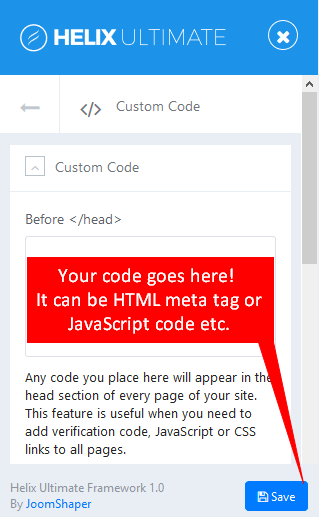
Image by Joomshaper
2. Before < / body >
The code placed here will appear at the bottom of the body section of all your web pages. This feature is useful if you need to input a tracking code for a state counter such as Google Analytics or Clicky
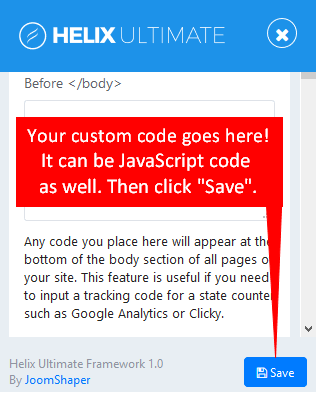
Image by Joomshaper
3. Custom CSS
Add your custom CSS code here and save settings. You can use custom CSS to add your styles (code tweaks) or overwrite default CSS from a template or extension. This is only for CSS code, not for HTML or PHP code.
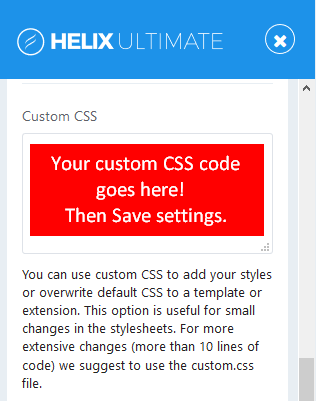
Image by Joomshaper
You should use the custom.css file instead if you want to get more extensive design changes. By default, custom.css file doesn’t exist, so you have to create a new file inside /css folder of template.
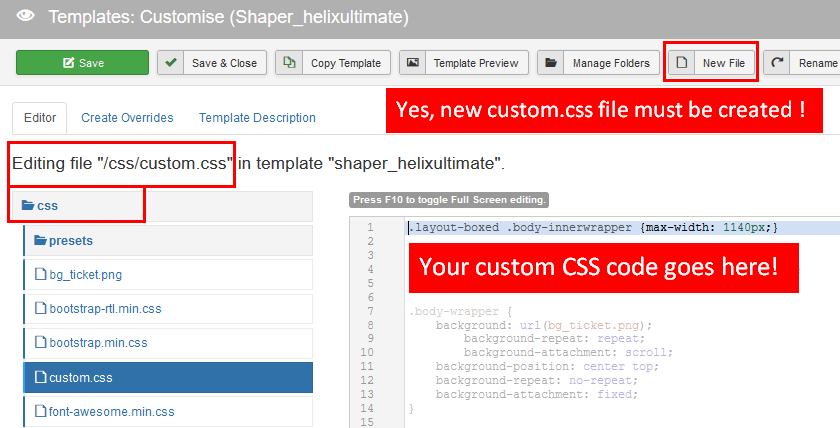
Image by Joomshaper
Note: CSS cascades in reverse, that means rules that appear later always take precedence over rules that appear earlier. So any CSS applied to a separate sheet will override the page’s default code.
4. Custom JavaScript
You can add custom JavaScript to your website here. It loads your custom Javascript code after all other JavaScript files (except special hardcoded occasions), you will be the last one who will affect your website.
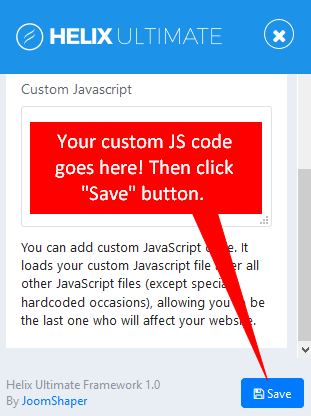
Image by Joomshaper
You should use the custom.js file for longer custom JavaScript code. However, by default, this file doesn’t exist, so you have to create a new file inside /js folder of template.
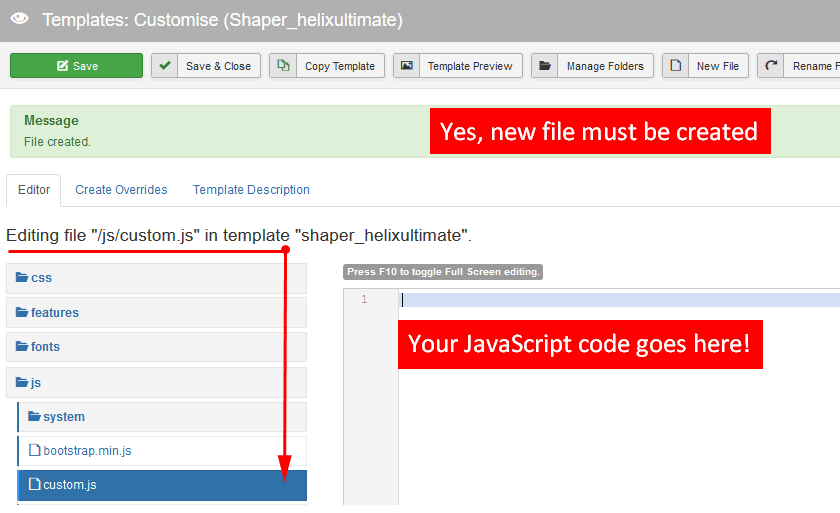
Image by Joomshaper
Hope this article will be useful for you in customizing Helix Ultimate With Custom Code. If you have any question about this tutorial, don’t hesitate to leave a comment below. And don’t forget to share with your friends if you find it useful! Thanks! ?

- 63 AI-Ready WordPress Block Themes for Local Businesses – October 15, 2026
- Fix “The Response Is Not a Valid JSON Response” in WordPress – October 14, 2026
- Joomla Workflows: Set Up an Article Approval Process – October 13, 2026