
A WordPress Editor Plugin plays an important role in editing content such as blogs, making the content more logical and readable. As a result, you can easily and effectively engage more visitors to explore your site’s content. So the more useful the plugin is, the better organized your content will be. Understanding the importance of the WordPress Editor Plugin in building the content system on your website, we are here today to recommend a list of leading WordPress Editor plugins, with both free and pro versions. Let’s get started now!
Why Should You Install WordPress Editor Plugins?
An easy-to-use interface can help you gain more attention from visitors and increase the time they spend on your site. For this reason, you need to have an editing tool to help you customize your themes, fields, or folders easily. In order to help you choose the best one easily, today, in this collection, we provide some remarkable plugins that may be helpful for you. Let’s start now!




Best WordPress Editor Plugins
Classic Editor
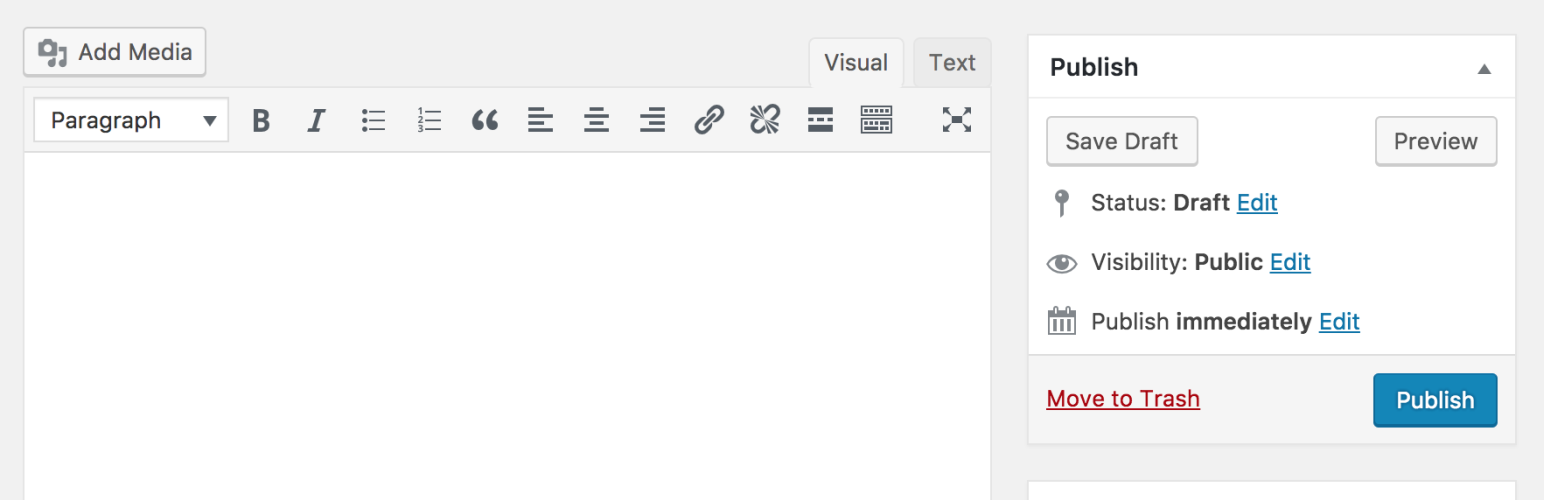
This is a great WordPress Editor plugin that restores classic meta boxes and the previous “Edit Post” screen. What’s more, this plugin allows the admin to choose the default editor for all users. With this plugin, your users can also change their default editor and select the editor to use for each post. Moreover, you can freely change the text color without any trouble.
Provided features:
- Extend that “Edit Post” screen
- Add old-style meta boxes
- Select the default editor for all users.
- Change their default editor.
- Choose which editor to use for each post.
Highlights:
- Good old classic
- Friendly
- Nearly perfect
User Role Editor

User Role Editor is a great WordPress Editor plugin that enables you to change user roles easily. In addition, you can add the roles you want and just click the “Update” button to save the changes. You can also easily remove unnecessary self-made roles.
Provided features:
- Show widgets on the front end for selected roles
- Block selected meta boxes
- “Export/Import” module
- Block selected admin menu items for roles
- Hide selected front-end menu items
- Block selected widgets
- Role and user permission management
- “Other roles access” module
- Manage user access
Highlights:
- Indispensable
- Best Support
- Extremely useful
Checkout Field Editor (Checkout Manager) for WooCommerce

Here is a great solution that allows you to insert a custom field into the WooCommerce checkout page. You can also use it to customize the fields shown on your page, for example, add, edit, remove or reorder them. Furthermore, a lot of features are also included in this plugin.
Provided features:
- Reset to a default fieldset
- Display in the Order Details page and email
- Add new custom field(s)
- Edit field(s)
- Change checkout fields order
- 17 field types are available
- Edit section properties
- Add new section
Highlights:
- Useful and works great
- Very reliable
Admin Menu Editor

This WordPress Editor plugin enables you to manually edit your Dashboard menu. In addition, you can use this plugin to rearrange the menu, change permissions, and show or hide particular items. In the pro version, you can also set per-role menu permissions and export the admin menu.
Provided features:
- Change menu permissions
- Set the required capability or role.
- Move a menu item to a different submenu.
- Create custom menus
- Change menu titles, URLs, icons, CSS classes and so on.
- Organize menu items via drag & drop
- Hide/show any menu or menu item
Highlights:
- A useful tool
Classic Editor Addon

Classic Editor Addon is a must-have WordPress Classic Editor Plugin that is suitable for those who don’t have any editing experience. Moreover, this plugin also offers support via GitHub, where you can get answers whenever you need help.
Provided features:
- Support exclusively through GitHub
- Browse through open and closed issues
- Contains a Settings page
- Add 2 sets of styles to the
<head>section - Set the default setting
Highlights:
- Helpful
- Great Plugin
- A safety net
WPFront User Role Editor

WPFront User Role Editor is an effective WordPress Editor Plugin that you can use to control the roles of all users on your WordPress site. In addition, this plugin lets you create, edit and remove user roles and control role capabilities.
Provided features:
- Create new roles.
- Edit or rename existing roles.
- Clone existing roles.
- Restore role.
- Assign multiple roles.
- Migrate users.
- Navigation menu permissions.
- Manage capabilities.
- Allows you to add role capabilities.
Highlights:
- Beautiful and wonderful
- Fantastic
- Cool and very light
Theme Editor
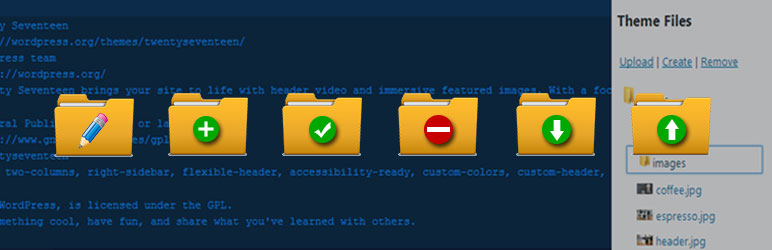
This WordPress Editor plugin gives you the ability to edit theme files, create folders, upload files and delete any folder or file in your plugins and themes. Thanks to it, you can directly customize any themes and plugins that you have. What’s more, this plugin also helps you create a new child theme and duplicate an existing child theme as well.
Provided features:
- Create a New Child Theme
- Duplicate Existing Child Theme
- Edit Theme and Plugin Files
- Code Editors
- Fancy Box
- Query / Selector
- Move File from Parent Theme
- Upload New Images and Download Images
- Change and Upload New Screenshot
- View All Images of Selected Theme
Highlights:
- Outstanding Plugin
- Good job
Htaccess Editor – Safely Edit Htaccess File

Using this WordPress Editor plugin, you are able to view and edit the .htaccess file from the WP admin, and backups are created automatically. In addition, before you click the save button, this plugin can check for syntax errors.
Provided features:
- Automatic backups
- Testing htaccess syntax
- WordPress network support
- Edit & test the site’s .htaccess file
- Test for syntax errors
Highlights:
-
Easy to use
No Gutenberg – Disable Gutenberg Block Editor

This WordPress Classic Editor Plugin helps you disable the Gutenberg Block Editor. Moreover, this plugin is totally compatible with other plugins and existing content. However, it has several requirements, such as WordPress 4.9 or greater and PHP 5.6 or greater.
Provided features:
- Uses the classic editor by default
- Totally disables the Gutenberg Block Editor
- Shows the compatible classic editor by default
Highlights:
- Simple
- Lightweight and cool
- Simple and clean
Custom WooCommerce Checkout Fields Editor
Custom WooCommerce Checkout Fields Editor allows you to customize the fields on the WooCommerce Checkout page or Register page. Thanks to it, you can easily add, remove or edit WooCommerce custom fields in the additional fields section. You can also enable or disable the WooCommerce Fields if you want.
Provided features:
- Display fields on the Orders page and in emails
- Enable / Disable WooCommerce Fields
- Add / Edit / Delete WooCommerce Custom Fields
- Option to add a label and placeholder
- Reorder Fields, Change or rearrange the order of fields
- Add custom fields to the additional fields section
- Reset checkout fields to default option
- Reorder Fields, Change or rearrange the order of fields
Highlights:
- Great support
- Really prompt
- Works excellently




Conclusion
In short, we have shared with you our list of must-try WordPress Editor Plugins. We believe that after trying the outstanding plugins we introduced, you can edit and organize the content on your site effectively. Do you have any questions or trouble related to this topic? Simply leave a comment below and we will answer you.
Furthermore, don’t forget that there are a lot of fully responsive and well-designed free WordPress themes here. Let’s discover and choose the most suitable one for your site.