
LT Besafe
Joomla template for first-aid and workplace safety trainers: courses shown as safety sign plates, open dates, training at the employer's site and occupational health checks.
The Joomla version of this design is being rebuilt on the stack below. Until it is released, the download is the current version of LT Besafe for Joomla.

Key features
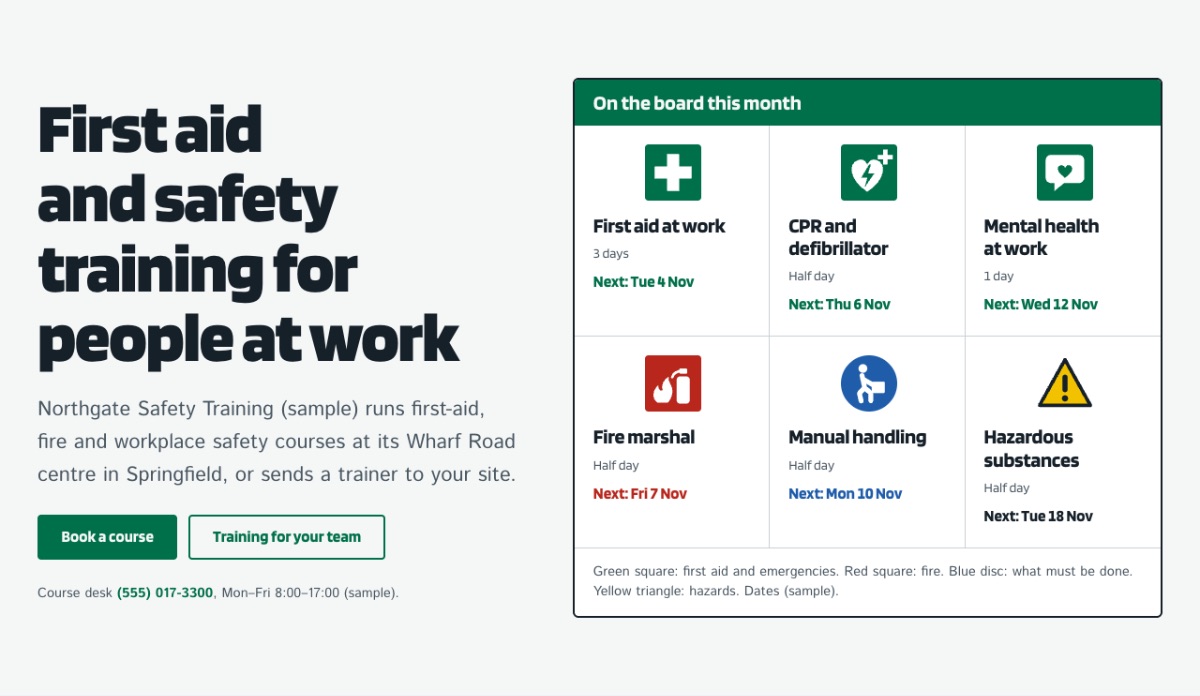
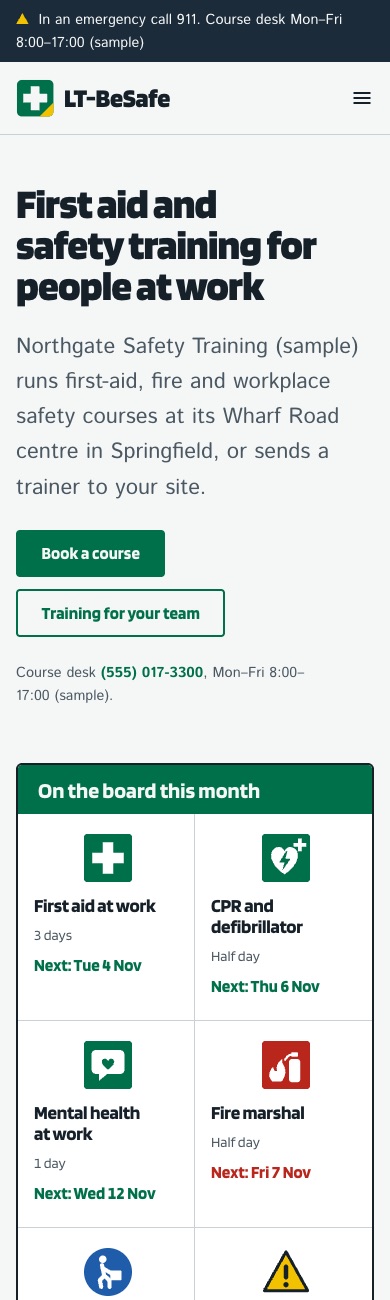
LT Besafe reads like the safety board at a site gate: each course is a sign plate in its family's shape and colour, green for first aid, red for fire, blue for must-do and yellow for hazards. Course lists, open dates and course pages follow, with on-site training, health checks and pages for trainers.
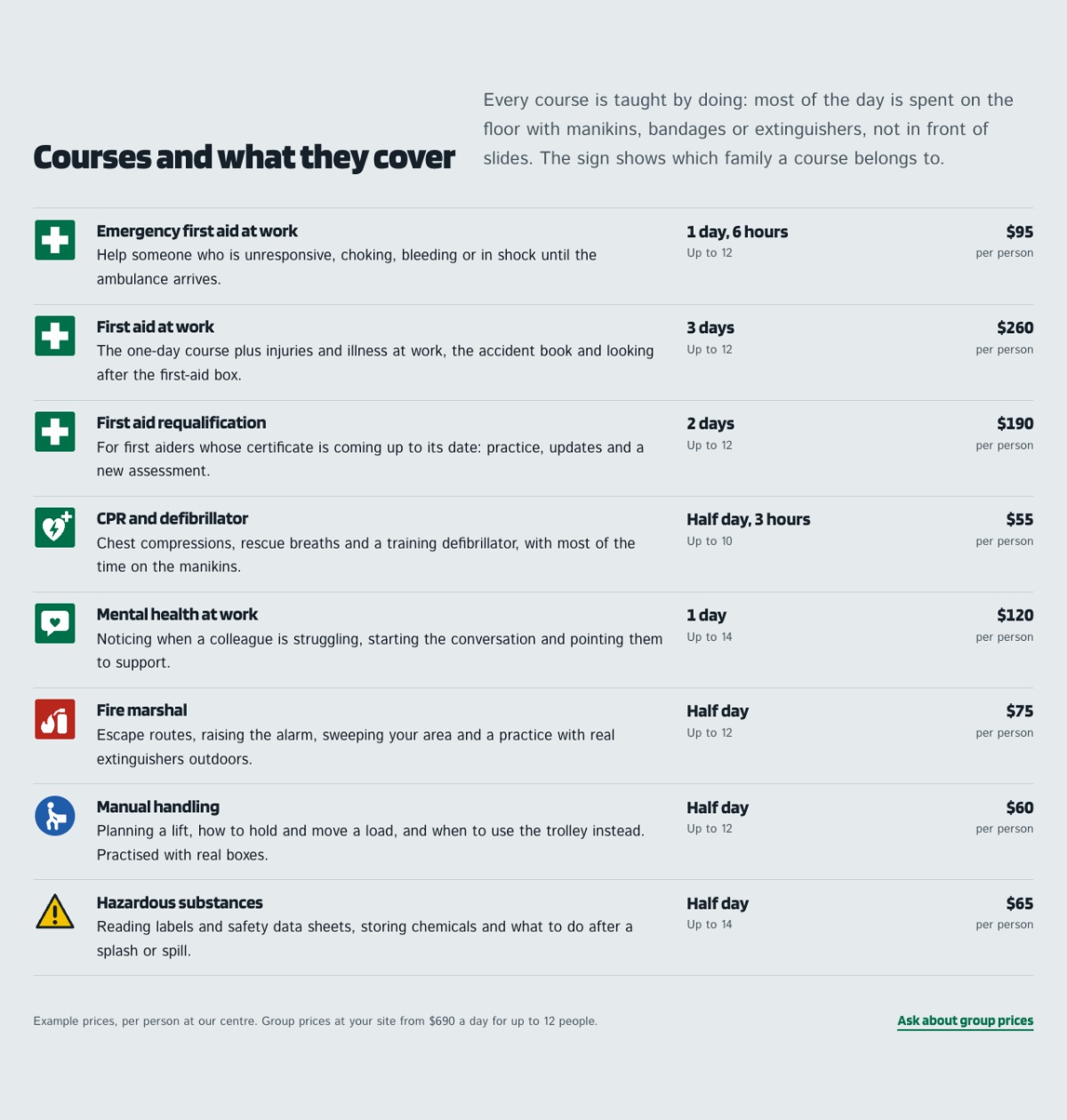
- A board of course signsThe home page shows this month's courses as safety sign plates, each with its length and next open date.
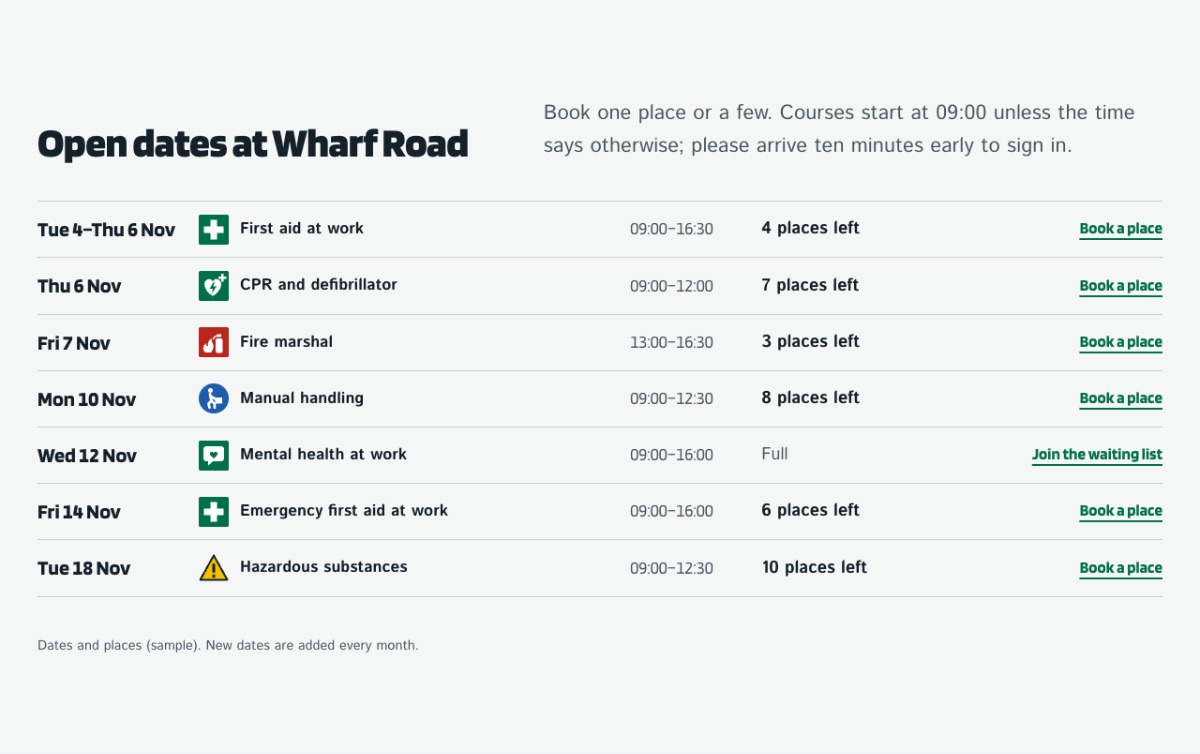
- Courses and open datesCourse rows with what each covers, length, group size and example fees, and open dates with places left.
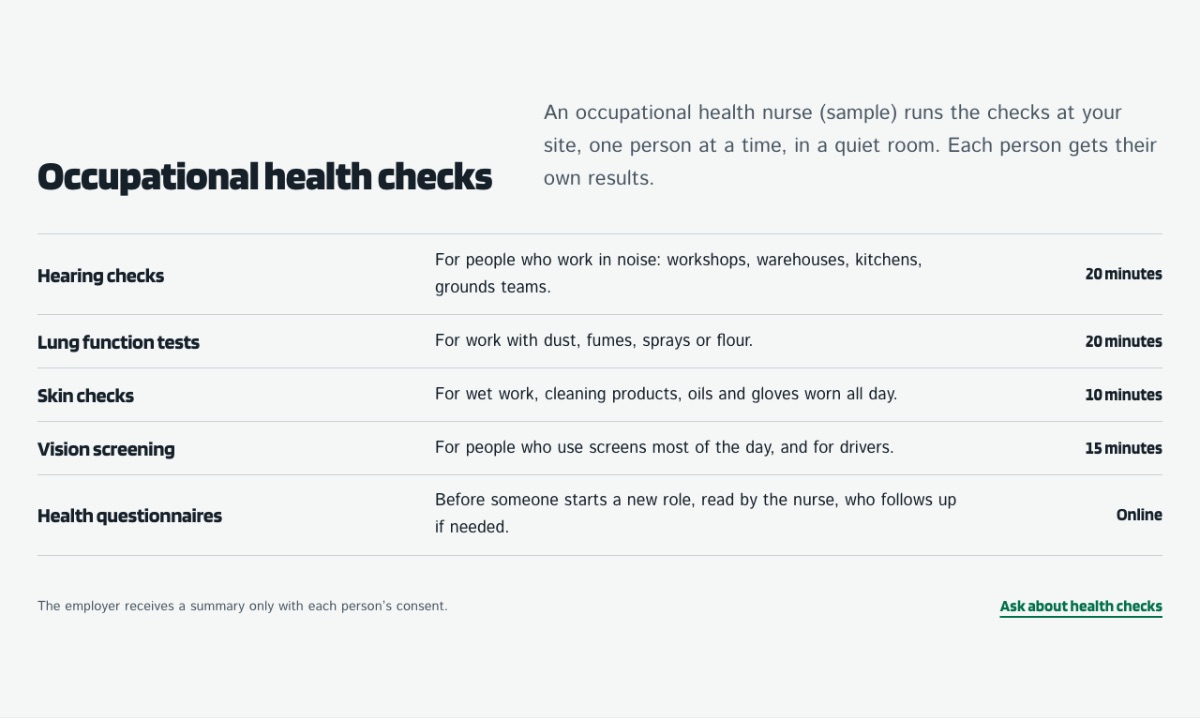
- Pages for employersTraining at the employer's site, how to work out first-aid cover, occupational health checks and training records.
- Quickstart or template packageStart from a full copy of the demo site (the quickstart package of the Pro editions, restored with Akeeba Kickstart and Akeeba's restoration script in the browser) or add the template to a Joomla site you already run.
- One-page mode (Pro)The Pro quickstart includes a one-page version of the home page: its menu scrolls to the home page sections, with smooth scrolling and the current section highlighted.
- Change it without codeColours, fonts, logo, header and footer are Helix Ultimate template options; page sections are edited in SP Page Builder Lite.
The design, section by section
Screens of the design from its WordPress version; the Joomla version is built from the same design and pages.
What you edit, and where
| What | Where | How |
|---|---|---|
| Colours, fonts, logo, header, footer, layout and module positions | Helix Ultimate 2.2.x template options | System > Site Template Styles > LT Besafe > Template Options |
| Page sections (home, inner pages) | SP Page Builder 6 Lite (free) | Reorder, duplicate or delete whole sections in SP Page Builder and edit the words in its text editor; the layout inside a section is fixed HTML, not drag and drop. |
| Contact form | Convert Forms Free | Fields, the email it is sent to and the thank-you message (Components > Convert Forms). |
| Slider (where the design uses one) | Smart Slider 3 Free | Slides, texts and timing in Smart Slider 3; the slider is placed on the page as a module. |
| Portfolio and photo galleries | SP Simple Portfolio and SP Easy Image Gallery (free) | Portfolio items and tags, gallery albums and their pictures (Components > SP Simple Portfolio, SP Easy Image Gallery). |
| Top bar, footer columns, menus and latest posts | Custom HTML and core Joomla modules (Menu, Articles) | Content > Site Modules and Menus > Main Menu (up to 3 levels). |
Two ways to install
- Quickstart package (Pro)A complete Joomla site with the template, the extensions and the demo pages, menus and modules, in Pro Standard and Pro Unlimited. Best for a new site: upload it to an empty folder and restore it with Akeeba Kickstart and Akeeba's restoration script in the browser, then replace the sample texts and images.
- Template package (all editions)Only the template, and the only package in Free. Install it in System > Install > Extensions on a Joomla site you already have, then build your pages; the demo layout is not imported.
What an AI assistant can do for a Joomla site
No AI writes into your Joomla site by itself. These are the honest options today; you stay in control of every change.
- AI help in ticket support Available now with Pro Open a ticket and you get an instant AI-drafted answer; a person from our team follows up. Ticket support
- Texts for your pages Works with any AI assistant Ask an assistant such as Claude or ChatGPT to draft your page texts in your own words, then paste them into the SP Page Builder text editor and your Joomla articles.
- Small design changes Works with any AI assistant Describe the change and ask for CSS; paste it into Helix Ultimate's Custom Code tab and check the page before you save.
- AI kit WordPress version only The kit that lets an assistant edit pages safely (instructions, ready prompts, a checked import tool) exists for our WordPress themes only. Nothing in a Joomla site is changed by AI unless you paste it in. See the WordPress version
Compatibility and requirements
| Platform | Joomla 6 (latest version) |
|---|---|
| PHP | PHP 8.3 or newer |
| Template framework | Helix Ultimate 2.2.x (free) |
| Page builder | SP Page Builder 6 Lite (free); SP Page Builder Pro not needed |
| Contact form | Convert Forms Free |
| Slider | Smart Slider 3 Free, where the design uses one |
| Portfolio and gallery | SP Simple Portfolio and SP Easy Image Gallery (free) |
| Fonts | Blinker, Istok Web, bundled (no Google Fonts requests) |
| Colours | Safe-condition green, Sign ink, Warning yellow, Board white |
| Installation | Quickstart package (full demo site, Pro editions) or template package (all editions) |
| Licence | Free: footer credit stays. Pro Standard: one website. Pro Unlimited: unlimited websites. |
| Help | Documentation, ticket support, install service |
Questions
Is it only for first-aid trainers?
It also suits health and safety consultants, fire safety trainers, occupational health clinics and training centres.
Do I need SP Page Builder Pro?
No. The pages use the free SP Page Builder Lite, with Convert Forms Free for the contact form; Helix Ultimate is free too.
Quickstart or template package: which one do I need?
Take the quickstart package for a new site that should look like the demo. Take the template package to restyle a Joomla site you already have; your content stays and the demo pages are not added.
What is the difference between Free and Pro?
Free is the template package with the footer credit. Pro adds the quickstart package (a full copy of the demo, with the one-page version of the home page), credit removal and ticket support: Pro Standard for one website with a year of updates, Pro Unlimited for unlimited websites with lifetime updates.
What if it does not work for me?
If a Pro product has a problem we cannot fix, open a ticket within 30 days of your order and we refund it in full.
Joomla! 6 ready | Quickstart package included
LT Carenix
Joomla! 6 ready | Quickstart package included
LT Makeup
Joomla! 6 ready | Quickstart package included
LT Taxico
Joomla! 6 ready | Quickstart package included
LT Halloween
Live demo LT Halloween (opens in a new tab)Details LT Halloween


