LT BeSafe
Light, photo-led first-aid and safety training theme for Elementor: a photo hero at the manikins, course photo cards with their safety sign, open dates, health checks, trainers and a training centre band.
Key features
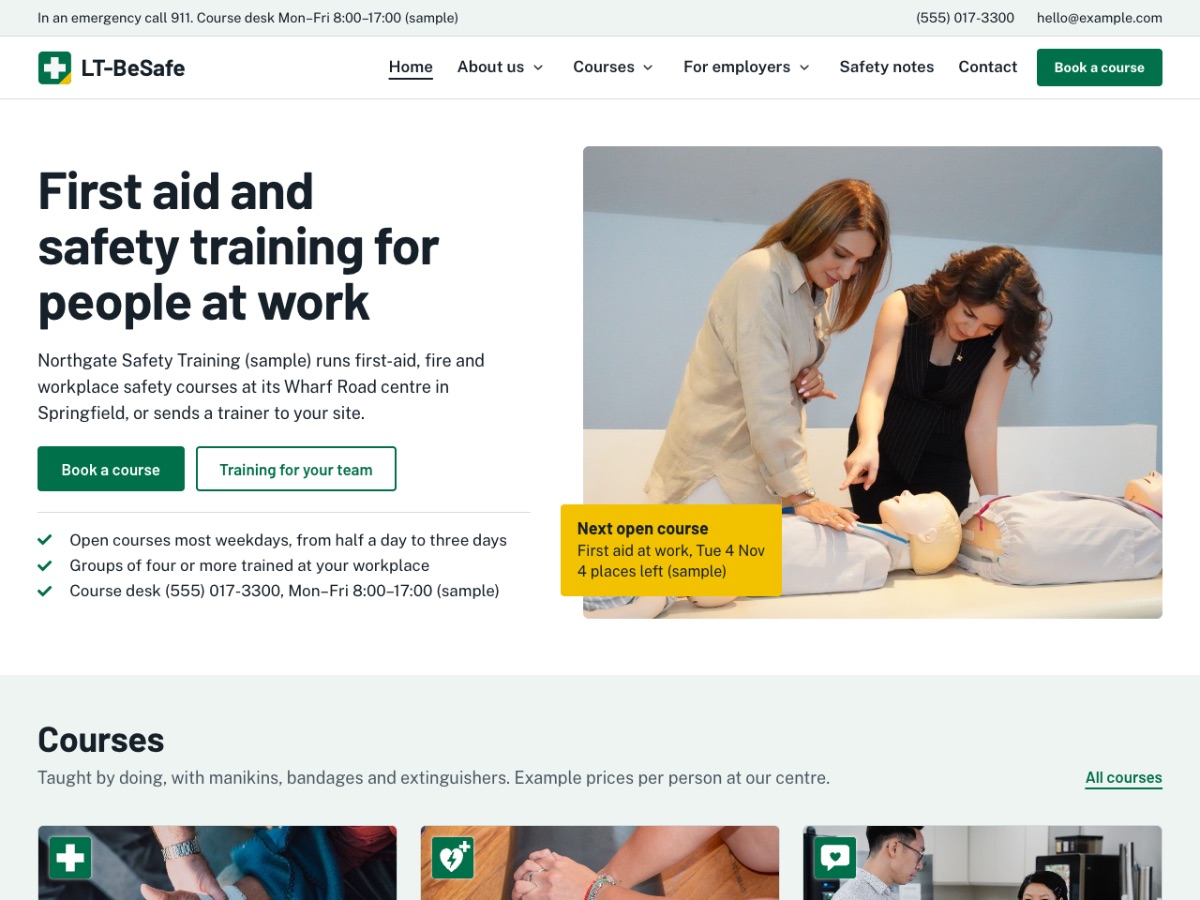
- A photo hero on the training floorThe home page opens with a large photo of a trainer and a learner at the manikins beside the headline and two booking buttons, with a small card on the photo naming the next open course.
- Courses as photo cardsFirst aid, CPR and defibrillator, mental health, fire marshal, manual handling and hazardous substances, each with a photo, its safety-sign badge, one line, the length and an example price.
- Open dates, health checks and trainersA compact list of open dates beside a photo of the training room, occupational health checks as photo cards and the trainers with portraits.
- Full inner pagesCourses with a three-level first aid branch, mental health, fire marshal and manual handling, a page for employers with on-site training and health checks, about, the trainers and contact, each with photos.
- One-page modeSwitch the menu to scroll links for the home page sections, with smooth scrolling and the current section highlighted. In every edition: Free imports the one-page website.
- Free Elementor and a booking formEvery page is built with free Elementor widgets on Hello Elementor, with a course booking request form made with the free WPForms Lite plugin. Fonts are bundled: no Google Fonts requests.
Let an AI assistant do the routine work
You can ask an AI assistant such as Claude, ChatGPT or Cursor to change texts, add pages or check your set-up. Here is what each edition gives you for that.
- AI assistant Free and Pro Ask the AI assistant on ltheme.com (the chat bubble) or Ask AI on doc.ltheme.com about installing and editing the theme. Free help also comes through the contact form. Contact form
- AI kit Included with Pro Unlimited A file that explains the theme to your AI assistant, ready prompts for common edits, and a checker that reports mistakes before you publish.
- Ticket support with AI-drafted answers Pro only Open a ticket and you get an instant AI-drafted answer; a person from our team follows up. Ticket support
Compatibility and requirements
| Platform | WordPress 6.6 or newer (tested with 7.1) |
|---|---|
| Page builder | Elementor, free version (tested with 4.3); Elementor Pro not needed |
| Parent theme | Hello Elementor (free, from WordPress.org) |
| PHP | 7.4 or newer (tested with 8.3 and 8.4) |
| Contact form | WPForms Lite (free) |
| Fonts | Barlow, Public Sans, bundled (no Google Fonts requests) |
| Licence | Free: any site, credit stays. Pro Standard: one website. Pro Unlimited: unlimited websites. |
| Editions | Free: theme + one-page website import. Pro: full multi-page website like the demo. |
| Support | Free: the AI assistant and the contact form. Pro: ticket support (with an instant AI-drafted answer). |
| Help | Documentation, ticket support, install service |
Questions
Do I need Elementor Pro?
No. LT BeSafe uses only the free Elementor plugin and the free Hello Elementor theme. The header and footer are part of the theme, so you do not need Theme Builder.
Does it work as a one-page site?
Yes, in every edition. Free imports the one-page website: the Home page sections on one scrolling page, with a menu that scrolls to them and highlights the current section. Pro imports the full multi-page website, and one-page mode is a switch in the Customizer (or the "One-page (scroll menu)" page template).
Can I change the courses and the signs?
Yes. Course cards, dates and prices are normal Elementor widgets. The sign badges are images in the theme; pick the sign whose family matches the course (green first aid, red fire, blue must-do, yellow hazard).
Does it take bookings or payments?
No. Visitors send a booking request with the WPForms Lite form and your course desk replies. You can link a booking system of your own from the buttons.
Will my site look like the demo?
Yes, with Pro: Appearance > Demo import creates every page, the colours, fonts, menu, header and footer. The demo photos are replaced by placeholders you swap for your own.
What is the difference between Free and Pro?
Free: theme + one-page website import (the Home page sections on one scrolling page with a scroll menu, imported in one click); the footer credit stays, and help comes from the AI assistant and the contact form. Pro: full multi-page website like the demo: all 16 pages, sample posts and one-click demo import, one-page mode too, credit removal (put your own copyright there), updates and ticket support. Pro Unlimited adds the AI kit.