How to remove Featured Products from VirtueMart Store Front ?
By default, the VirtueMart store front for Joomla 3.x shows Featured Products. In a previous article we showed you how to set a product as a featured product, however you can disable the showing of featured products on your VirtueMart frontpage.…
By Document TeamUpdated January 3, 20171 min read
By default, the VirtueMart store front for Joomla 3.x shows Featured Products. In a previous article we showed you how to set a product as a featured product, however you can disable the showing of featured products on your VirtueMart frontpage. In this VirtueMart tutorial, we’ll show you how to prevent Featured Products from showing on your homepage.
To disable Featured Products within ViruteMart:
Step 1: Log into your Joomla Dashboard
Step 2: In the top menu, hover over Components and click VirtueMart
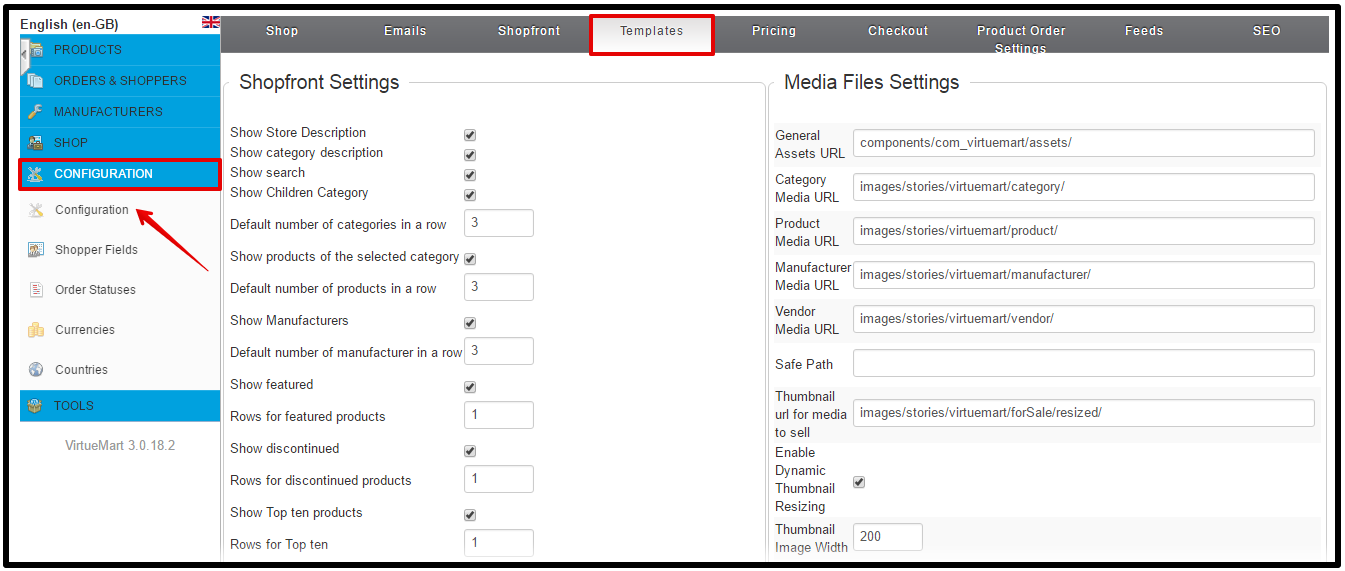
Step 3: Click the Configuration button
Step 4: Click the Templates tab
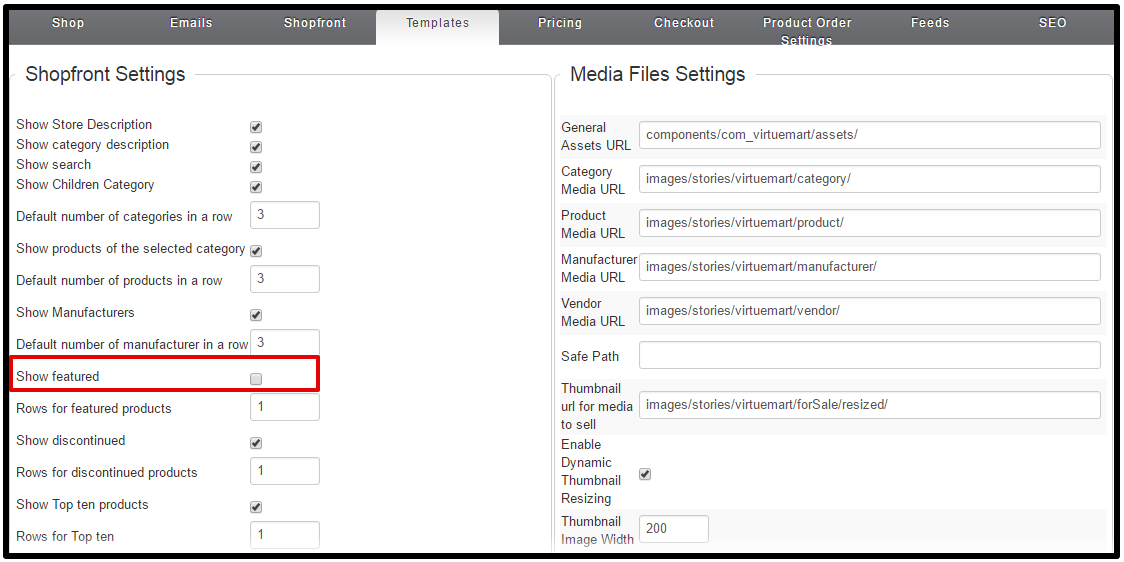
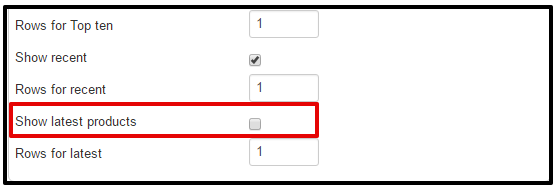
Step 5: Under Shopfront Settings, uncheck the box next to Show Featured
Step 6: Click Save in the top right menu. When you visit your VirtueMart’s homepage you will no longer see the Featured Products section!
Hi, We’re document team, we write document for all products from our company. You can reach our Document Portal. If you have any questions or problem during using our products, feel free drop comment, we will come to help you shortly.
We use cookies to improve your experience on our website. By browsing this website, you agree to our use of cookies.
Functional
Always active
The technical storage or access is strictly necessary for the legitimate purpose of enabling the use of a specific service explicitly requested by the subscriber or user, or for the sole purpose of carrying out the transmission of a communication over an electronic communications network.
Preferences
The technical storage or access is necessary for the legitimate purpose of storing preferences that are not requested by the subscriber or user.
Statistics
The technical storage or access that is used exclusively for statistical purposes.The technical storage or access that is used exclusively for anonymous statistical purposes. Without a subpoena, voluntary compliance on the part of your Internet Service Provider, or additional records from a third party, information stored or retrieved for this purpose alone cannot usually be used to identify you.
Marketing
The technical storage or access is required to create user profiles to send advertising, or to track the user on a website or across several websites for similar marketing purposes.