Why should you install a form builder plugin on your WordPress site?
As a website owner, you always want to bring the greatest experience to users when they visit your website. In the past, most website owners used to display an email address, street address and phone number as the bridge between the website owner and users. However, such a traditional method has a real drawback for the website owner: it is a good opportunity for spammers to attack your email accounts by sending spam emails or negative messages. To deal with this problem, using a form builder plugin is now considered an effective way to help you create many types of forms such as contact forms, registration forms, login forms, and much more. In addition, this useful tool also comes with plenty of advanced features that help you easily communicate with the users of your website. Unfortunately, there are countless form builder plugins on the market, which makes it difficult to choose the right tool for your website. For these reasons, in today’s topic, we picked out two outstanding plugins to compare: Ninja Forms Vs Formidable Forms.
Both plugins have been trusted and used by a lot of webmasters around the world. Moreover, they offer loads of creative features and functionalities to ensure that they bring a great experience to users. Therefore, we will compare Ninja Forms Vs Formidable Forms based on 4 aspects: main features, price, eCommerce support and ease of use. The contest between Ninja Forms vs Formidable Forms will be a valuable guide to help you make the most suitable choice for your site later. Now, what are you looking for? Let’s dive into the comparison below.
Ninja Forms Vs Formidable Forms: Overview
Ninja Forms
Ninja Forms is one of the most effective products developed by Saturday Drive. It has had over 20.000.000 downloads around the world. The plugin has been designed with a user-friendly interface, so it is extremely easy to use for all users, even if you are a beginner. In addition, it comes with loads of powerful features and other useful functionalities. The most remarkable thing about this plugin is that it provides excellent customer support: even if you use the free version, their support team always responds and helps you handle any question or issue. In addition, when purchasing the premium add-ons, you can add new functionality and integrations with third-party apps.
Formidable Forms
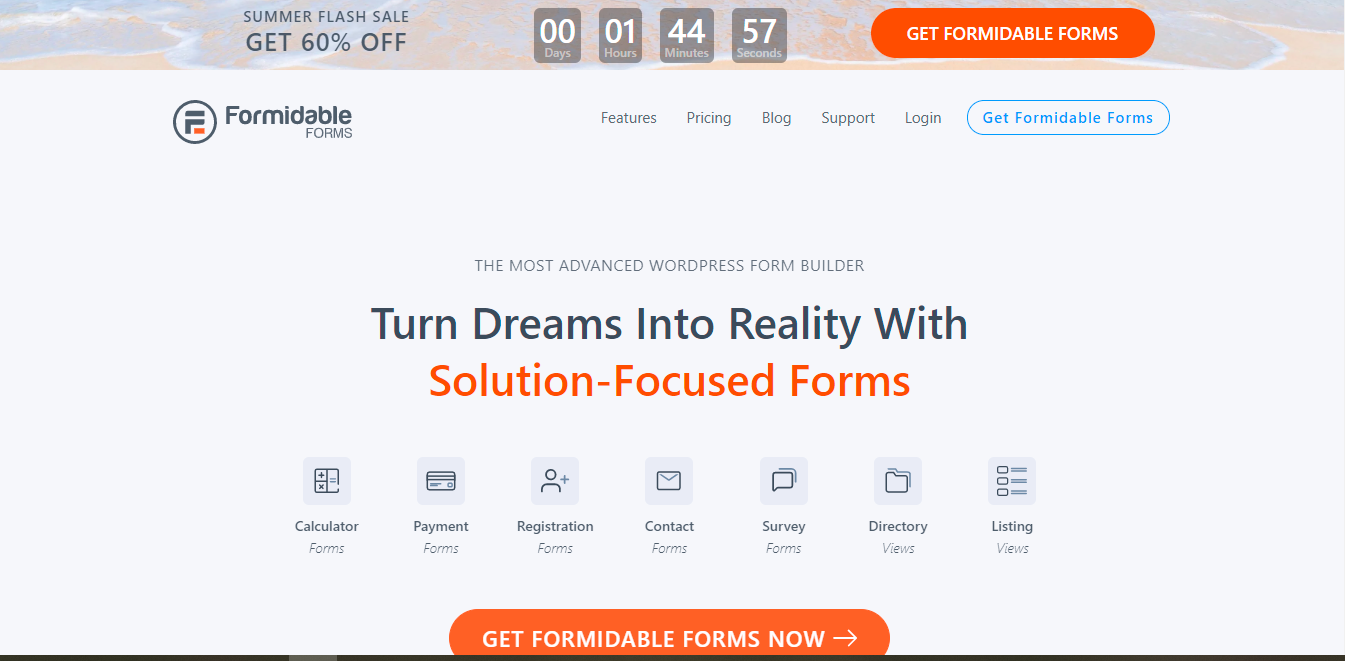
Formidable is another outstanding plugin that we will compare. This plugin is considered the most effective solution to help you create all types of forms such as contact forms, surveys, quizzes, registration forms, payment forms, and much more. In addition, this plugin has been built with the best practices and modern standards to ensure that it doesn’t slow your site down. One significant advantage is that you don’t need any coding knowledge to create and manage forms. Formidable Views enable you to use your form data without any PHP, although HTML skills are useful. In addition, Formidable is 100% mobile responsive. It means that your WordPress forms will have a great appearance on all types of devices including desktops, laptops, tablets, and even smartphones.
Main features
Ninja Forms
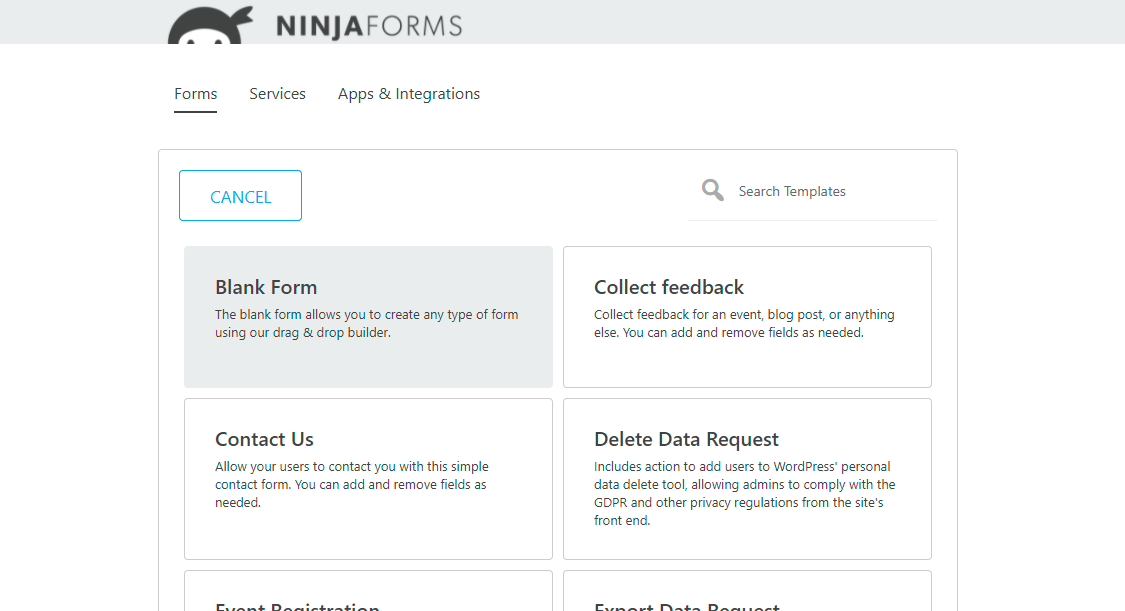
Ninja Forms comes with a bunch of advanced features including:
- The ability to create an unlimited number of submissions
- Allows you to create forms with required fields and use field validation
- Integrates with the most popular email marketing services, payment gateways, CRM, notification services, eCommerce platforms, and project management apps
- Upload files to WordPress, Google Drive, Dropbox, or Amazon S3
- Drag and drop form builder
- Customizable email notifications from any form
- Spam protection including Akismet and Google reCAPTCHA
- Enables you to export and import forms
Formidable Forms
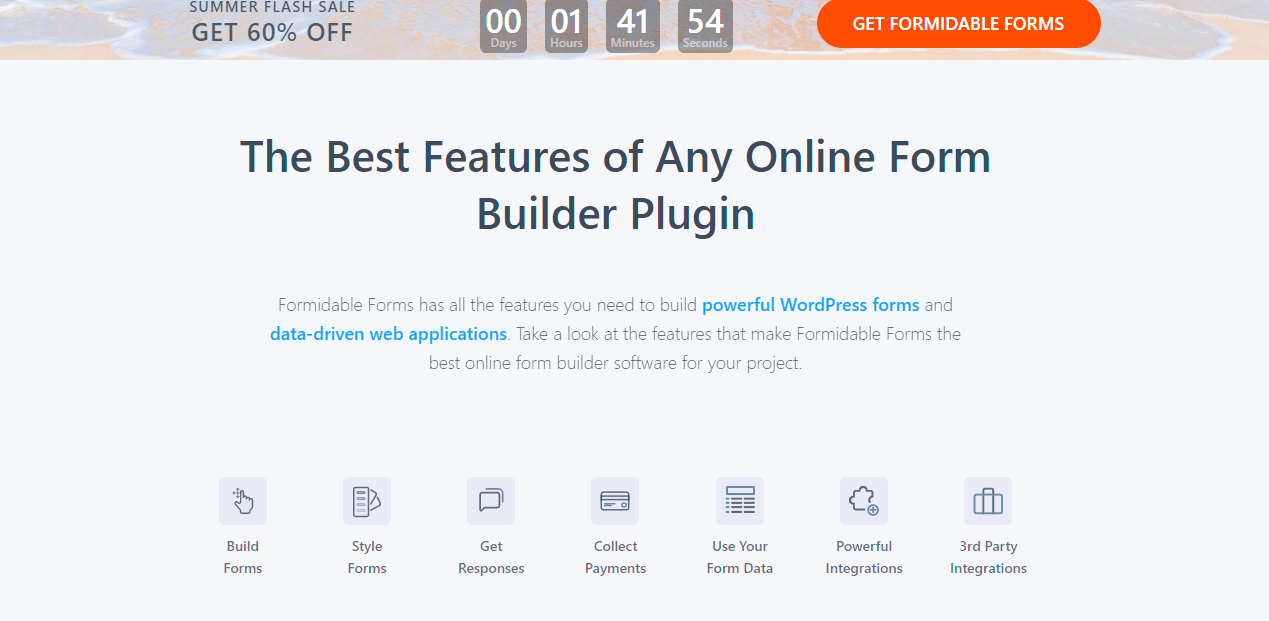
The powerful features of the Formidable plugin include:
- Allows you to build any type of form, such as quizzes, online calculator forms, polls & surveys
- Display your form data with Formidable views
- Send email notifications and autoresponders
- Enables you to style your WordPress forms as you want
- Allows you to view all your quiz and survey entries right from your WordPress dashboard
- Configure unlimited email notifications and autoresponders triggered by submissions
- Allows you to create a payment form to accept credit card payments
- Offers extensive integration with WooCommerce orders
- Create an order form, donation form, booking form, or other payment forms with payment fields
It can’t be denied that both plugins come with loads of excellent features that can meet all basic requirements to build multiple forms for your website. So we will compare some unique features of each plugin to help you realize the differences.
- Advanced data search
This useful feature helps visitors easily run searches such as parametric search or multi-criteria search. Especially, if your website has various kinds of content, this function is really helpful. Formidable Forms allows you to create search forms from available forms or you can add custom fields as you want. However, Ninja Forms doesn’t offer such a feature.
- Frontend Posting
Formidable Forms Pro enables you to create posts through a form, and you don’t need to pay additional charges to use this feature. On the other hand, with Ninja Forms you have to buy an extra add-on to generate posts via forms.
- User analytics
Collecting user data will help you make the right decision about your campaigns as well as organizational strategies. Hence, Ninja Forms provides you with this feature to help you get better data about the form traffic. In addition, you can also add 12+ analytics fields including UTM values, URL referrer, Geodata, and much more. But this function is not included in Formidable Forms.
- Zoho CRM
Ninja Forms integrates with the Zoho CRM extension. This feature enables you to send customer-submitted data from your WordPress forms to your CRM account. Thanks to that, it is easy for you to create contacts, leads, accounts, potentials, notes, and tasks. This smart extension helps you save much time because it directly connects your WordPress form and your Zoho account. Unlike Ninja Forms, Formidable Forms has no similar feature yet.
Pricing Plan
Ninja Forms
Formidable Forms
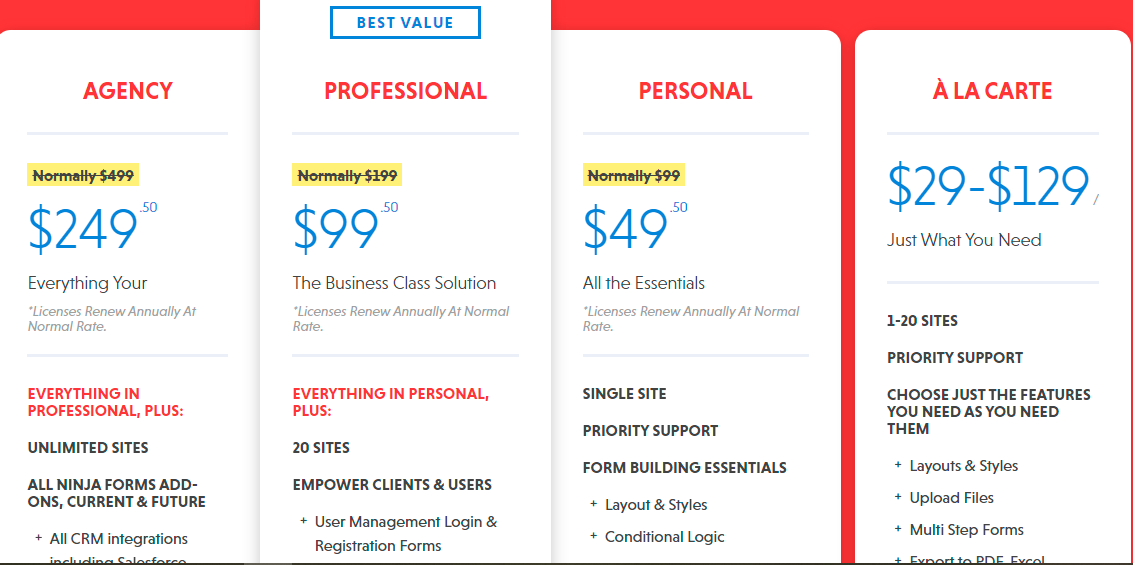
Generally, each plugin provides several reasonable pricing plans for different purposes. We created the detailed table below to compare the price of each plugin according to the number of site licenses to help you easily realize which plugin is cheaper.
| Ninja Forms | Formidable Forms | |
| 1 site license | $99 | $79 |
| 3 sites license | N/a | $199 |
| 7 sites license | N/a | $399 |
| 20 sites license | $199 | N/a |
| Unlimited sites | $499 | $599 |
| Updates | Yearly | Yearly to lifetime |
| Support price | Yearly | Free for one year, then paid per month |
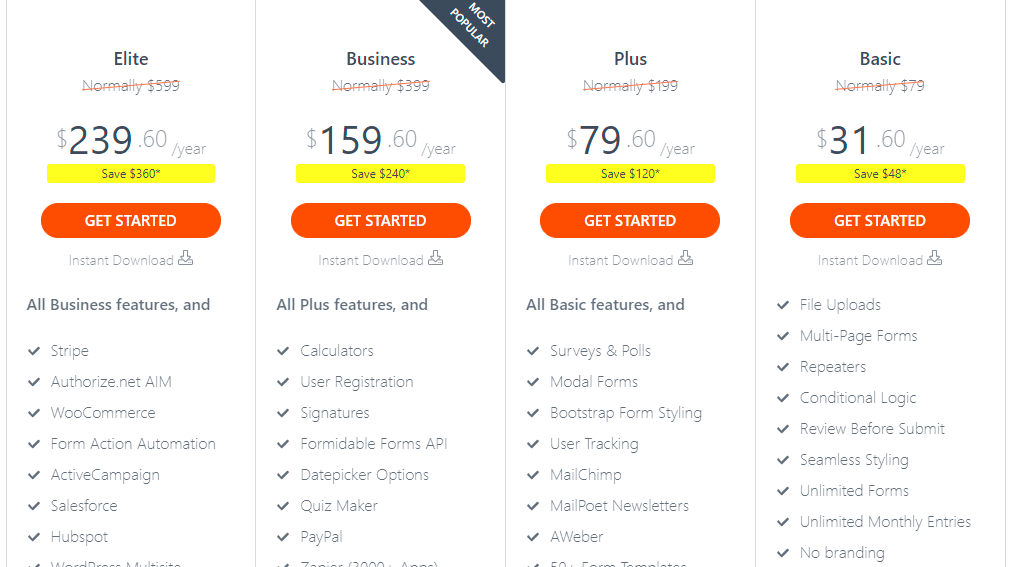
As you can see, the basic package of Ninja Forms starts at $99, while you only pay $79 for the basic plan of Formidable Forms. In addition, Formidable Forms is running a discount promotion, so you only need to pay $31 to own the basic package.
In addition, when you purchase the premium version with an unlimited sites license, Formidable Forms is $100 more expensive than Ninja Forms. However, you will have a chance to get this version of Formidable Forms for only $239.60, if you purchase it during the promotion period. What’s more, Formidable Pro also provides you with over 16 add-ons, whereas Ninja Forms only gives you 3 essential add-ons: conditional logic, layouts and styles, and file upload.
Overall, in this part, Formidable Forms seems to be cheaper than Ninja Forms in all supported package types.
Ecommerce Support
| Ninja Forms | Formidable Forms | |
| Authorize.net | No | Yes |
| Elavon | Yes | No |
| iDEAL | No | Yes |
| PayPal | No | Yes |
| PayPal Express Checkout | Yes | No |
| Stripe | Yes | Yes |
| WooCommerce add-on | No | Yes |
The table shows that Formidable Forms provides various payment methods including PayPal, Stripe, WooCommerce add-on. Thanks to that, it is possible for you to create different payment forms.
Ninja Forms, by contrast, only supports PayPal Express Checkout and Stripe add-ons. This method allows you to ask customers for payment after they have finished the form.
Ease of use
Ninja Forms has a user-friendly, easy-to-use interface, so it helps you build any type of form quickly, even as a new user. And Formidable Forms is no exception. This plugin is also simple to use for those who have no coding knowledge.
Nevertheless, Ninja Forms has more add-ons for intensive features such as conditional logic, multi-page forms, file uploads, and form layouts. These features take a lot of time to learn and use competently.
Ninja Forms Vs Formidable Forms: Summary
Generally, both plugins offer a lot of useful features as well as necessary functionality to help you easily create any type of form on your site. Although each plugin also has some limitations, we believe that the advantages of both plugins certainly outweigh their disadvantages. So, which is the most effective solution for your website?
From our standpoint, Formidable Forms can win your heart because it is truly a simple and effective tool to control and showcase submitted data. However, if you are looking for a useful tool for easy form layouts and a lot of various add-ons, Ninja Forms would not be a bad choice for your website. We hope that this Ninja Forms vs Formidable Forms battle helps you see which one is better for your site.
And what is your perspective? If you have any questions or queries about the 2 plugins above, please leave a comment below. We will discuss it together.
In addition, if you want to explore more options, you can visit WordPress Form Builder Plugin. By the way, our Free WordPress Themes provides hundreds of professional, elegant, modern themes that absolutely work well with the 2 plugins above. So, feel free to visit and use them for your website.