
Which is the most effective WordPress Logs Plugin for your site? Don’t miss our WP Activity Log vs Simple History comparison below.
Why should you use WordPress Logs Plugins for your site?
As a website owner, it is really difficult for you to manage and control multiple tasks at the same time. You will surely find it hard to know who logged in or out, and what other changes occurred on your website, such as deletions, creations, moves, modifications, etc. Fortunately, WordPress Logs Plugins give you full control of your website, so you have the ability to know exactly what is happening to it.
In addition, these tools also bring you a wide range of valuable benefits. First and foremost, they can help you to improve your site security by showing failed login attempts, system changes, user account changes, etc. Thanks to that, you can take prompt action to protect your website from hackers and brute force attacks.
Moreover, if you are managing websites on behalf of a company, these plugins will help you record all important events that happen on your WordPress site. You can then use this data as evidence in your reports.
As mentioned above, a WordPress Log Plugin is a necessary part of your site. Therefore, in today’s blog, we picked the 2 most popular log plugins to compare: WP Activity Log and Simple History. We will compare them based on 4 aspects: main features, ease of use, price, and pros and cons. Let’s dive into the following sections.
WP Activity Log Vs Simple History: Background
WP Activity Log
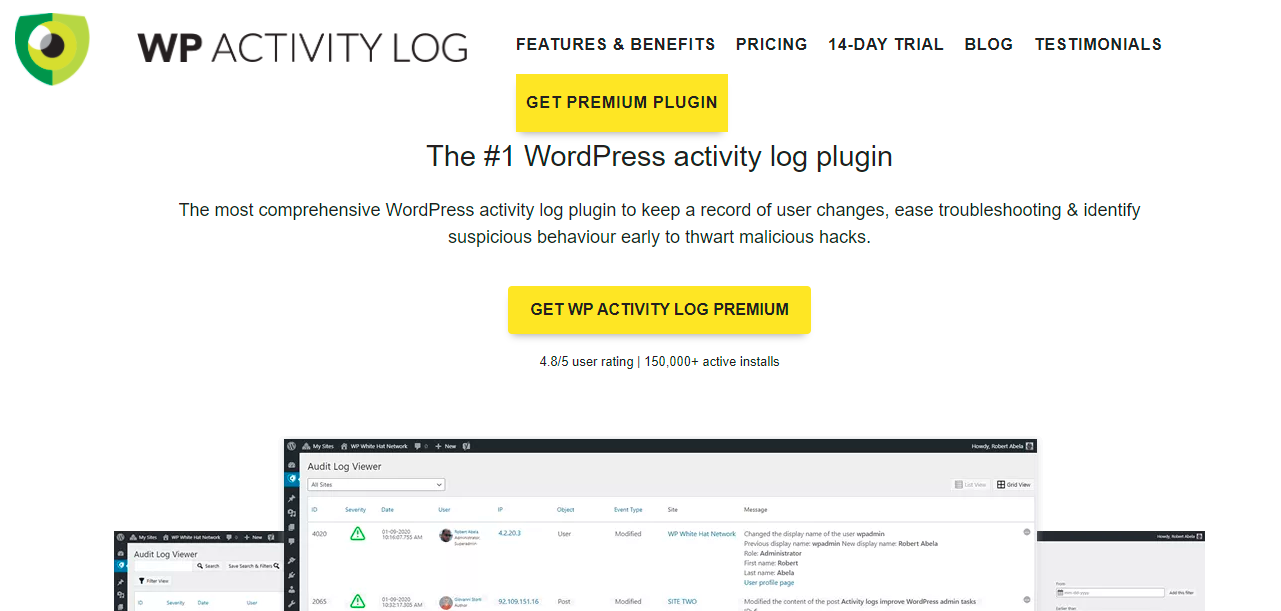
WP Activity Log is one of the most outstanding log plugins that we would like to mention, because it offers you a wide array of powerful features and other useful customization options. This plugin helps you keep track of users, changes, and all activities that happen on your website. Moreover, it includes tons of detailed information about exactly what was altered, when, where, and even by whom.
Additionally, you can get email notifications, reports, robust search and archiving features, and much more. Plus, you can use this plugin to keep tabs on your site.
Simple History
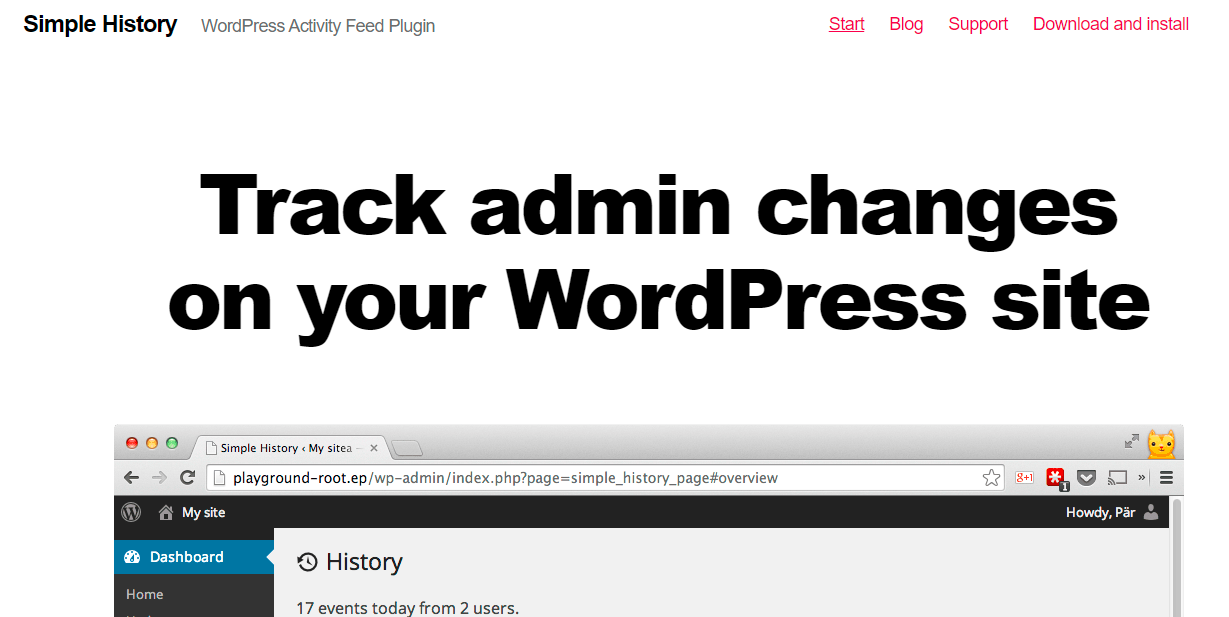
Another strong competitor of WP Activity Log is Simple History. With over 100.000 active installations, this plugin has received a lot of trust and positive feedback worldwide. It is considered a powerful log tool that can track content changes, user profiles, failed logins, menu edits, and much more.
Besides, this plugin also keeps track of what occurred with other plugins such as Jetpack, Advanced Custom Fields, Beaver Builder, etc.
Main features
WP Activity Log
This plugin offers a wide range of powerful features listed in the table below:
| Features | Free version | Premium version |
| Comprehensive activity logs (including multisite network changes) | ✔️ | ✔️ |
| Activity logs for third party plugins | ✔️ | ✔️ |
| Activity logs of file changes | ✔️ | ✔️ |
| Fully configurable activity log | ✔️ | ✔️ |
| Search filter for the activity log | ❌ | ✔️ |
| User & site activity report | ❌ | ✔️ |
| Instant email notifications and SMS alerts | ❌ | ✔️ |
| Automated scheduled reports | ❌ | ✔️ |
| User sessions management | ❌ | ✔️ |
| Automatic logout | ❌ | ✔️ |
| External activity log database | ❌ | ✔️ |
| Better manage the logs | ❌ | ✔️ |
| Mirror the activity log to log files | ❌ | ✔️ |
| No activity log in the website database | ❌ | ✔️ |
Simple History
On the other hand, this plugin only provides you with some basic features to keep a log of all tasks performed on your WordPress site, including:
- Monitor almost every event, except core updates and changes to Multisite
- Allow you to find old history events with an easy-to-use search function
- Support for third-party plugins such as Jetpack, WP Crontrol, User switching, and much more
- Offer an RSS feed of changes
Ease of use
WP Activity Log
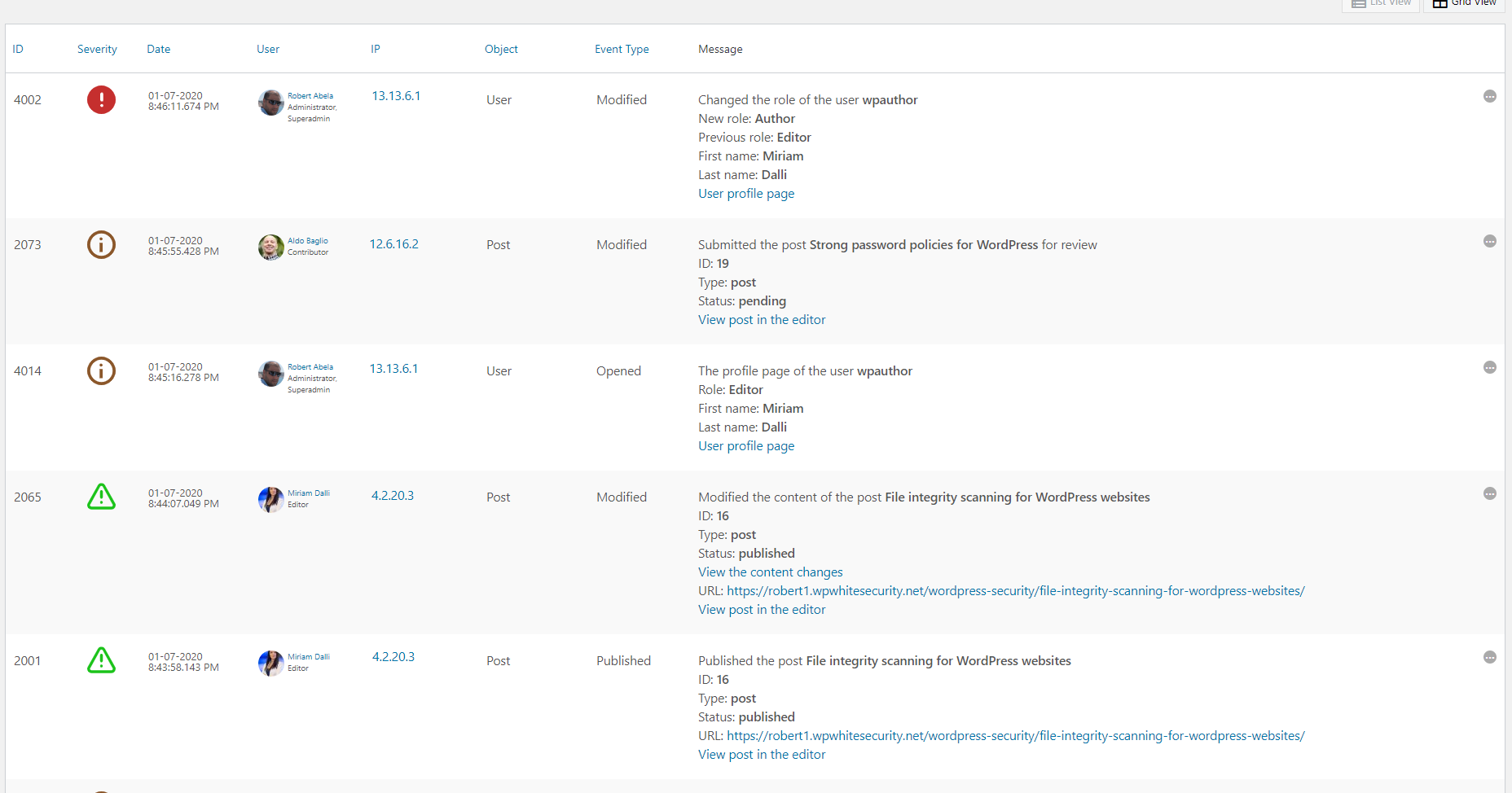
After finishing the installation and configuration process, you can view all users’ activities in detail. The number of events in the log will depend on your settings and how much activity has happened on your site.
In addition, while Simple History only reports in general terms that a post was changed, WP Activity Log provides you with a lot of important information about all changed activities including date, status, author, category, and much more.
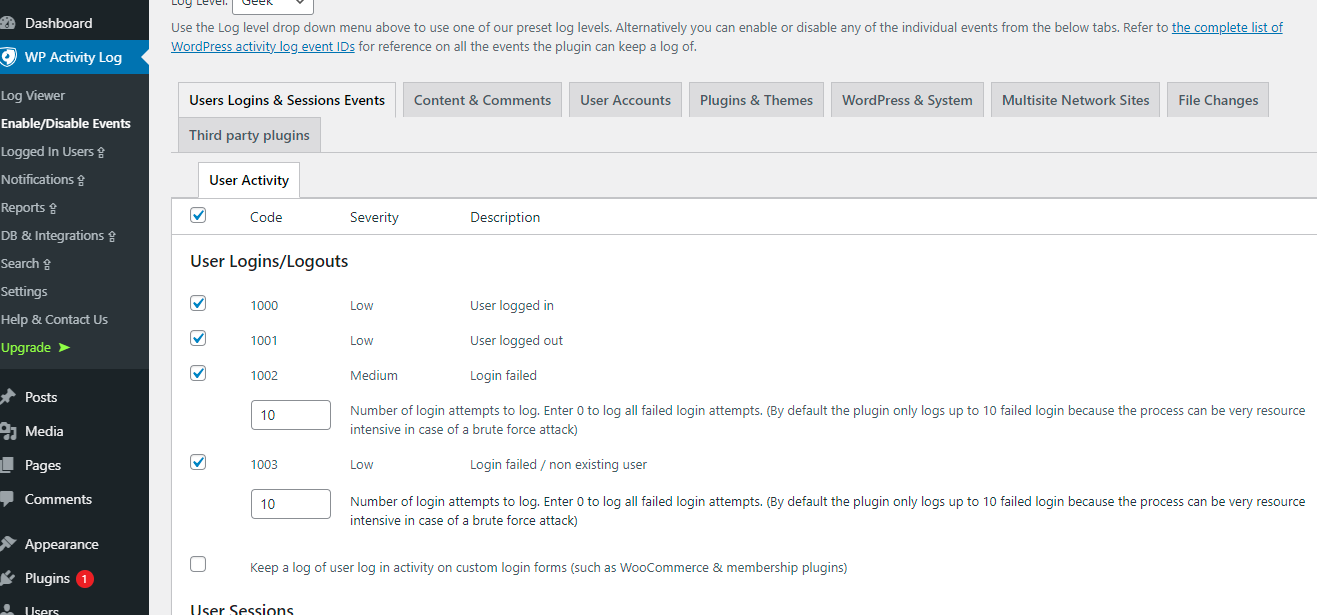
Another configuration option is the ability to enable or disable individual events; disabled events will not be displayed in the log.
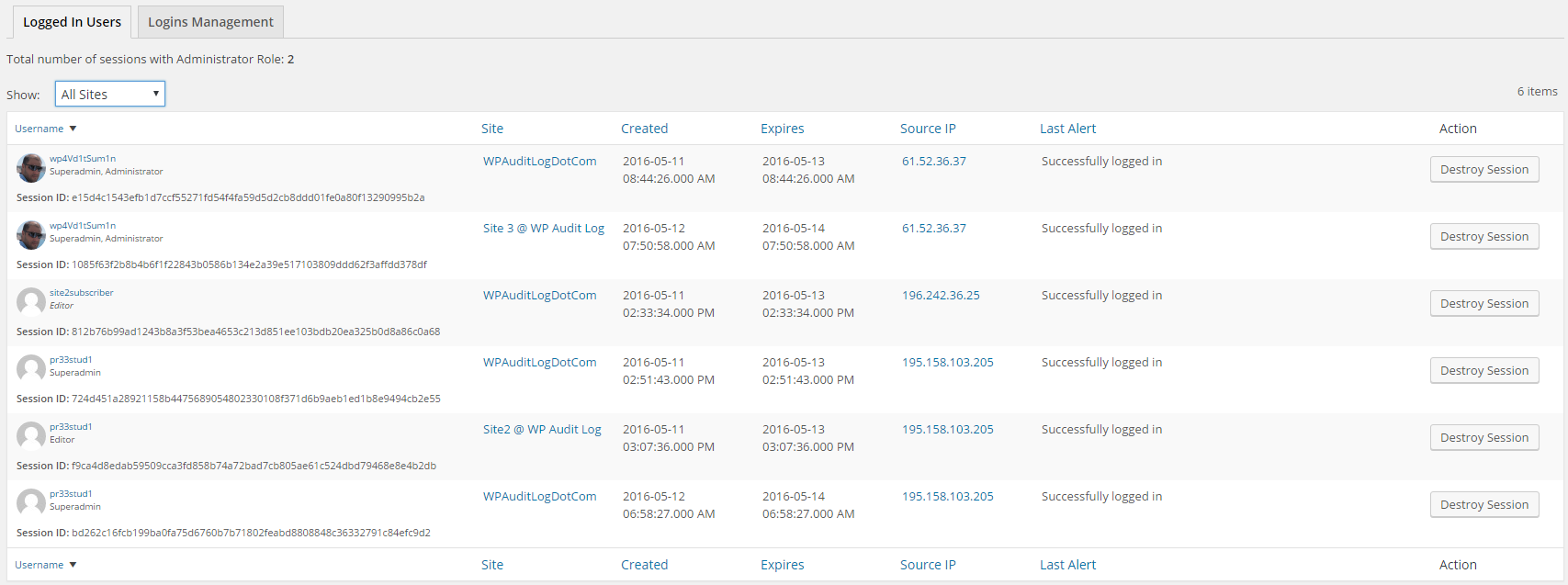
When you upgrade to the premium version, you get access to many more advanced features. For example, you can view who is logged into your site and when/where they logged in. You can then terminate any user’s session by clicking the Destroy session button. Moreover, it allows you to limit or block multiple sessions for the same user.
Simple History
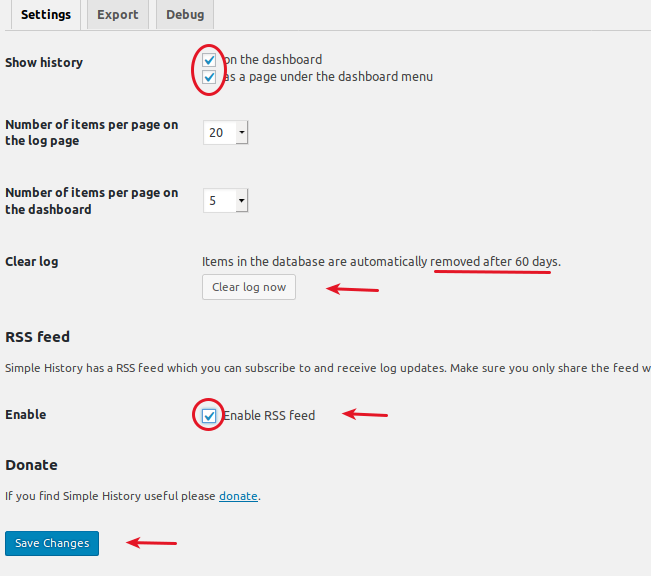
As its name indicates, Simple History is extremely easy to use and install. Since it offers fewer features than WP Activity Log, it is naturally easier to use. The installation process only takes you a few minutes. You can optionally choose to display history on the dashboard or as a page under the dashboard menu.
In addition, it allows you to enable RSS feed so that you can monitor the changes made via your favorite RSS reader on your smartphone, iPad, or computer. Then don’t forget to click Save changes.
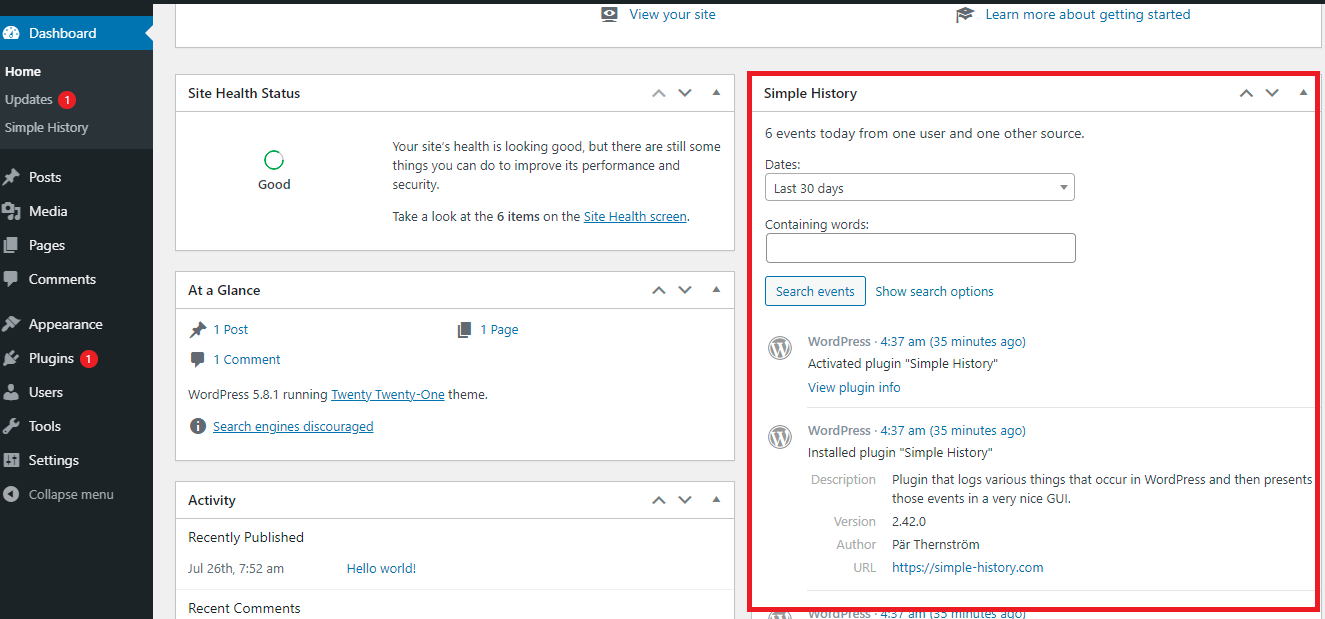
All changes are displayed on the dashboard.
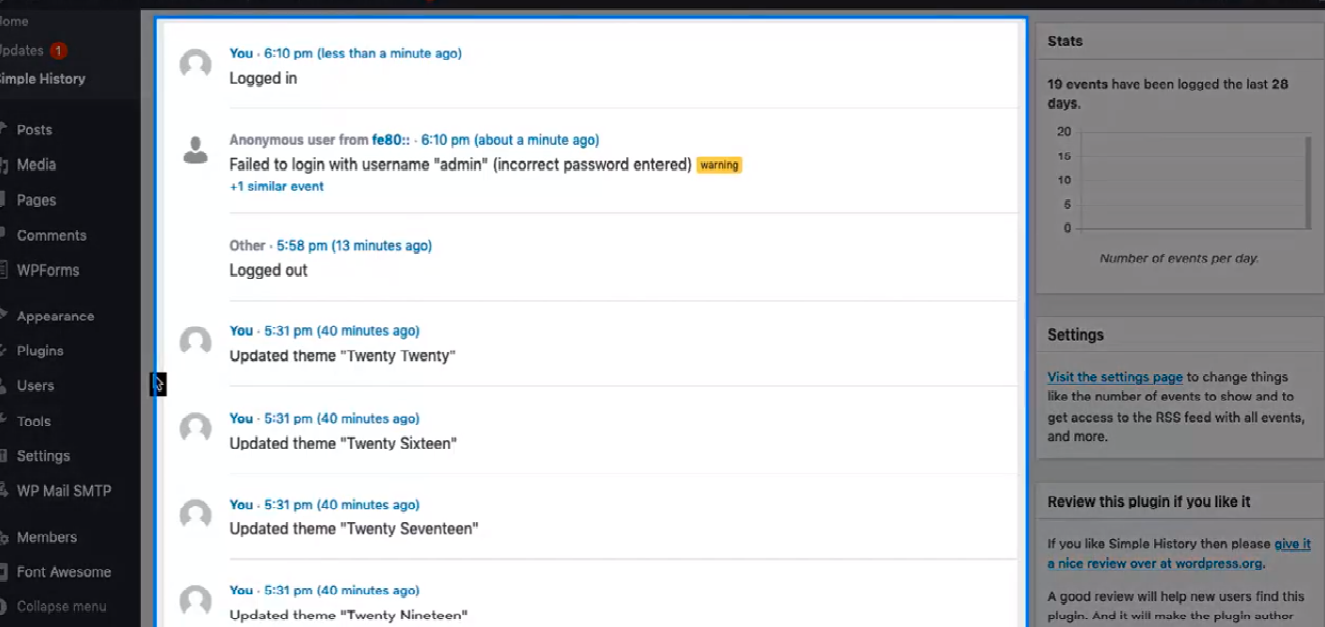
In order to see the Simple History Page, you can click the Simple History section to view all information. Moreover, there is a stats widget on the right sidebar. Here, you can view the number of events that happened during the last 28 days.
Price Plans
WP Activity Log
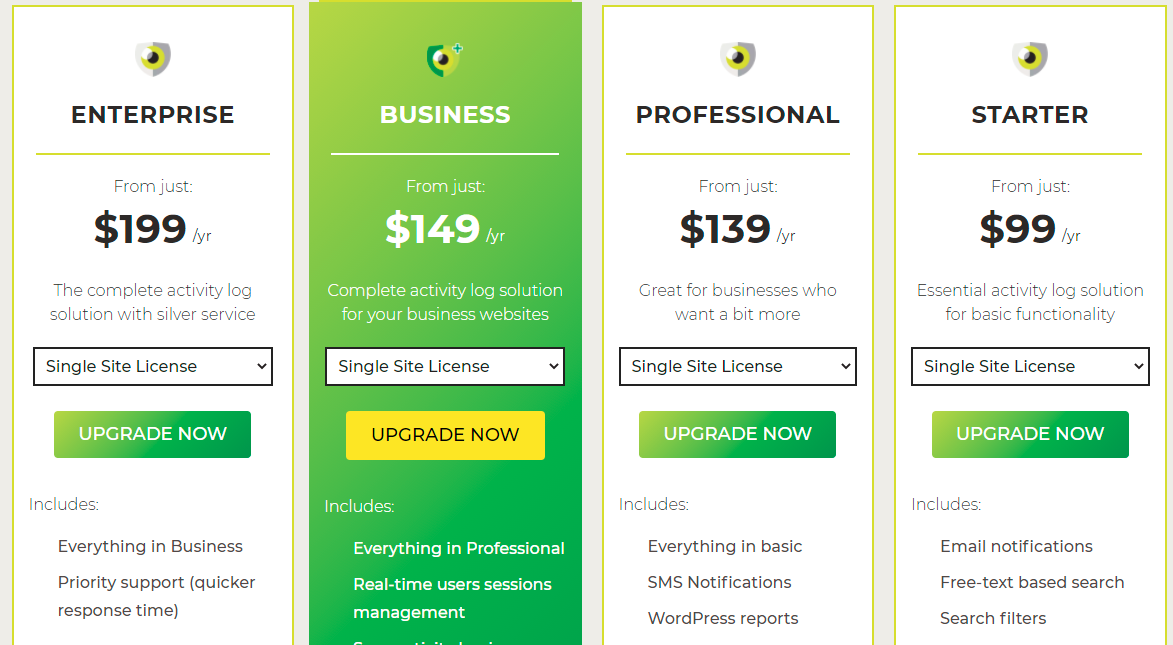
In addition to the free version, WP Activity Log also offers a paid version with 4 flexible packages including Starter, Professional, Business, and Enterprise. The Pro version starts at $99/year for the Starter plan that includes some basic features and functionality. If you want to enhance your site’s capabilities and use advanced features on your website, the Business plan is highly recommended. And the cost will increase in proportion to the number of websites you have.
Simple History
Simple History is completely free. Therefore, you can use it to keep track of the changes on your website without any cost. Unfortunately, Simple History doesn’t offer any Pro version which means you can’t use more advanced features such as receiving instant SMS and email alerts, WordPress reports, see logged-in users’ sessions in real-time, and much more that are available in WP Activity Log.
Pros and cons
WP Activity Log
| Pros | Cons |
|
|
Simple History
| Pros | Cons |
|
|
WP Activity Log Vs Simple History: The final result
Have you realized which plugin is more suitable for your site? In general, both WP Activity Log and Simple History are valuable for catching all activities on your WordPress site. However, we have to admit that WP Activity Log overshadows Simple History in terms of various features.
Therefore, in our view, WP Activity Log is highly recommended for security-conscious websites, because it helps you monitor multiple users on your WordPress site at the same time. In addition, this plugin also supports WordPress multisite networks right out of the box, so it is also a perfect choice for those who are managing a network of sites from one installation.
On the other hand, if you need a basic, easy-to-use tool, you should use Simple History.
And what is your perspective? Which one is better for your site? If you have any queries or need our support, feel free to mention it in the comment section below. We hope that the WP Activity Log vs Simple History comparison brings you a lot of worthwhile information to help you make the right decision for your site.
Besides, if you want to refer to other options, don’t hesitate to check out WordPress Logs Plugin. Last but not least, are you going to give your site a new look? Fortunately, there is a wide array of stunning, modern, and fully responsive themes and templates at our Free WordPress Themes site. Let’s visit and get one for your site.