
Are you wondering how to add a link to an email address in WordPress? Look no further: this article shows the easiest ways to do it.
Introduction
Nowadays, most people tend to use contact forms to create a bridge between the website owner and the customers. A contact form not only makes your site look professional but also protects it from spam emails. However, in some special situations, many people still want to provide a linked email address so users can send an email with a single click.
How to link to an email address in WordPress?
In today’s tutorial, we are going to share with you how to add an email link to your posts/pages with a step-by-step guide. In addition, you will learn how to use HTML to add email links to various WordPress areas such as the sidebar or menu. Now, let’s go over the following methods.
Method 1: Creating a link to an email address in the visual editor
Adding a link to an email address is similar to adding any other link in WordPress. However, when creating a link to an email address, you need to replace the https:// prefix with mailto: and followed by the email address that you want to link to. For example, we created a link to an email address below:
mailto:[email protected]
Then follow these steps:
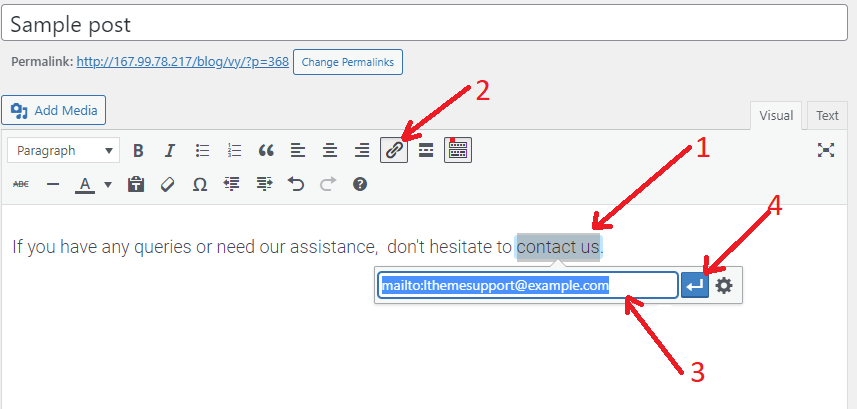
- Highlight the text you want to add a link to.
- Click on the “Insert link“ button on the toolbar.
- Now, add your email address like the example above in the insert link popup.
- Finally, click on the arrow symbol to save the link.
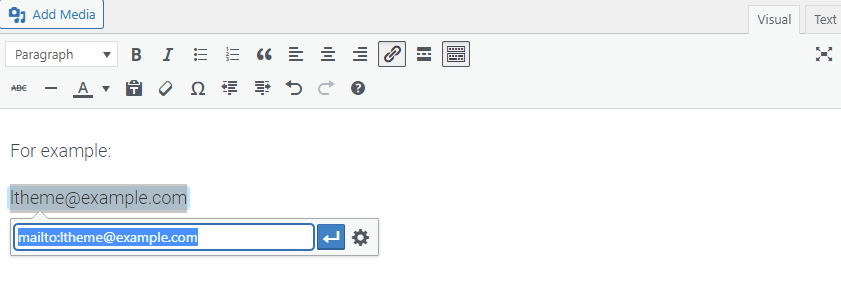
Note that if the highlighted text is a valid email address, WordPress will detect it and automatically add the mailto: prefix to the email address. You then just click on the arrow button to save the changes.
Method 2: Adding an Email Link in WordPress by using HTML
In case you want to insert an email link in a text widget to your sidebar or menu, using HTML is a great option.
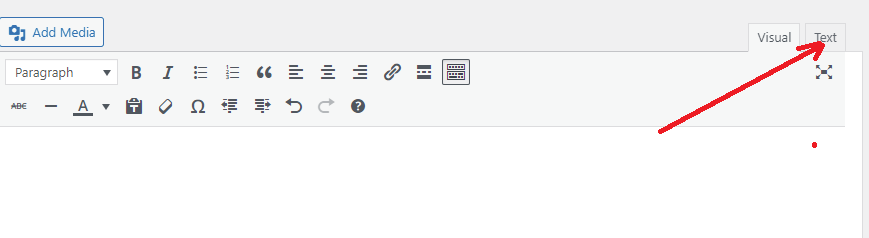
First, click on the “Text” tab in the editor. This area will display all of the HTML coding elements that are currently in your post/page or widget.
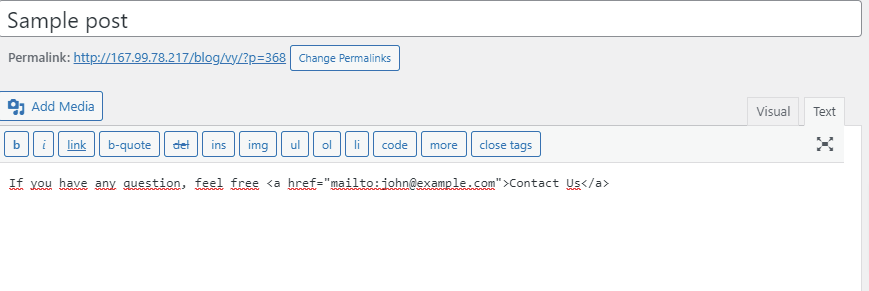
Now, you can add an email link by using the following HTML.
<a href="mailto:[email protected]">Contact Us</a>
Note: Although the methods above are quite easy to do and also allow the customers to communicate with the site owners when needed, it is probably not the most efficient method. It also has several disadvantages for your inbox, including:
- Spam: unsolicited email will flood your inbox if you don’t use any firewall or anti-spam software.
- Viruses: the attachments included in the email can be infected with viruses, which makes it easy for threats to reach you.
- Less effective: Most people don’t bother switching from the browser to their email app to send an email. In addition, they also don’t want to use their personal email address to send out an email.
You can avoid these drawbacks by creating a contact form on your website instead of adding an email link.
We highly recommend using Ninja Forms. It is one of the most popular and best contact form plugins on the market. You can refer to our step-by-step guide on how to create a contact form in WordPress.
Wrap Up
Hopefully, this tutorial has shown you how to link to an email address in WordPress. If you have any queries or need our support, feel free to leave a comment in the box below.
By the way, our free WordPress Theme has tons of impressive, professional designs that are completely suitable for various topics. Visit it and try one for your website.