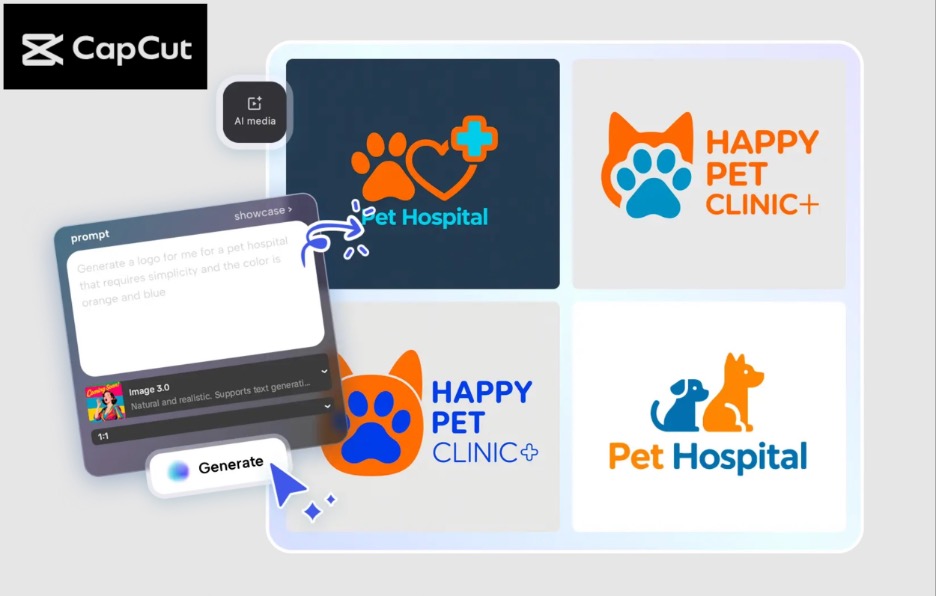
For beginners building a brand, creating multiple logo versions at once saves time and maintains consistency. A professional logo pack provides your logo in various forms, such as full color, black and white, simplified, and icon only, which could be applied to social media, websites, merchandise, and other promotional materials. Making a logo pack to use would make sure your brand appears seamless, regardless of where you introduce your brand.
CapCut PC is designed in a way that requires less time to make logo packs with the help of AI technology for beginners. The AI logo generator is an artificial intelligence-based tool that allows any person to create various logos in a few minutes, personalize them, and share them in a high-resolution version without possessing the necessary design knowledge. Starting a personal brand or a small business, one can use CapCut, which is a simple and intuitive tool to make the content look professional.
Why Beginners Should Use Logo Packs?
Brand consistency requires logo packs. Your logo can be used in different formats; instead of having the same logo irrespective of the platform, you can have different versions of your logo adapted to different platforms and uses. For example:
Website and YouTube intro logos.
Streamlined profile pictures on social media.
Print media in black and white versions.
Precise video content variations through animation.
You will have all these versions prepared, and it will give your branding an experienced branding decision.
Key Features of CapCut PC for Logo Packs
1. AI-Powered Generation
The AI tools offered by CapCut enable new users to generate numerous versions of a logo within seconds with just one text prompt or reference image. This eliminates the logos that have to be created manually.
2. Easy Customization
Logos that are produced are all completely editable. Texts can be changed into fonts, colors, shapes, and provide effects to form distinct types that can be used on various occasions.
3. High-Resolution Exports
Export high-resolution logo files (up to 8K) for print, digital use, and merchandise.
4. User-Friendly Interface
The interface of CapCut is user-friendly. You can create several logos, editing/exporting, even though this is your first logo.
How Beginners Can Create Professional Logo Packs Using CapCut PC
Step 1: Enter Text Prompt
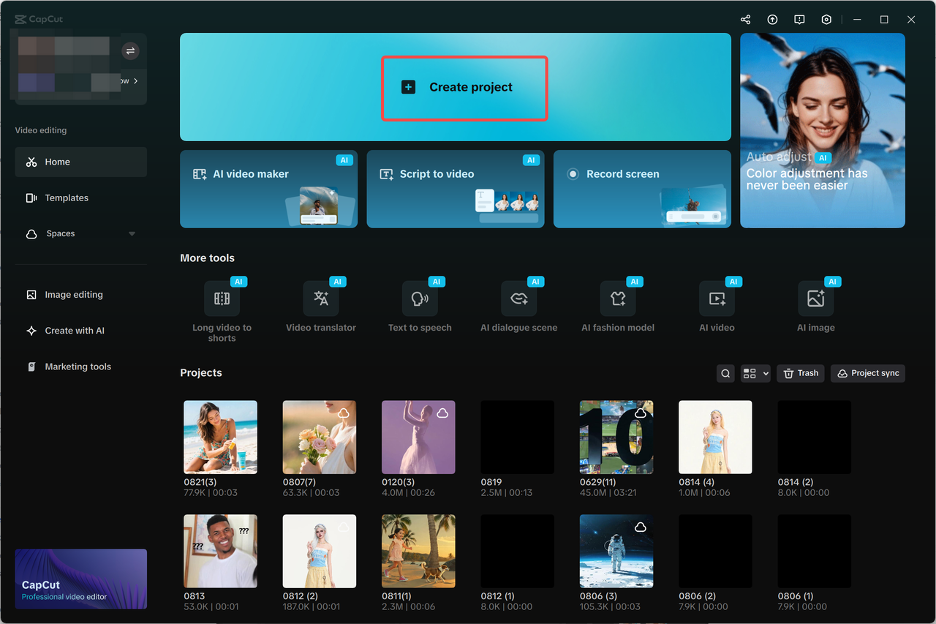
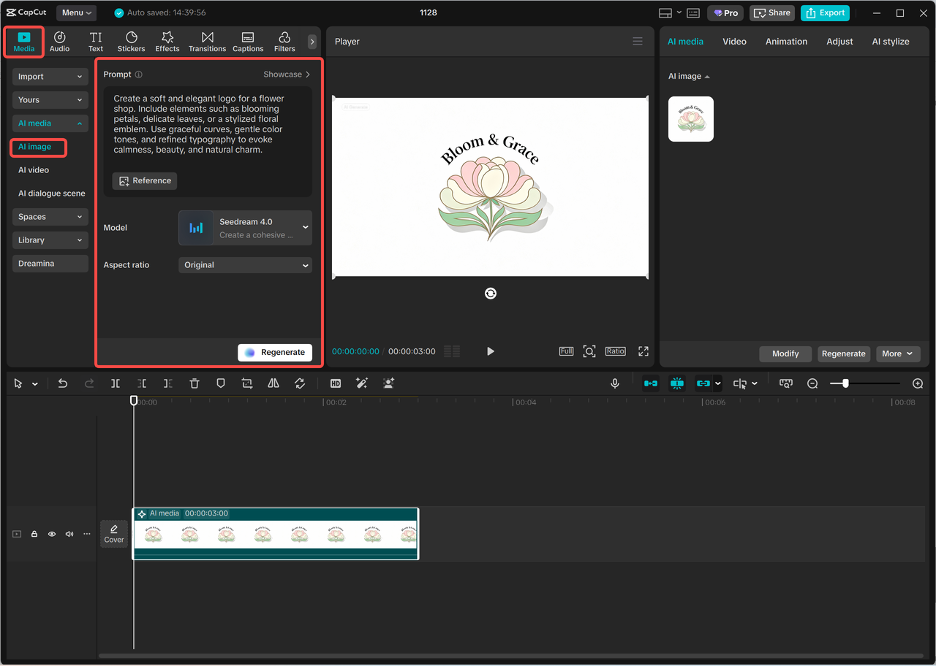
Open the CapCut Desktop and make a new project. Visit AI media and choose an AI image. Use a detailed text prompt because you need to match your brand, your favorite colors, style, and ideas of an icon. It also allows you to provide a reference photo in case the AI needs any assistance to produce a logo in the vision that you have. Clarity in instructions also creates several professional-looking logos quickly.
Step 2: Generate AI Logos
Once you have entered your prompt, select a generation model, such as Nano Banana Pro, Seedream 4.0, Seedream 3.0, or Flux 1.1 Pro. Go to the Generate option, and CapCut will generate variants of the logos. The process enables a beginner to review various design alternatives, simplify complex structures into shorter sentences.
Step 3: Edit Each Logo
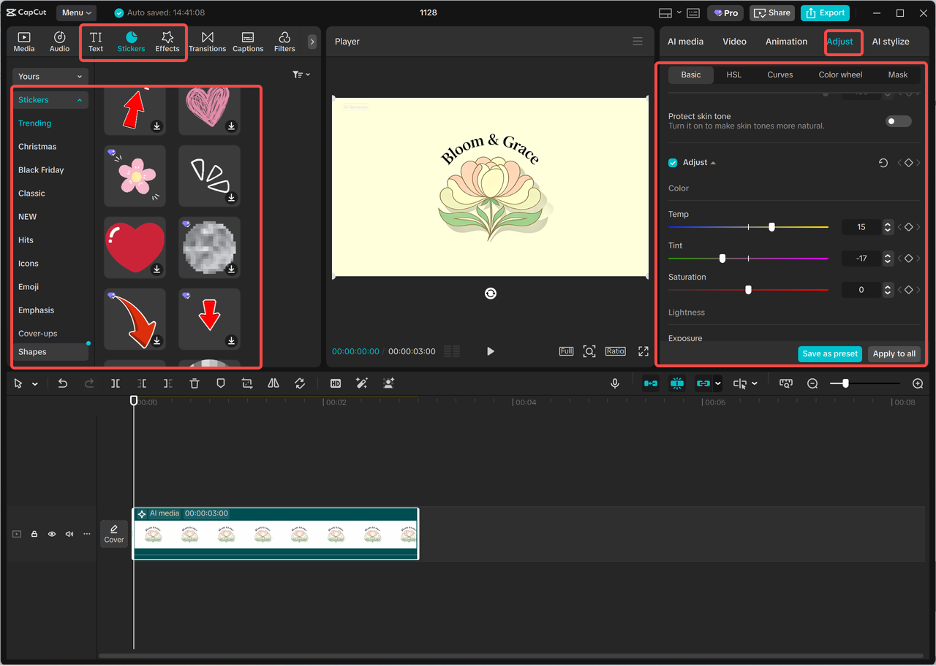
After the AI creates your logos, choose all the designs and further personalize them. Change fonts, color, shapes, and add stickers or visual effects. This is possible in simplified versions, black and white versions, or various icon layouts, and all this can be done through the editing panel of CapCut. This measure guarantees that every version of the logo is specific to a given usage case, constituting a full logo pack.
Step 4: Export the Logo Pack
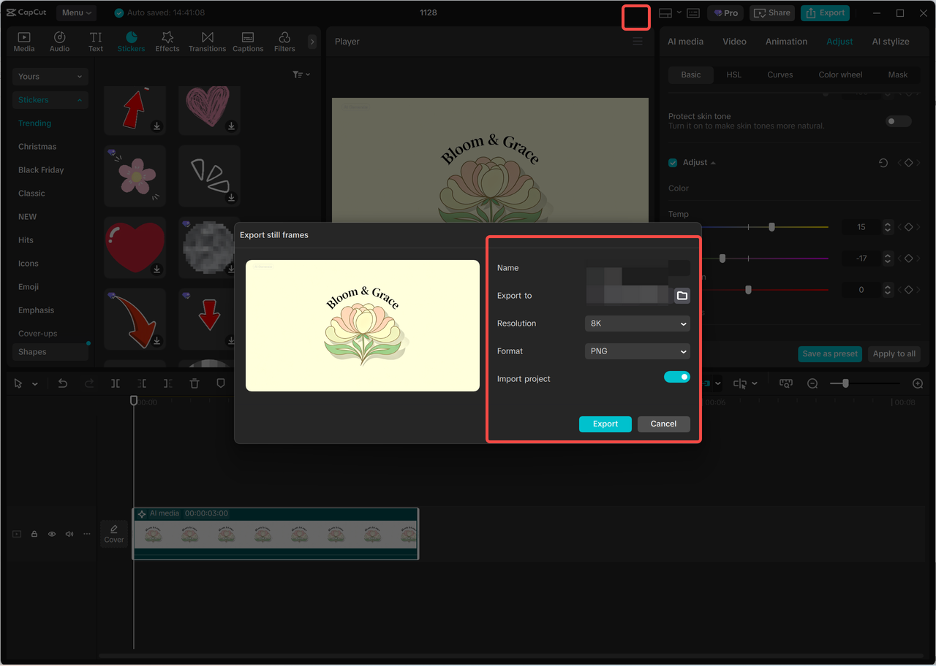
Once the logos have been customized, export the logo versions individually by clicking the three lines above the editing panel and choosing the option of export still frames. Select your format and resolution; the best resolutions are PNG, which has a clear background and logos. The thing is, you can now have a full professional logo pack that can be used in all of your social media, videos, websites, and even merchandise.
Benefits of Creating Logo Packs with CapCut PC
1. Saves Time
Creating several logos simultaneously using AI is quicker than creating them by hand. Novices are able to establish a complete brand within minutes.
2. Ensures Consistency
The consistency of the visual identity of all branding elements (both online and off) is guaranteed by using the logo pack.
3. Fully Customizable
CapCut enables you to customize each and every version of the logos to fit the purpose they are intended to be used, either as an icon, a complete logo, or even a monochrome version.
4. High-Quality Results
Exported logos are professionally ready, including video intros, web page headers, and print objects.
5. Ideal for Beginners
Although not having any prior design experience, the user-friendly interface and AI-driven tools CapCut provides give rise to the notion that one can create professional logo packs easily and have fun doing it.
Tips for Beginners: Creating Logo Packs
Start with a strong concept: Before you come up with logos, clearly define your brand and colors, and a theme.
Test different AI models: There are different models presented with different styles; test them to determine which one fits perfectly in your brand.
Maintain readability: Your logos must remain readable even in small formats, in particular, social media profile icons.
Organize your pack: Name each version plainly and consistently, i.e., full version, simplified, monochrome, icon, so as not to confuse them with one another in the future.
Final Thoughts
Professional logo packs can no longer be made with expensive software or design. Unlike competitors, CapCut PC has an AI image generator and an AI logo generator, meaning that novices can create numerous logo versions, edit and export them in high-quality files to use in many ways. The logo packs increase coherence and effort in the brand, help to save time, and provide influencers and small businesses with a competitive advantage in a very competitive online environment. These steps will allow beginners to produce well-rounded and refined logos that they will use to build a potent visual identity in their initial days.
My name is Kelvin, and I’m the Chief Marketing Officer at LTheme. I have over 10 years of experience in Joomla! and WordPress web development, as well as in digital marketing, where I specialize in SEO. Every day, I write blogs about Joomla! and WordPress, assist others in creating beautiful websites using these CMS platforms, and provide support on the Joomla Support Board as a Joomla Guru in the forum. Thank you for being here!
We use cookies to improve your experience on our website. By browsing this website, you agree to our use of cookies.
Functional
Always active
The technical storage or access is strictly necessary for the legitimate purpose of enabling the use of a specific service explicitly requested by the subscriber or user, or for the sole purpose of carrying out the transmission of a communication over an electronic communications network.
Preferences
The technical storage or access is necessary for the legitimate purpose of storing preferences that are not requested by the subscriber or user.
Statistics
The technical storage or access that is used exclusively for statistical purposes.The technical storage or access that is used exclusively for anonymous statistical purposes. Without a subpoena, voluntary compliance on the part of your Internet Service Provider, or additional records from a third party, information stored or retrieved for this purpose alone cannot usually be used to identify you.
Marketing
The technical storage or access is required to create user profiles to send advertising, or to track the user on a website or across several websites for similar marketing purposes.






Recent Comments