When running PHP website code, your website is almost certain to encounter at least one of the common errors. And “fatal error: allowed memory size of 134217728 bytes exhausted” is regarded as one of the most common. This error is a headache for many website owners.
If you are looking for a solution to this problem, you are in luck. In this blog, we will provide 2 useful solutions to help you address this issue effectively. First of all, let’s find out why this error appears on your website.
Why does this error appear on your website?
This error occurs when PHP application processes load a massive amount of data that consumes more RAM than the memory limit you have specified in the php.ini file via “memory_limit”. The error tells you to increase the memory limit so that the PHP process can operate stably.
So, in order to handle the “fatal error: allowed memory size of 134217728 bytes exhausted” error, you can use the following two methods. Let’s check them out.
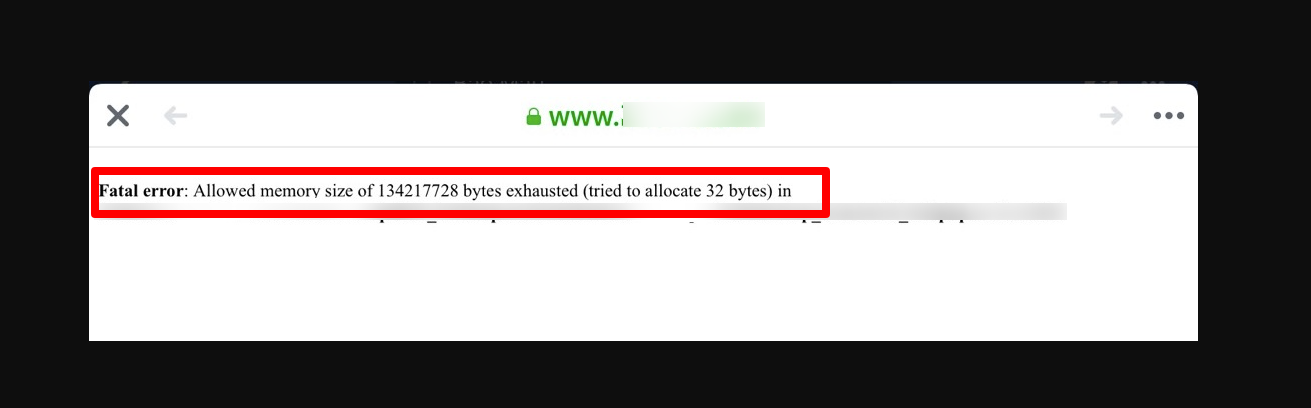
How to fix the “Fatal error: allowed memory size of 134217728 bytes exhausted” error
Method 1: Edit the value of memory_limit to increase it in the phi.ini file
Step 1: Locate the php.ini file
Run the following command to find the location of the php.ini file.
vi /etc/php.ini
Step 2: Increase the value of memory_limit
Assuming that your current memory_limit is 128M, you need to double memory_limit. For example:
Change from:
memory_limit = 128M
to:
memory_limit = 256M
Step 3: Restart the PHP server
To restart the PHP server, you need to run the following command:
- If PHP runs as an Apache module, run:
/etc/init.d/httpd restart
- If PHP runs as PHP-FPM, run:
/etc/init.d/phpfpm restart
Method 2: Change memory_limit from .htaccess file
If you don’t have permission to edit the php.ini file on your system, you can modify memory_limit with a .htaccess file. All you need to do is add the following:
vi ./.htaccess
php_value memory_limit 256M
After that, don’t forget to save your changes and check if the error is gone.
Sum Up
Were these solutions useful for your “Fatal error allowed memory size of 134217728 bytes exhausted” error? If yes, don’t forget to share your result with us by leaving a comment below. Additionally, if you run into any trouble or other errors and need our assistance, we will help you as soon as possible. Thanks for reading, and see you in our next troubleshooting blog.
By the way, you can visit our collection of free WordPress theme to explore dozens of stunning, SEO-friendly designs.