
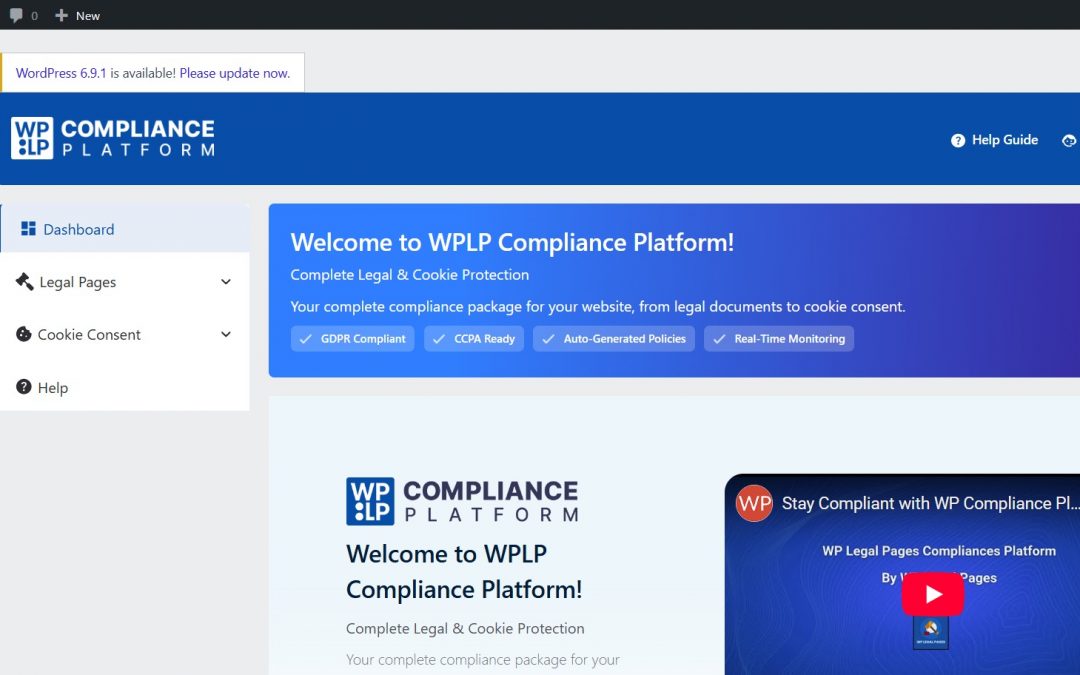
Website compliance is no longer the headache of only large companies. Even the small sites these days have the capability to collect personal data through contact forms, analytics, or cookies.
Privacy laws like GDPR & CCPA take it very seriously. If you’re not complying with their laws, you can land in legal trouble and can lose the trust of your website visitors.
For this, you’ll need a legal expert who is reliable and can help you with the website compliance easily.
So, we’ve been using this platform called WPLP Compliance Platform for quite some time now. We believe it can help you if you’re actively looking for website compliance solution partners.
In this blog, we’ll be sharing our hands-on experience with this tool. So, in the end, you can decide for yourself if you want to go ahead with this one.
Let’s get started!
What Is the WPLP Compliance Platform?
Before looking at its features and working, let’s first try to understand what exactly the WPLP Compliance Platform is.
This is basically a WordPress-focused solution. It’s meant to help the website owners who are struggling with privacy compliance. They ensure that we don’t deal with any complex or technical tasks in order to comply with privacy laws. We just need to follow the steps provided by them, and we’re safe to run our business without any headaches.
The WPLP Compliance platform is a website compliance suite that provides you with two plugins. One is WP Legal Pages, and the other is WP Cookie Consent.
So, the WP legal pages provide you with building the privacy policies, like the cookies policy, refund policy, or return policy. It lets you build personalized policy pages based on your business, the type of your business, and the region of your business.
Next comes the WP Cookie Consent. This plugin lets you build cookie banners, pop-ups, or widgets. They keep your visitors aware of the data collection and keep it clear & transparent. They help your visitors request consent in a compliant way, and also store the consent records as required by law.
Getting Started With WPLP: Setup, Dashboard & First Impressions
For you to understand the plugin in a better way, you should start by using it yourself. Follow the detailed steps below for installing and setting up the plugins.
Step 1: Installation of the Plugins
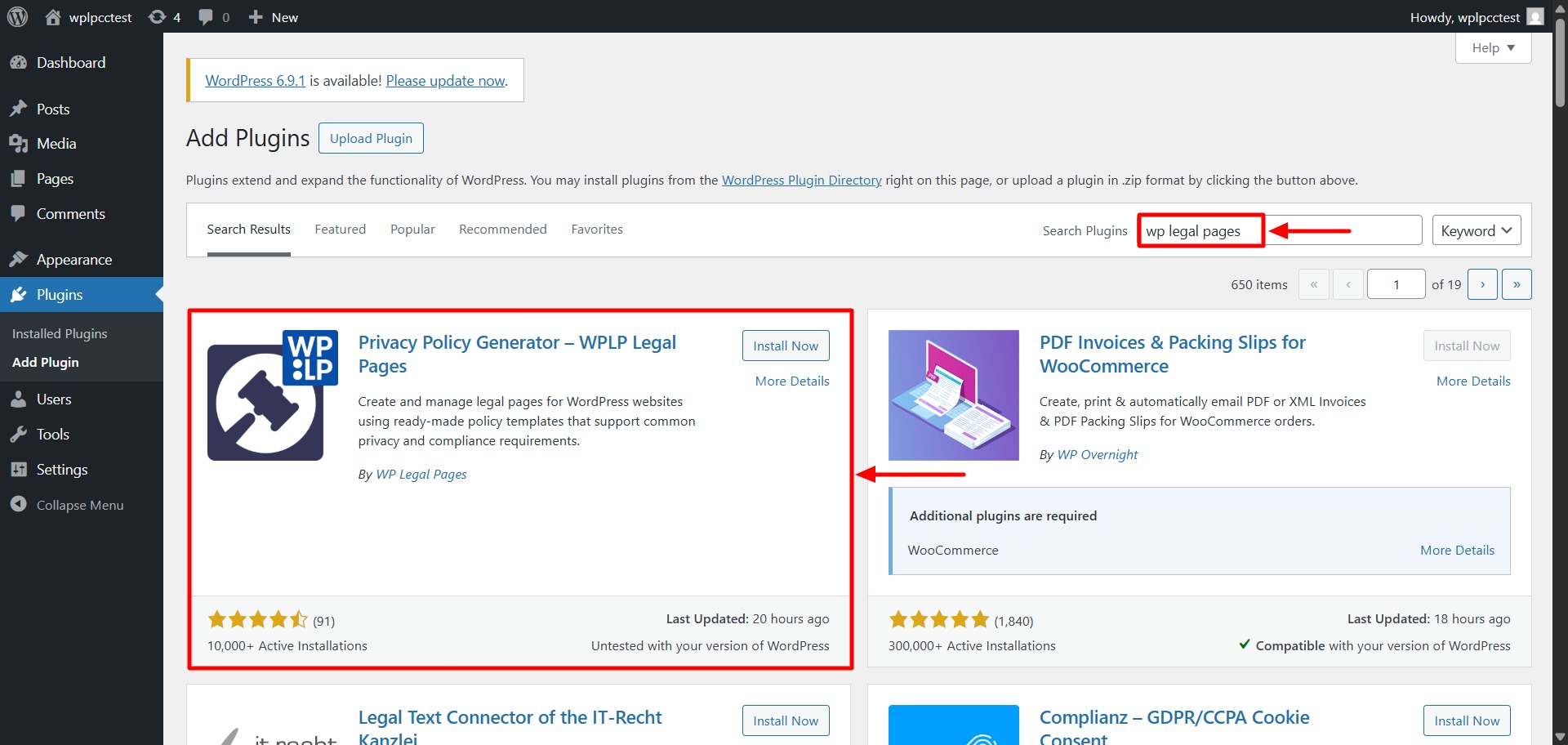
In the WordPress directory, search for the plugin – WP Legal Pages. Scroll down until you see the one as in the screenshot below.
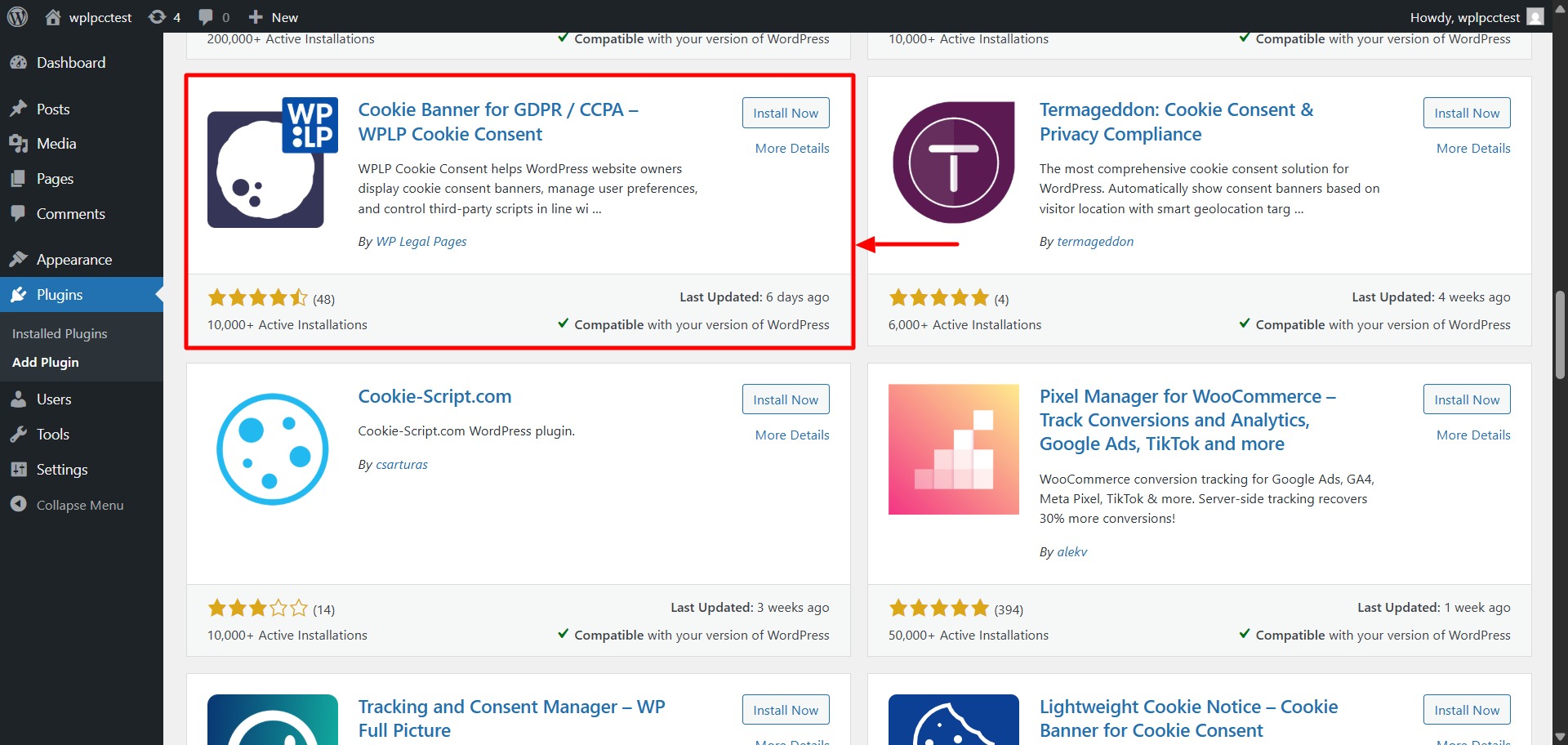
Similarly, do the same for the WP Cookie Consent Plugin
Step 2: Setting Up the Dashboard
- Once the plugins are installed, activate them, and navigate to the WPLP dashboard. You can find it under the plugins section.
- Now sign up with your email and connect your site by clicking on the Login button, as shown below.
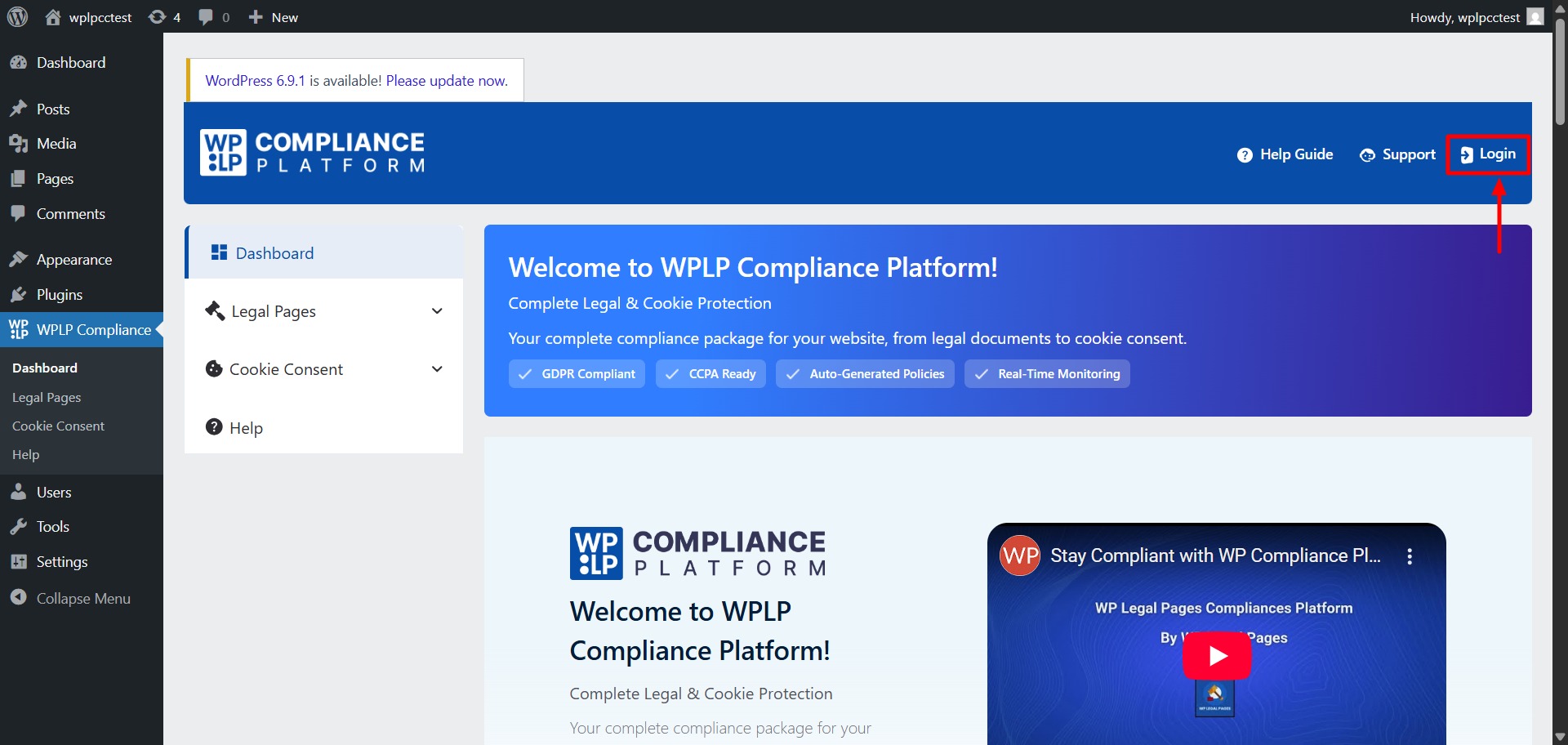
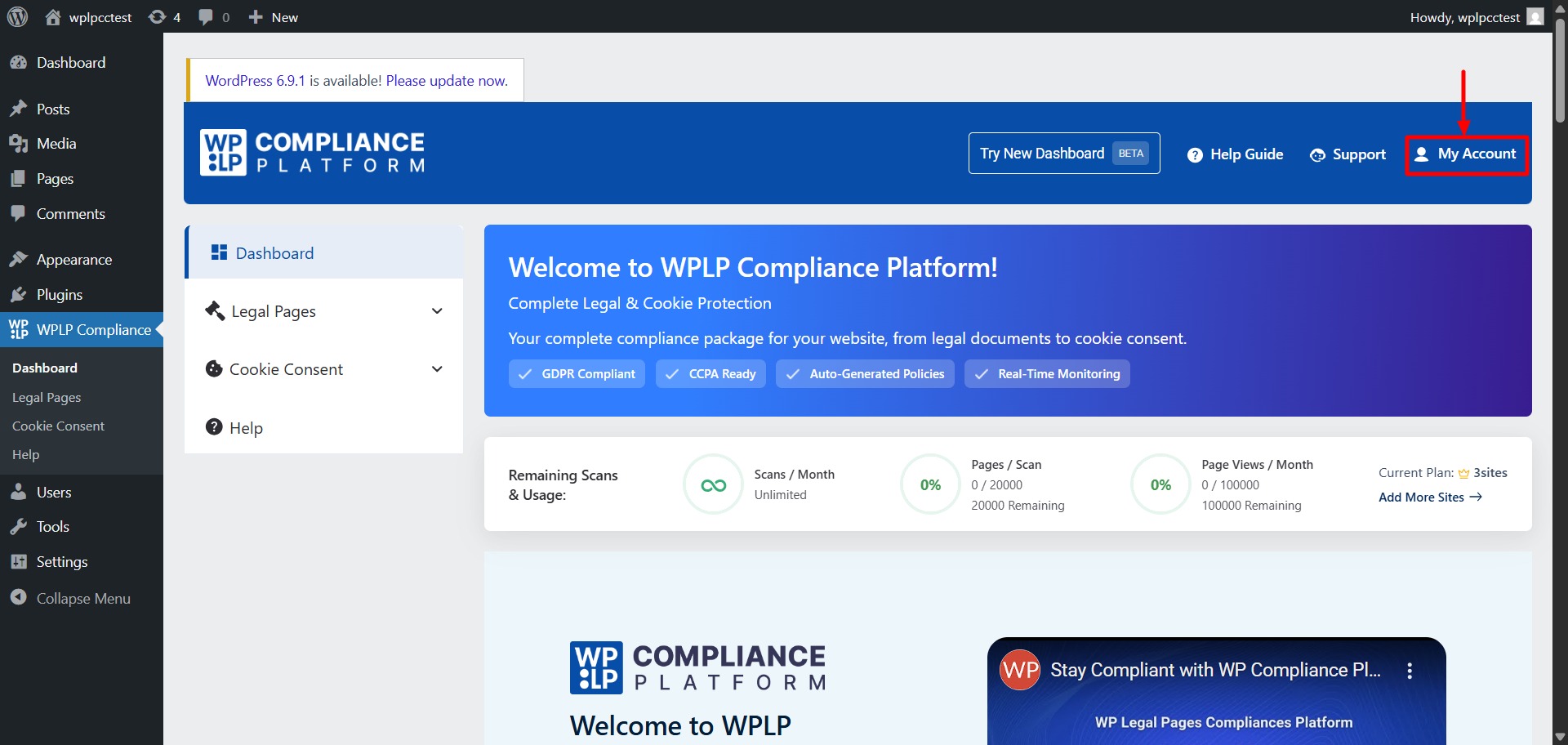
- After connecting yoursite, you can see the Login button get turned into My Account. That means your site is now successfully connected with the plugins.
Steps 3: Creating Legal Pages Using the WP Legal Pages
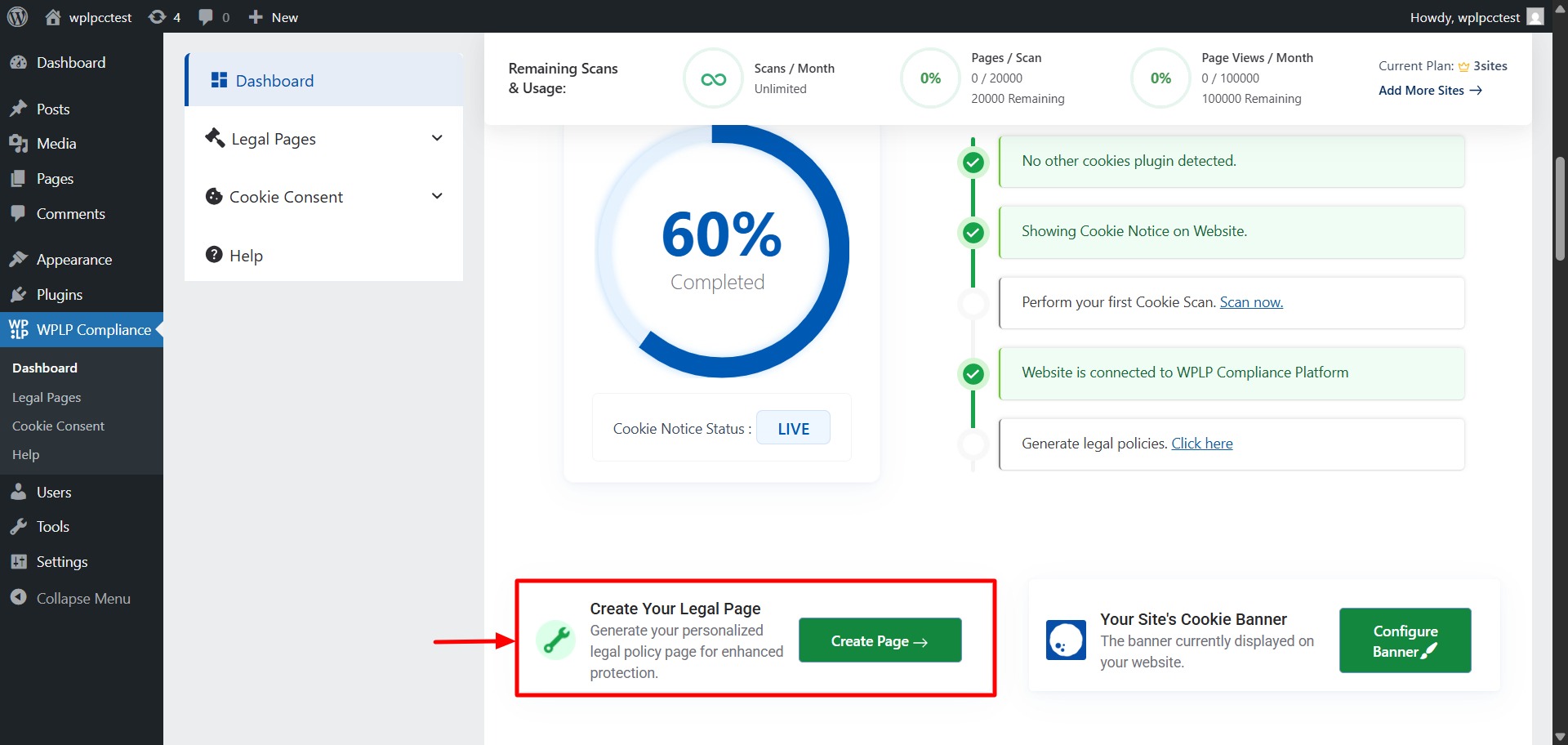
- Scroll down a little inside your dashboard. Under the “Your Progress” section, you will see “Create Your Legal Page.” Click on the “Create Page” button.
- You’ll now be directed to the page saying “Welcome to WPLegalPages Wizard!” (Follow the wizard till the end in order to easily set a legal page). In this page, you’ll also find a lot of legal policy templates that you can choose from. Choose the one based on your requirement.
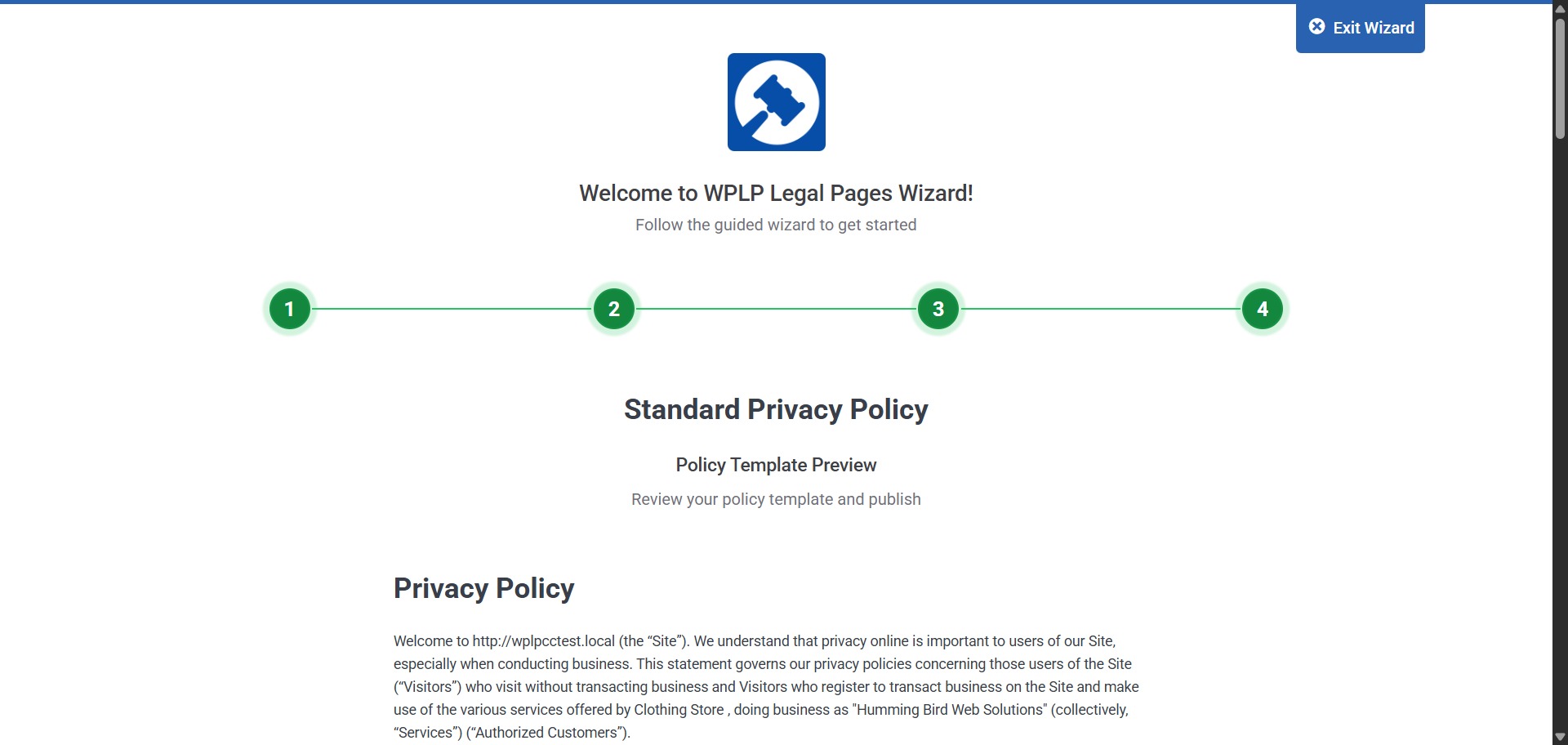
- After following the wizard till step 4, you’ll see a preview of the privacy policy that’s completely personalized for your business needs.
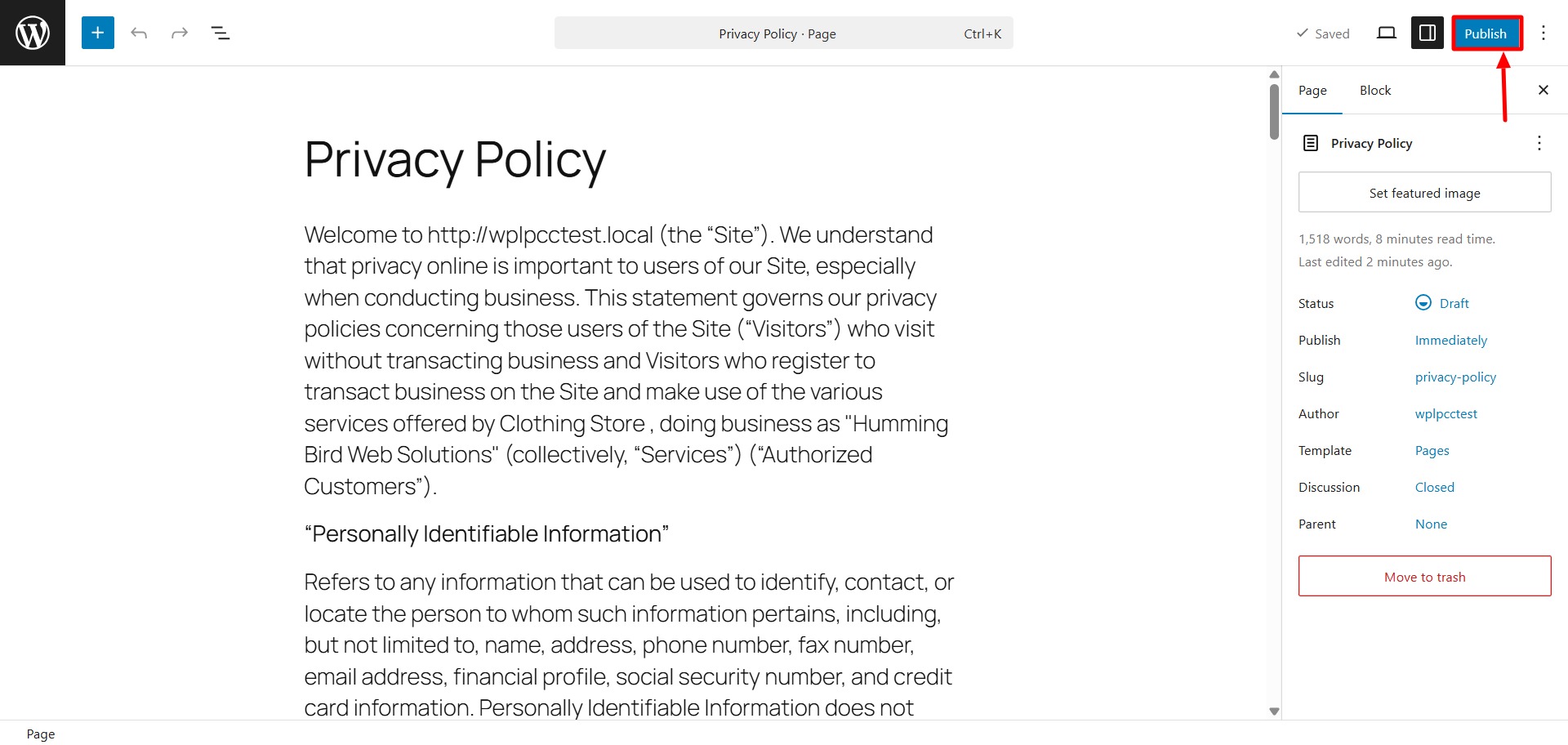
- Scroll to the end of this page, and click on create and edit. Then you will be taken to the draft page, where you can go through the entire policy and make any changes if required. Once satisfied, hit “Publish.”
Step 4: Implementing Cookie Banner Using the WP Cookie Consent
- You’ll only need to follow two easy steps given by the guided wizard to create a cookie banner.
- Firstly, go to the WPLP dashboard and then go to the Cookie Consent. Then, go to the “Create Cookie Banner”. You’ll end up on a page saying “Welcome to WPLP Cookie Consent.”
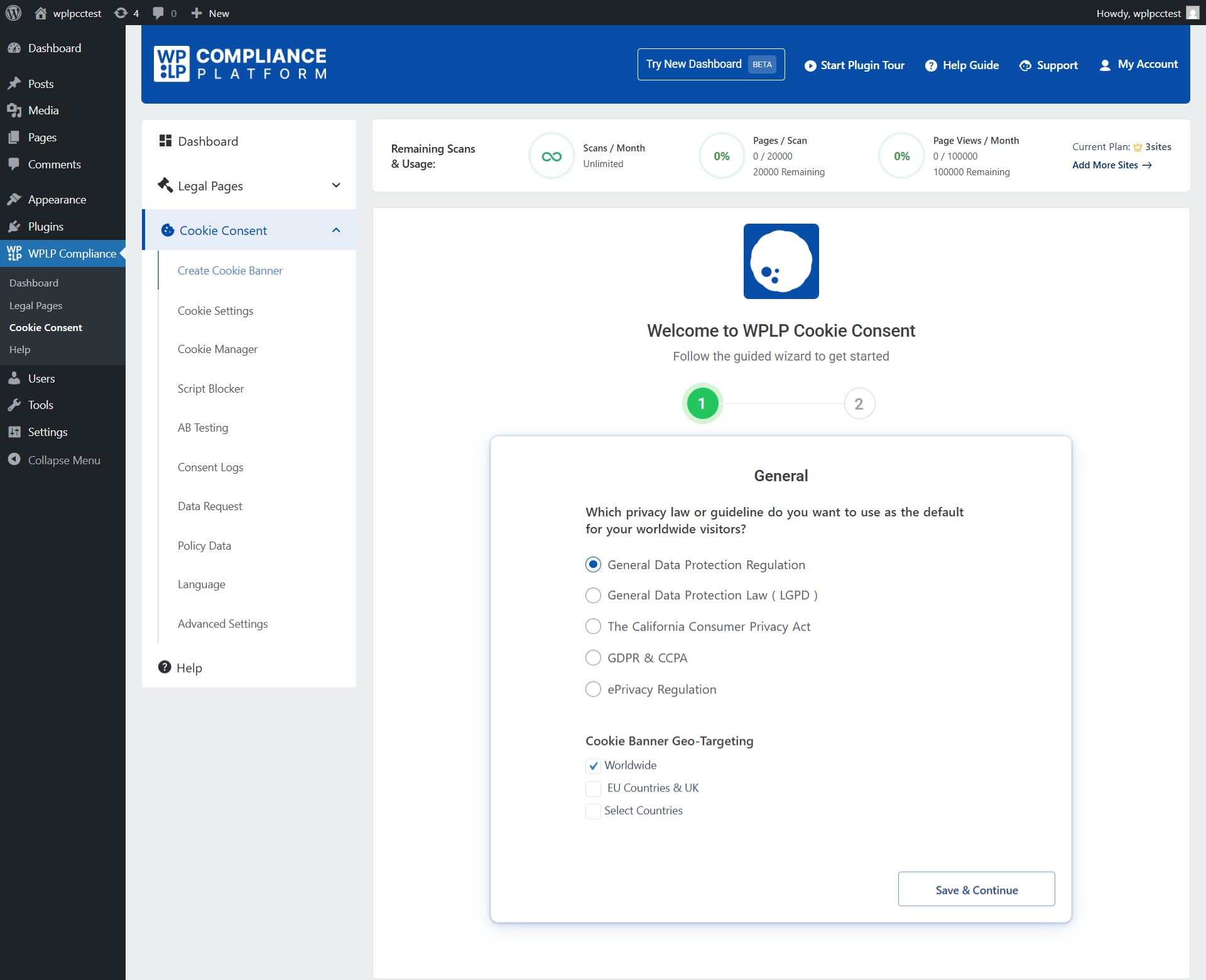
- In this, choose which privacy law you want to use as the default for your visitors, and then choose the cookie banner geo-targeting ( It refers to showing the cookie banner just to individuals within countries or geographical regions where it’s mandatory by law.)
Then, click on “Save & Continue.” - The second step in the cookie banner creation is the configuration of the banner. Here, you get to configure the banner based on your business needs. Go through the features, make the required changes, and hit “Finish Setup.”
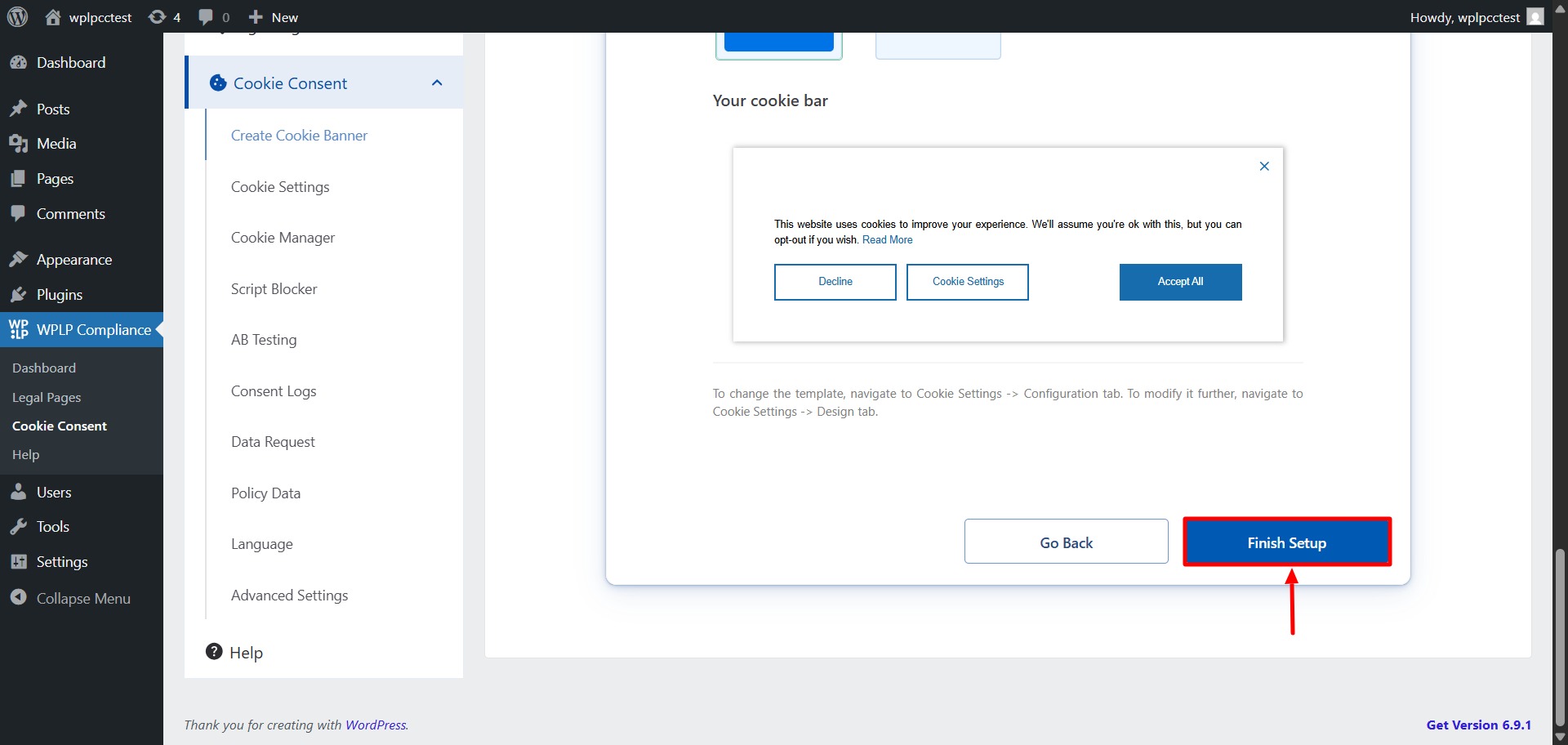
- Your Cookie Banner is now live! There are also some really good features offered by this plugin, like IAB TCF v2.2, Google Consent Mode, Geo-targeting, Consent forwarding, and more. Let’s dissect and look at these features in detail in the next section.
Key Features of the WPLP Compliance Platform
The following are some of the key features of this plugin.
- You can easily generate legal pages for your site using 30+ pre-built templates available in the plugin.
- It supports IAB TCF 2.2 – It’s so useful for websites running advertisements.
- They also include support for Google Consent Mode v2 – This will let you adjust your analytics or ad behaviour based on the user consent.
- You can prevent any third-party scripts or cookies from launching before the user consents using the script blocker feature.
- The geo-target feature in the plugin lets your users see the banners based on their geographical locations. For example, GDPR for EU and CCPA for US visitors.
- They support compliance with the various types of privacy laws and regulations that are present globally.
- They go hand in hand with plugins like Elementor and WooCommerce. They’re compatible with a lot of plugins in the WordPress directory.
Pricing & Plans: Who Is Each Plan For?
Like a lot of plugins in the market, they have also limited a few of their key features for the PRO users. Let’s take a look at their current pricing plans:
| Plan Name | Price (Monthly) | Number of Sites | Key Features Included |
| Professional | $10 / month | Up to 3 sites | Advanced dashboard, 30+ legal templates, 50 scans per month, 10,000 pages per scan, 100,000 pageviews per month, consent log, data subject requests, geo targeting, Google Consent Mode v2, IAB TCF 2.2 support, and remove branding. |
| Business | $15 / month | Up to 10 sites | Everything in Professional plus unlimited scans, 20,000 pages per scan, unlimited pageviews. |
| Agency | $35 / month | Up to 25 / 50 / 100 sites | All Business features at a bigger site capacity. |
Pros and Cons of the WPLP
The following are the pros and cons we came across when we were using the plugins:
Pros
- All-in-one compliance solution: Combines legal page creation and cookie consent management in a single platform, so you do not need multiple plugins.
- Easy setup: Guided setup wizard makes it simple for non-technical users to configure legal pages and cookie consent without coding.
- Comprehensive templates: Includes a wide range of legal templates covering privacy policy, terms and conditions, cookie policy, and more.
- Consent management features: Let you collect and store visitor consent logs, handle data subject requests, and support geo-targeting.
- Regular updates: Templates and compliance rules are kept up to date with evolving privacy laws, so you stay aligned with regulations.
Scales with needs: Pricing plans support solo sites, small businesses, and agencies managing multiple client sites. - Good documentation: Clear setup guides and support resources help solve issues quickly.
- No legal jargon: Templates are written in plain language. It will make it easy to understand what you’re publishing.
Cons
- Not a substitute for legal advice: While the platform helps generate compliant content, it cannot replace professional legal counsel for complex legal situations.
- Advanced features require higher plans: Some features, like unlimited scans or large site capacites are available only on higher-tier plans, which may be overkill for very small sites.
Final Verdict: Is WPLP Worth Using Today?
I’d say the WPLP Compliance Platform was definitely worth my money. It was one of the best investments I made in my website last year.
The WPLP makes website compliance feel manageable. It doesn’t overwhelm with a lot of technical jargon. It simplifies tasks like creating legal pages, managing cookie consent, and handling user permissions through a guided setup.
Rather than adding complexity, it helps WordPress site owners stay compliant with less effort. It can definitely be a practical tool for your site. It can save you a lot of time while keeping compliance requirements in check.

Thank you for being here!
- Overcoming the Core Challenges of Legacy Application Modernization - September 25, 2026
- Why Your Website Fonts Flash or Disappear on Load: FOUT vs FOIT Explained - August 30, 2026
- WordPress 7.1 hover and focus styling design guide - August 22, 2026






Recent Comments