The WordPress.org plugin directory alone lists over 60,000 plugins, before you even count premium options sold directly by developers. Most new site owners don’t need to browse all of them — they need a short, trustworthy list covering the handful of jobs every WordPress site genuinely benefits from handling well: search visibility, security, speed, lead capture, and not losing everything if something goes wrong.
This list sticks to 16 plugins that are widely used, consistently well-reviewed, and each solve one specific, real problem — grouped by category so you can jump to whichever gap actually matches your site’s current situation rather than reading through sixteen unrelated pitches. Each entry links directly to its real official listing, with a genuine screenshot pulled from that same page, so you can see what you’re actually installing before you install it.
You don’t need every plugin here on one site. Read this as a menu organized by job, not a checklist to complete in full.
SEO
Search visibility is one of the few marketing channels that keeps paying off long after the initial setup work, and both plugins below handle the technical side — meta tags, sitemaps, schema markup — that’s genuinely tedious to manage by hand across a growing site.
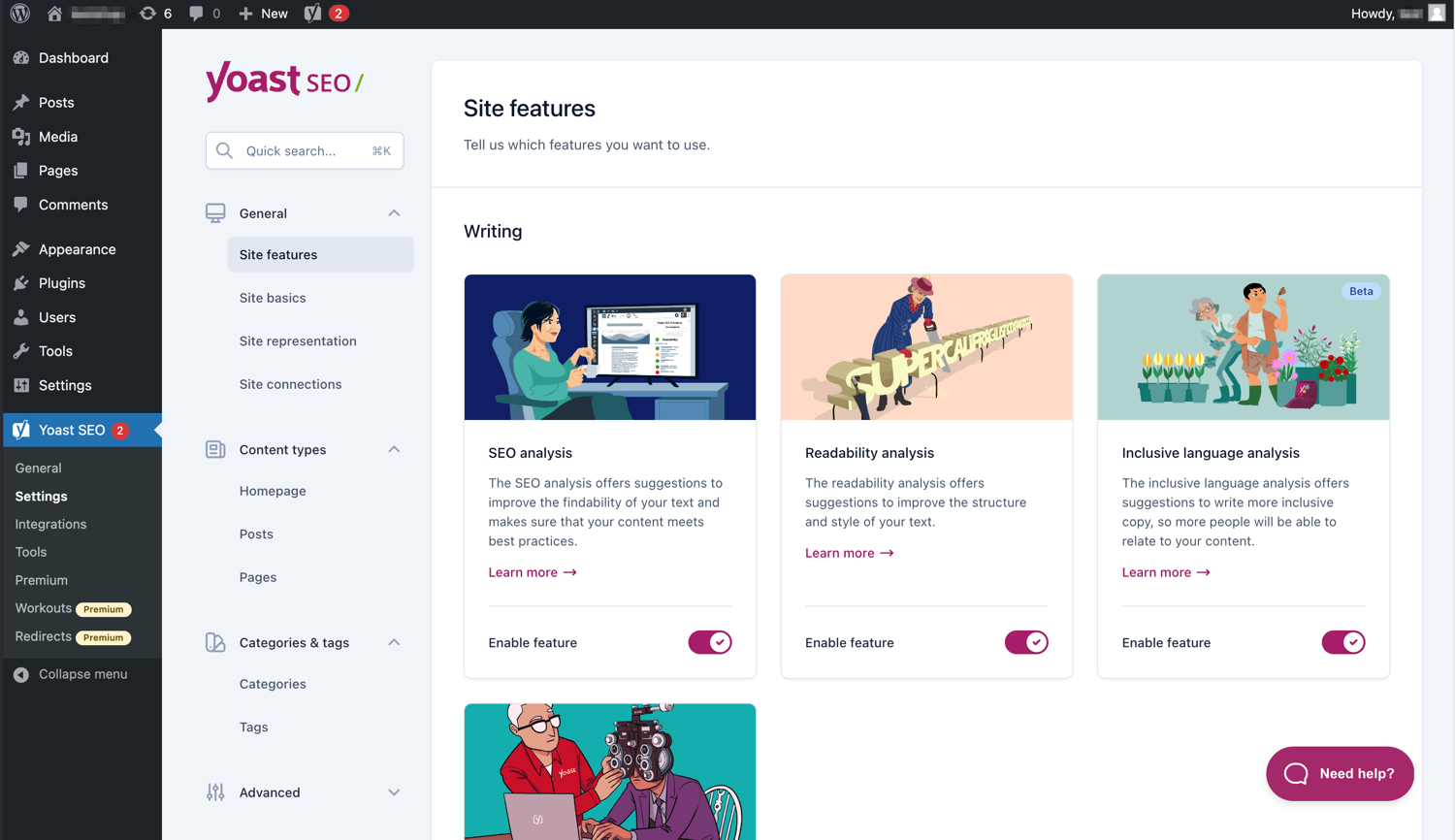
Content and readability analysis alongside the technical fundamentals — meta tags, canonical URLs, and structured XML sitemaps that update automatically as you publish. Yoast’s traffic-light scoring (red, orange, green) gives a quick, visual read on whether a post is optimized before you hit publish, without requiring SEO expertise to interpret. The free version covers the core fundamentals well; the premium upgrade adds AI-assisted title and meta description generation, internal linking suggestions, and a redirect manager.
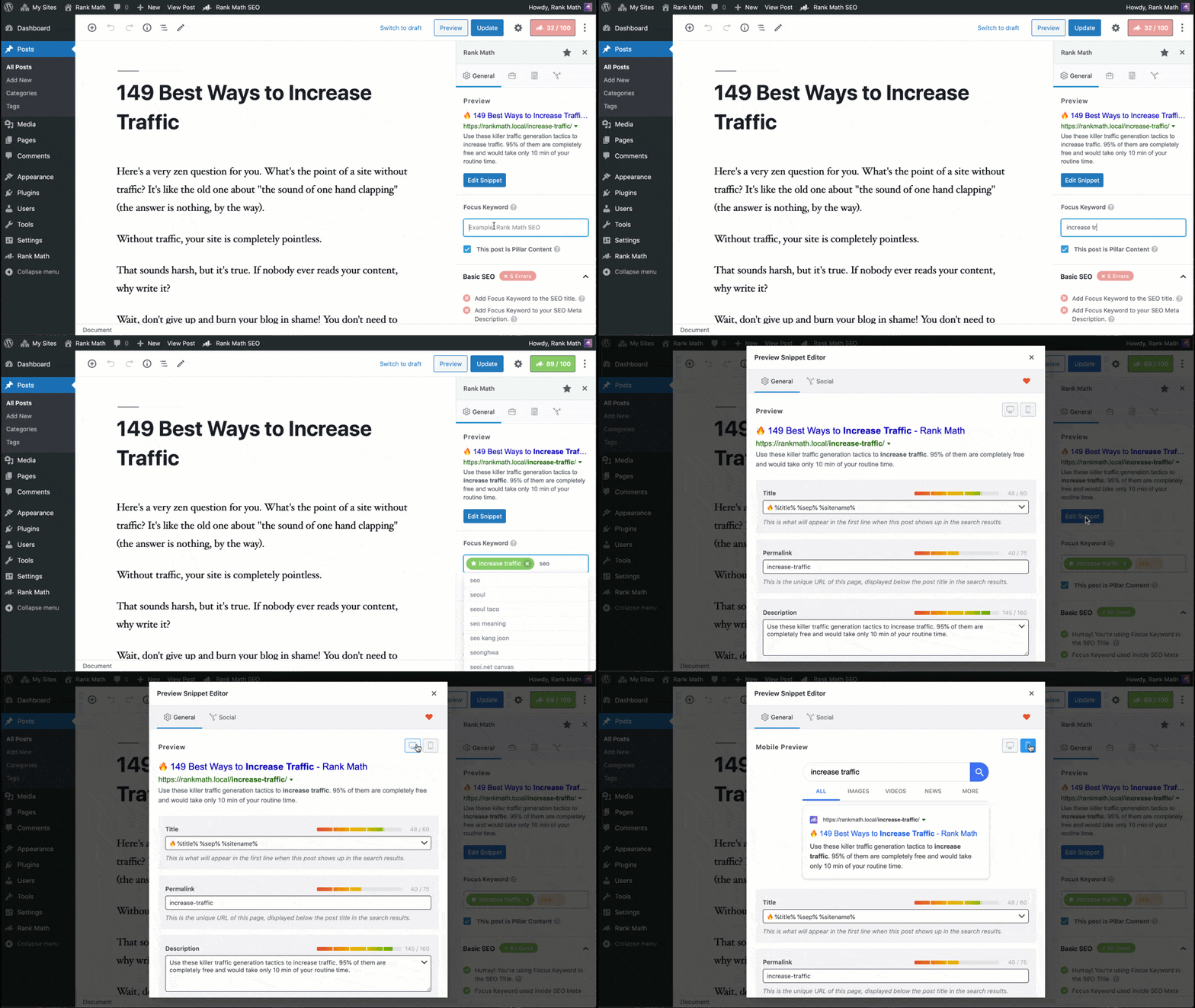
A newer but extremely fast-growing alternative to Yoast, generally regarded as offering more features on its free tier — including schema markup for more content types and basic keyword tracking that Yoast reserves for its paid version. Rank Math’s setup wizard imports settings directly from Yoast or other SEO plugins if you’re switching, which removes a common point of friction when changing tools on an established site.
A full security suite combining a web application firewall, malware scanner, and login security (rate limiting and two-factor authentication) in one plugin. Wordfence’s firewall runs at the WordPress application level rather than requiring separate server configuration, which makes it accessible for site owners without server admin experience, and its malware scanner checks your core files, themes, and plugins against known-good versions to flag unauthorized changes.
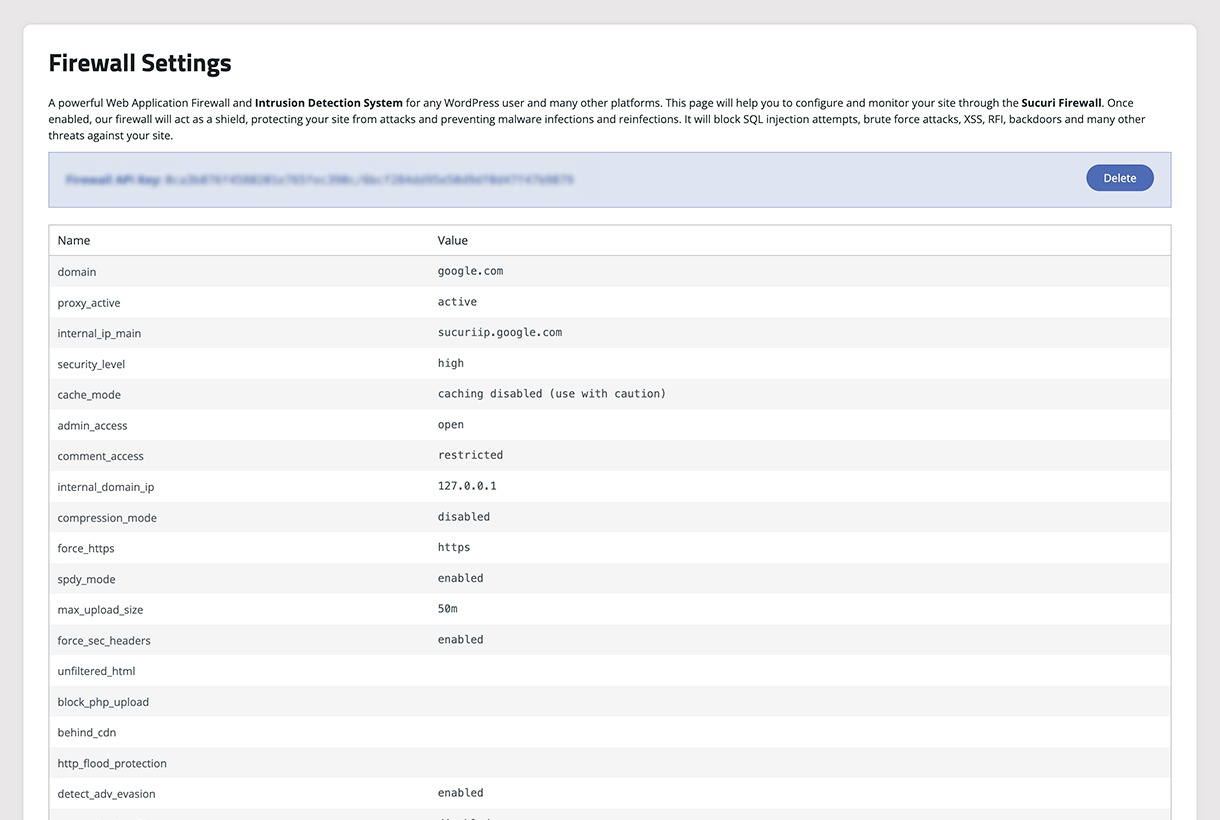
Free malware and blocklist monitoring alongside security hardening recommendations, from a company that also offers a paid website firewall service (a separate product, not required to use the free plugin). Sucuri’s free scanner specifically checks whether your site has been flagged by Google Safe Browsing or other blocklist services — a genuinely important thing to know quickly, since a blocklisted site can lose most of its search traffic until the flag is resolved.
Performance & Caching
Page speed affects both search ranking and conversion rate directly, and for most WordPress sites, a caching plugin is the single highest-leverage speed fix available before you need to touch hosting or theme code at all.
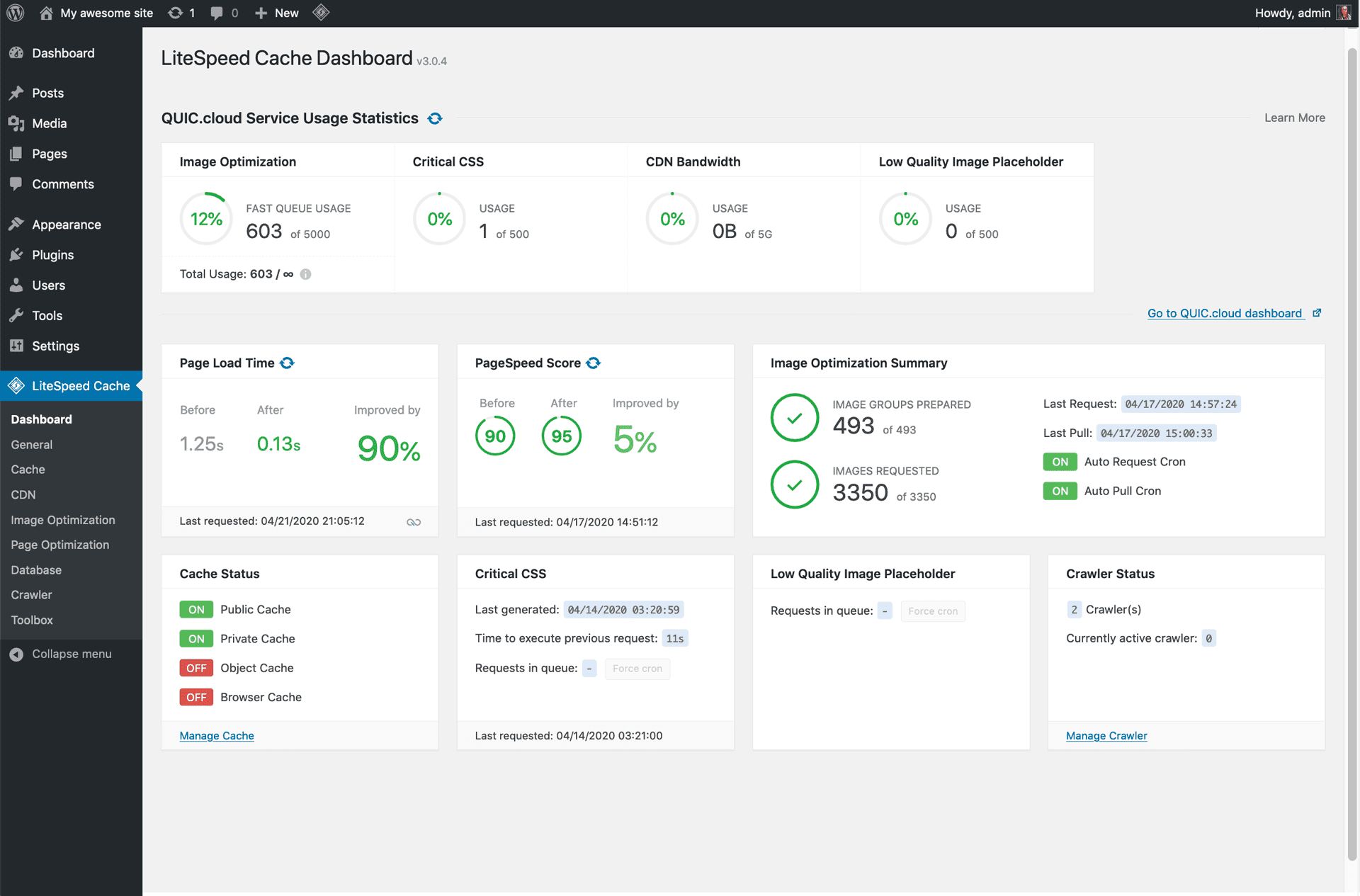
A comprehensive performance plugin combining page caching, image optimization, and CSS/JS minification, with particularly strong results on LiteSpeed-powered hosting specifically (though it still functions as a general caching plugin on other server types). It’s free with no paid tier gating core caching functionality, which is a genuinely different model from most caching plugins that reserve advanced features for a premium upgrade.
A simpler, longer-established caching plugin from Automattic (the company behind WordPress.com) generating static HTML files from your dynamic WordPress pages, which serve dramatically faster than generating each page fresh on every visit. It’s a reasonable starting point specifically for site owners who want genuine caching benefit without navigating a large, feature-dense settings panel.
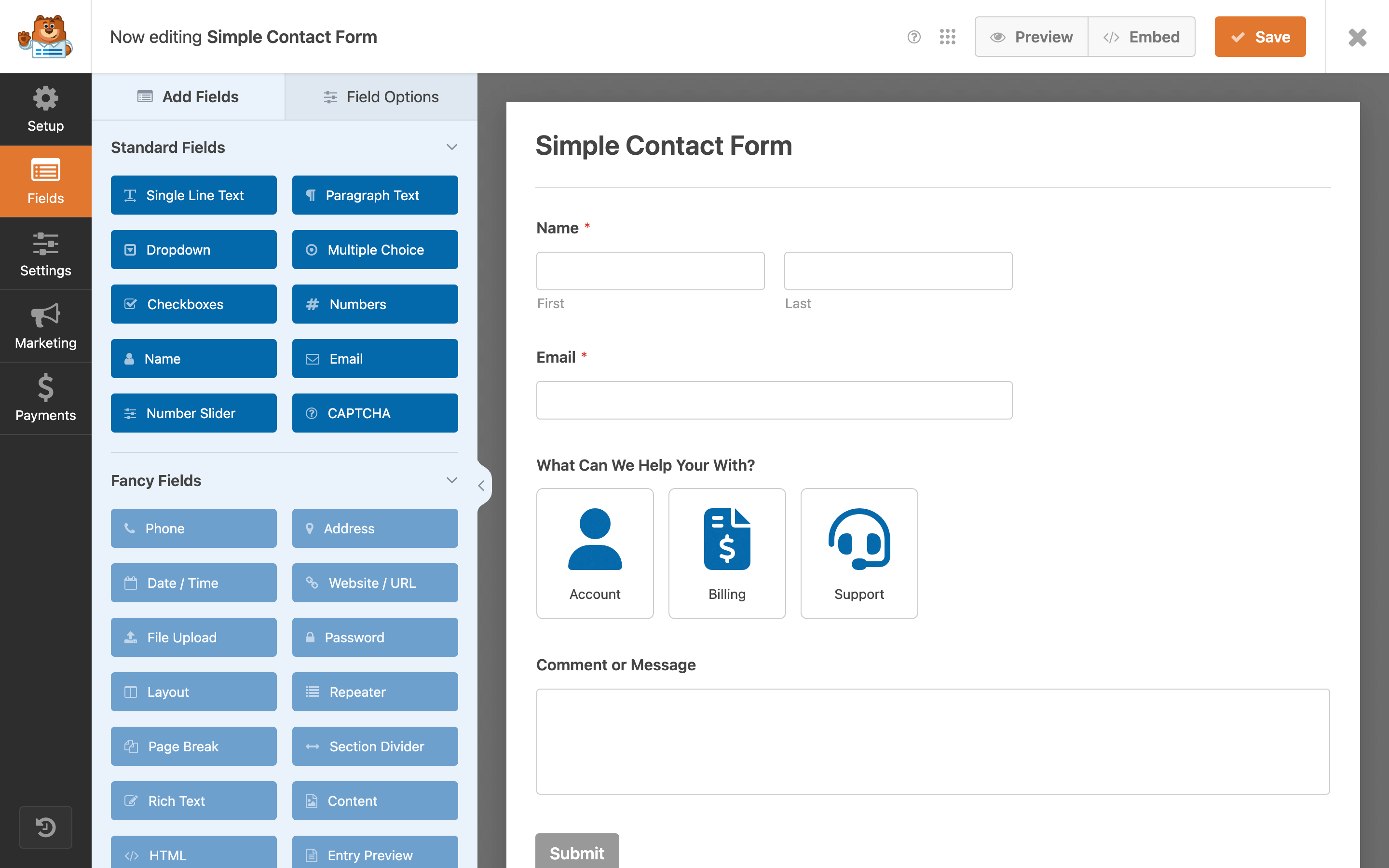
A drag-and-drop form builder with a genuinely usable free tier (Lite) covering basic contact forms, and a large template library for common form types beyond simple contact — surveys, order forms, and newsletter signups among them. WPForms is built with a specific focus on beginner accessibility, avoiding the steeper learning curve some more powerful form builders carry.
One of the longest-standing, most widely installed WordPress plugins in general, handling basic contact form creation through a simple shortcode-based system. It’s genuinely bare-bones by modern standards — no visual drag-and-drop builder — but that same simplicity means very low overhead and long-term stability, which is part of why it remains broadly used on sites that just need a working contact form without additional features.
Backup
A backup plugin is the kind of thing that feels unnecessary until the exact moment it becomes the only thing standing between you and starting your entire site over from scratch.
Scheduled, automated backups to your choice of remote storage (Google Drive, Dropbox, Amazon S3, and others) rather than storing backups only on the same server as your site — an important distinction, since a backup stored alongside the site it’s backing up doesn’t help if the whole server has a problem. The free version covers scheduled full-site backups and remote storage; premium adds incremental backups and migration tools.
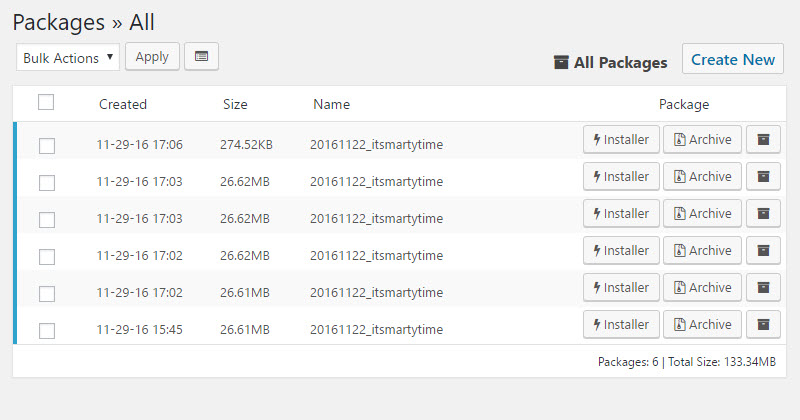
Originally built around site migration and cloning rather than backup specifically, though it’s commonly used for both — packaging your entire site (files and database) into a single downloadable archive that can be restored elsewhere. This makes it a genuinely useful tool specifically when moving a site between hosts or setting up a staging copy, beyond its value as a backup tool alone.
Page Builders
Elementor
The most widely installed dedicated page builder in the WordPress ecosystem, offering a visual drag-and-drop editor for building custom layouts beyond what a theme’s default templates provide. The free version is genuinely capable on its own; Elementor Pro adds theme-building features (custom headers, footers, and archive templates), a popup builder, and additional widgets. Since LTHEME’s own template collection is built to work cleanly with popular page builders, this is a natural pairing if you’re customizing layouts beyond what your theme’s default sections cover.
Spectra
A block library and site-building toolkit for the native WordPress block editor (Gutenberg) rather than a separate page-builder interface — a meaningfully different approach for site owners who’d rather extend Gutenberg’s own capabilities than adopt an entirely separate editing environment. Spectra adds pre-built blocks and starter templates while staying closer to WordPress’s own native editing experience than a fully separate builder does.
Image Optimization
Smush
Bulk image compression and resizing that runs automatically on upload, reducing file sizes without a visually obvious quality loss for most photographic images. Smush’s free tier compresses images up to 5MB each with no limit on total image count, which covers the actual need for most sites without requiring the premium upgrade.
ShortPixel Image Optimizer
Similar core function to Smush — automatic compression on upload — with a credit-based free tier (a fixed number of free image optimizations per month) and support for next-generation formats like WebP and AVIF, which produce meaningfully smaller file sizes than traditional JPEG or PNG for the same visual quality. Worth considering specifically if your site’s images are numerous enough that Smush’s per-image size cap becomes a real limitation.
Analytics & Spam Protection
MonsterInsights
Connects Google Analytics data directly into your WordPress dashboard, avoiding the need to log into a separate Google Analytics interface just to check basic traffic numbers. The free version covers core traffic reporting; premium tiers add ecommerce tracking, form conversion tracking, and more granular custom event reporting.
Automated comment and form spam filtering, built by Automattic and bundled with WordPress core by default (though it does require a free API key to activate). Akismet checks incoming comments against a constantly updated spam database before they ever reach your moderation queue, which matters more than it might initially seem — a site with open comments and no spam filtering can accumulate hundreds of spam submissions within days of launching.
A Quick Way to Decide What You Actually Need
Rather than installing all 16, match plugins to your site’s actual current risk or gap:
Brand-new site, nothing installed yet — start with one SEO plugin, one security plugin, one caching plugin, and a backup solution. That covers the fundamentals every site needs regardless of what it’s for.
Site with a contact page or lead capture — add a forms plugin if you don’t already have one; check whether your theme or existing plugins already cover this before adding a new one specifically.
Site with a lot of product or blog photography — an image optimization plugin becomes worth the setup time once your media library is large enough that page load speed is visibly affected.
Site being rebuilt, migrated, or given a new custom layout — a page builder and a proper backup or migration plugin (Duplicator specifically) become genuinely useful at this stage, even if they weren’t needed for the site’s original, simpler version.
If you’re building or customizing a WordPress site and want a foundation that’s already compatible with the tools above, browse our WordPress themes or check our WordPress tutorials for setup guidance beyond just plugin selection.
Plugin pricing and features change over time — always check the current listing before installing.
Welcome to LT Digital Team. We make daily blogs for Joomla! and WordPress CMS, support customers and everyone who has issues with these CMSs and solve any issues with blog instruction posts, trusted by over 1.5 million readers worldwide.
Latest posts by LT Digital Team (Content & Marketing) (see all)
We use cookies to improve your experience on our website. By browsing this website, you agree to our use of cookies.
Functional
Always active
The technical storage or access is strictly necessary for the legitimate purpose of enabling the use of a specific service explicitly requested by the subscriber or user, or for the sole purpose of carrying out the transmission of a communication over an electronic communications network.
Preferences
The technical storage or access is necessary for the legitimate purpose of storing preferences that are not requested by the subscriber or user.
Statistics
The technical storage or access that is used exclusively for statistical purposes.The technical storage or access that is used exclusively for anonymous statistical purposes. Without a subpoena, voluntary compliance on the part of your Internet Service Provider, or additional records from a third party, information stored or retrieved for this purpose alone cannot usually be used to identify you.
Marketing
The technical storage or access is required to create user profiles to send advertising, or to track the user on a website or across several websites for similar marketing purposes.















Recent Comments