If you are still coding apps and websites manually, you’ll just fall behind. Going to market fast is no longer something that gives you an edge. It is a fundamental requirement if you want to succeed. Everyone is using AI to help them, and Lovable, an AI-powered builder, has introduced a kind of revolution in the industry. You can use it to generate functional apps from simple prompts in record time.
But what happens when you want to take the next step? Lovable is great for creating app prototypes, but it lacks the granular design control and CMS flexibility you need for professional, content-heavy projects. So, if you are a designer, a freelancer, or a business owner who is looking to scale up, you’ll need to search for and pick a tool that offers a clear balance between automated speed and long-term scalability.
You need something better than Lovable for, let’s say, a high-conversion landing page, a complex SaaS platform, or a client portal. That’s what we’re here to help you with.
This guide explores the top alternatives that offer more flexibility across both website and app development.
Before we hop into the list, though, let’s learn a little bit about Lovable.
What Is Lovable (and Why Look for Alternatives)
Lovable is an AI-powered app builder. It is designed to take you from a text-based prompt to a working app very quickly, and user reviews praise the product’s speed and the easy, beginner-friendly interface.
You can use it to quickly build a minimum viable product (MVP). Lovable automates the foundational coding process, which is great, especially for non-technical users. They can now create functional tools without any traditional development bottlenecks.
Check out some of Lovable’s top strengths.
Quick setup: Quickly turn an idea into an MVP;
Lower entry barrier: Very accessible to users without a coding background;
Ideal for MVPs: Good for quickly testing a concept before investing.
But we should also flip the coin and look at the weaknesses.
Lovable is not a website-first platform. Its limitations become apparent when you need extensive design customization or complex content management systems (like for blogs and SEO-driven sites).
The platform can feel too restrictive for long-term projects that require deep architectural control or unique frontend layouts.
These are the main reasons why many professionals are looking for something more versatile, which is an excellent segue into the following section.
What to Look for in Tools Like Lovable
When evaluatingtools like Lovable, you need to try to look beyond that initial WOW factor that happens when you see AI in action. You need a platform that supports long-term growth, and for this, you need to really know what you’re looking for.
Here are some important questions that you need to ask.
Does it offer a balance between website and app capabilities (not all tools do both well)?
Does it offer design flexibility (like themes, advanced layout control, and easy visual editing)?
Does it have CMS and content management capabilities (important for blogs and client sites)?
Does it cover hosting and deployment (and is it built-in or is it external)?
Does it offer easy customization options (can you tweak things later)?
What is the balance between the speed of launch and long-term flexibility?
The best choice in 2026 would be a platform that can combine the prompt-to-build speed of AI with the structural integrity of a professional development environment. And, instead of rummaging the net to find these types of tools, you can just check the list of alternatives below.
10 Best Lovable Alternatives in 2026
For each tool, you’ll learn what it is, what it’s best for, its strengths, and its limitations.
1. Atoms — Best for Multi-Agent Startup Launching
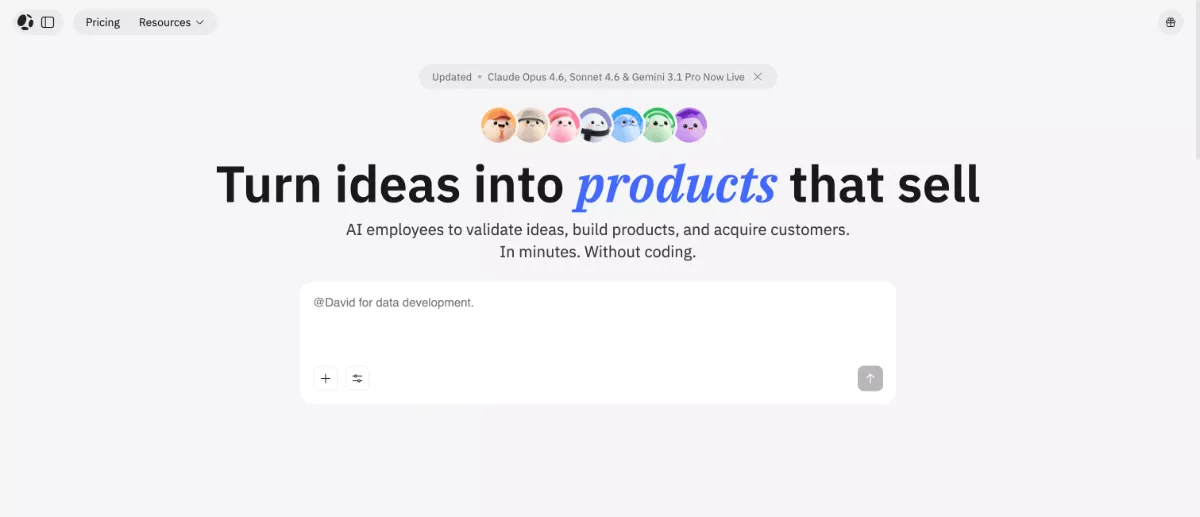
Atoms AI is an AI-driven builder that you can use to generate functional products (and not just the user interface). As a powerful platform for rapid shipping, it is a great pick for launching landing pages, SaaS tools, simple apps, and more without relying on multiple third-party tools.
Atoms is a stronger fit for business owners focused on growth with built-in SEO, SSR (Server-Side Rendering), and an integrated Ads Agent that supports both organic and paid acquisitions.
Key strengths
Multi-Agent Workflow: Specialized AI agents (Architect, SEO, Ads Agent) collaborate to research, plan, and build the product;
Frontend + Backend Included: Get a complete product environment with the visual layers and server logic;
Built-in Infrastructure: Get native support for user authentication, databases, and payment processing;
Fast Deployment: Reduces the time from idea to live URL for immediate market testing;
SEO and SSR Support: Get SEO and SSR support to ensure your site is discoverable and high-performing (Lovable lacks these features).
Limitations
Design Control: You get slightly less granular design control than some specialized website builders;
Newer Platform: A newer entry in the market; still building out its long-term ecosystem and third-party integrations.
2. Webflow — Best for Design Control
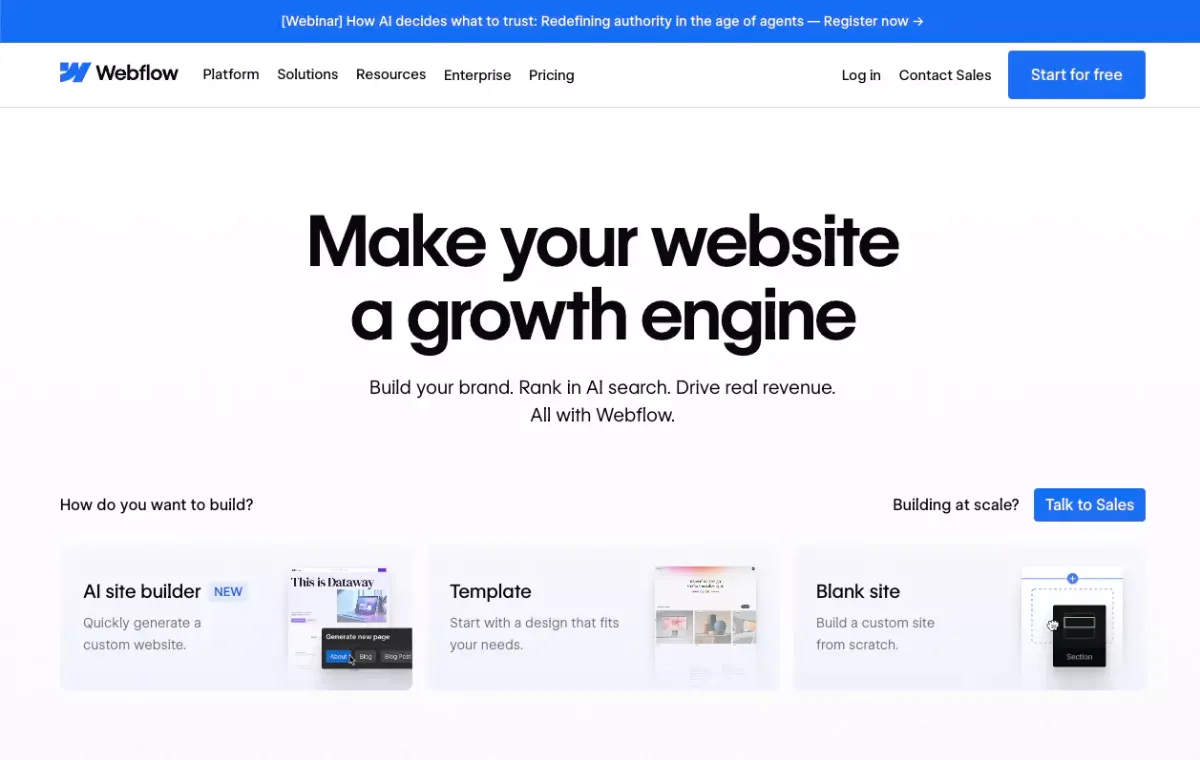
Webflow is a visual builder that is AI-assisted, and it lets you create high-performance websites without writing code. You’ll get clean HTML, CSS, and JavaScript. It is a solid choice for designers and freelancers who need to create unique and content-heavy websites with complex layouts.
The AI assists with the layout and some SEO optimization, which gives you creative freedom. And so, it’s a good solution for professional projects.
Key strengths
Strong Visual Editor: Granular control over design elements;
Advanced CMS Capabilities: The content management system handles dynamic data;
Ideal for Websites: Optimized for modern web publishing performance;
Production-Ready Output: Easy client handoffs.
Limitations
Limited App Logic: Not quite good for complex apps or SaaS products;
Learning Curve: More time to learn the ropes.
3. Framer — Best for AI Website Creation
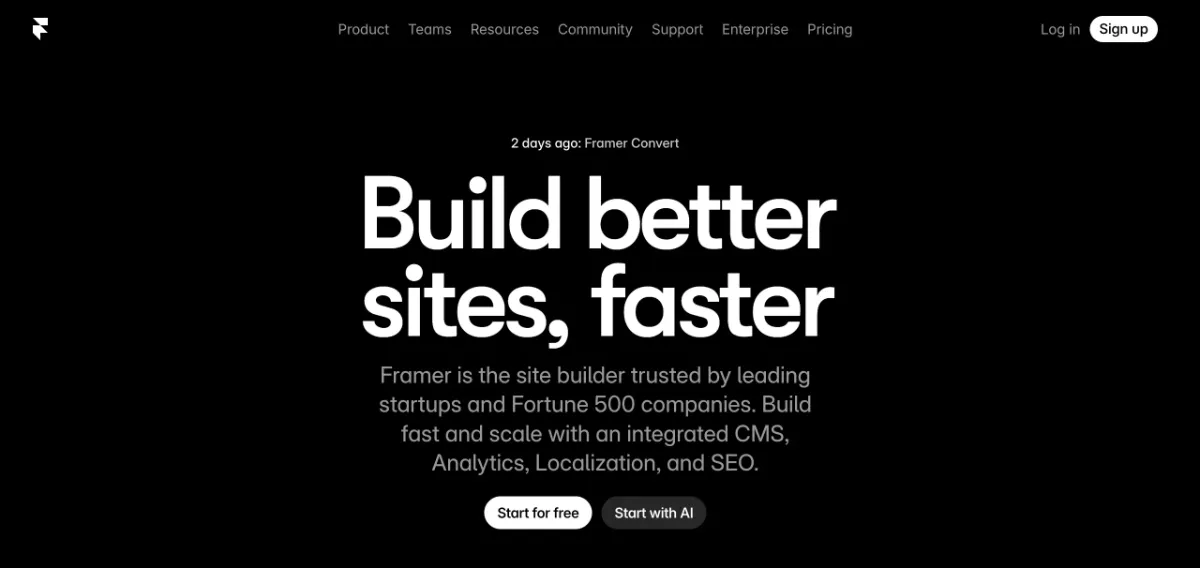
Framer gives users the freedom to design a live website and ship landing pages and marketing sites with clean UIs and smooth UXs. It has strong AI features and can translate text prompts or imported designs into responsive web pages quickly.
All this removes the traditional friction between the design and deployment phases.
Key strengths
Fast Landing Pages: Create good marketing pages and go live quickly;
Clean and Modern UI: Minimal manual tweaking;
Responsive by Default: Works across desktop and mobile devices;
High Interactivity: Add animations and transitions.
Limitations
Limited Backend: Not suitable for complex user authentication, databases, deep functional logic;
Content Management: Less powerful CMS compared to dedicated tools (like Webflow, for example).
4. Bubble — Best for App Logic + Flexibility
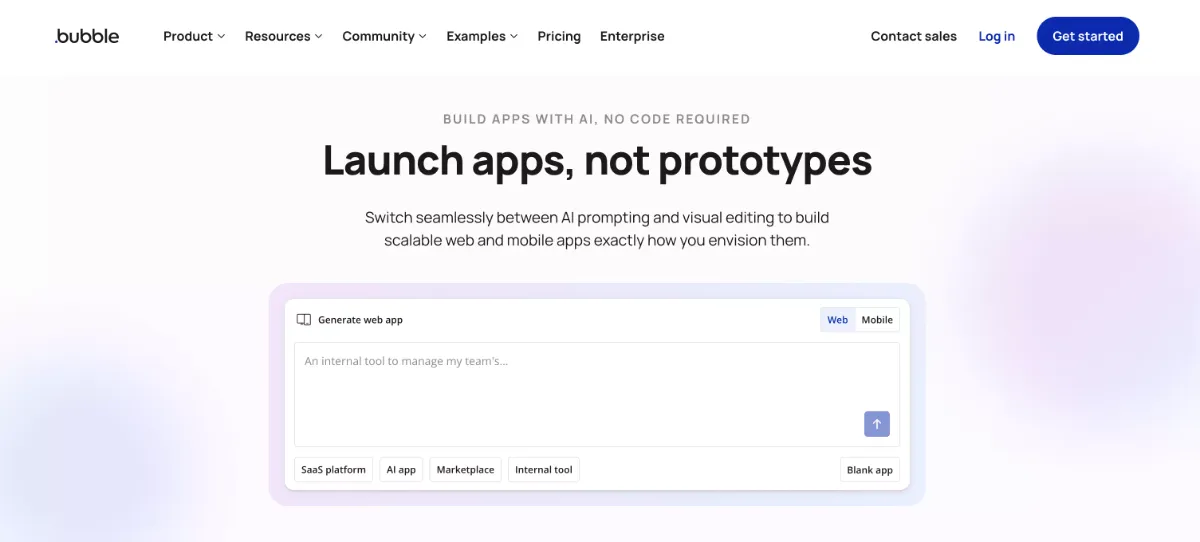
Bubble is good for building logic-heavy apps without a single line of code, and it provides a full-stack environment. You can manage frontend visuals and background workflows. This makes it a great fit for SaaS products, digital marketplaces, or internal business tools that need specific user permissions and high levels of data customization.
The 2026 updates have integrated AI that allows you to build out these functional systems simply by describing them in plain English.
Key strengths
Powerful Workflows: Good for complex, multi-step logic and handling functional requirements;
Backend-Heavy Capabilities: Internal database system and integration with third-party APIs;
Full-Stack Scalability: Can handle thousands of users;
Highly Extensible: A massive plugin ecosystem for adding features like advanced payments.
Limitations
Design Flexibility: Focuses more on function than form;
Technical Complexity: More difficult than other no-code tools for absolute beginners.
5. Glide — Best for Simple Apps
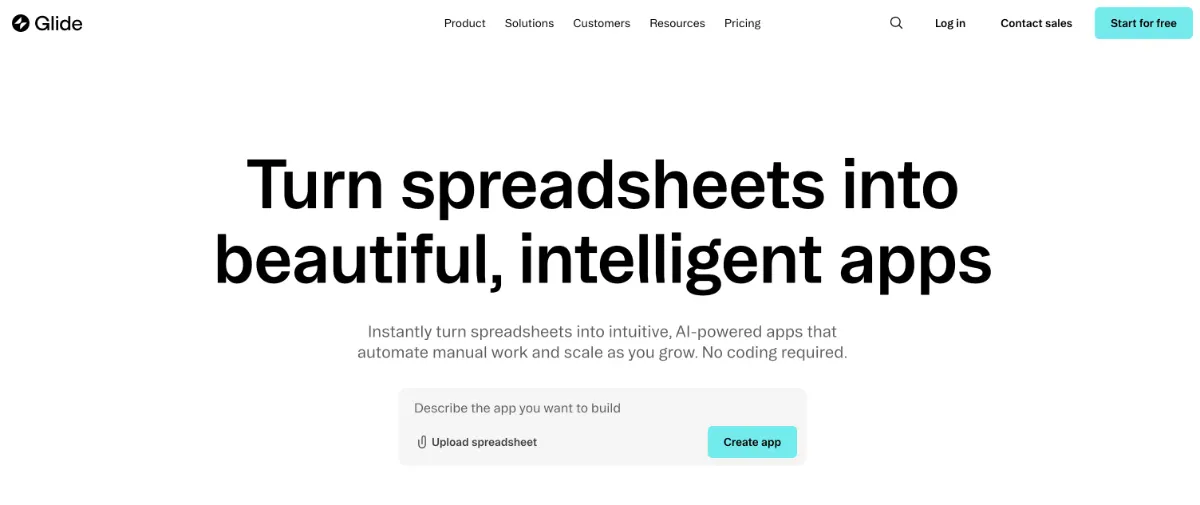
Glide has a data-first philosophy. It transforms existing spreadsheets into mobile-optimized apps. It is a practical solution that turns internal data into a usable interface quickly without complicated backend management.
It’s great for building basic tools like inventory trackers or employee directories, and it’s a reliable choice for projects that are focused on utility.
Key strengths
Spreadsheet-Based: Uses familiar tools like Google Sheets, Excel, or Airtable;
Fast Setup: Enables near-instant app generation when you connect the data source.
Limitations
Limited Customization: It’s restricted to pre-defined layouts and components.
6. Softr — Best for Client Portals
Softr is designed for functional web apps and portals built on existing data. It is effective for secure client dashboards, member areas, and resource directories. By focusing on a block-based building system, Softr allows you to assemble professional applications in a fraction of the time it would take to build them from scratch.
All this provides a great and easy way to share data with external users.
Key strengths
Airtable Integration: Deep connectivity with Airtable for managing app data;
Easy to Use: An intuitive drag-and-drop block interface.
Limitations
Not Very Flexible: Restrictive for projects with unique app logic or custom workflows.
7. WeWeb — Best for Custom Frontends
WeWeb is a low-code platform that gives complete control over the frontend, with the added ability to connect to any backend or API. You can use its features to create scalable, customizable, and secure enterprise web apps.
It’s great if you are a developer or designer who likes the speed of visual builders but wants to export the code or keep strict security standards.
Key strengths
API-Based Architecture: Connect to external databases, APIs, and authentication providers;
More Control: Advanced design and logic capabilities (with the option to add custom code).
Limitations
Longer Setup: Requires more time for initial configuration than one-click builders.
8. WordPress + AI Builders — Best for Content Sites
WordPress is the most versatile platform for content and SEO. You can connect it to specialized AI site builders like ZipWP and generate a full site with custom sitemaps and copy from a text prompt. You get the speed of AI plus the world’s most popular Content Management System (CMS).
It is a practical option for automation without sacrificing flexibility.
Key strengths
Flexibility: Great for both simple blogs and complex e-commerce stores;
Huge Ecosystem: Access to over 50k plugins and themes;
Complete Data Ownership: Full control over your hosting and database;
Advanced AI Planning: Handle the initial site architecture, layouts, and content generation.
Manual Setup: Requires manual configuration and maintenance.
9. Wix Studio — Best for Hybrid Website Building
Wix Studio is a visual builder that gives you creative freedom. It’s an okay choice for hybrid projects. Think of websites that require integrated tools (like booking systems, e-commerce, client management, etc). Its AI agent can assist with responsive designs.
Freelancers and small business owners can use it to create fully functional branded sites from day one without hiring a backend developer.
Key strengths
Advanced Visual Builder: Features a canvas with smart AI layout tools to handle responsiveness;
Integrated Business Tools: Support for CRMs, email marketing, scheduling;
Reliable Infrastructure: Managed and secure hosting with high uptimes;
Collaborative Workflow: For agencies and teams that manage multiple client sites.
Limitations
Limited Backend Logic: Not great for custom application architectures;
Platform Lock-in: No source code exports.
10. Replit Agent — Best for Dev-Friendly Projects
Replit Agent focuses on full-stack app creation using a collaborative coding interface. Some builders will hide the code, but this tool acts as an autonomous developer that can build, test, and release apps while giving you direct access to the source files.
It is definitely a more technical alternative for those who want to control the source code just like in a real development environment.
Key strengths
Full-Stack Capabilities: Generate the frontend UI and complex backend in different programming languages;
Autonomous Debugging: The AI agent identifies errors and fixes bugs in real time;
One-Click Deployment: A built-in cloud infrastructure for instant hosting and scaling;
Developer Control: A full IDE with terminal access.
Limitations
Not for Beginners: Requires basic understanding of web development concepts;
Technical UI: Developer-focused interface that lacks the drag-and-drop simplicity.
Lovable vs Alternatives: Website vs App Capabilities
The following table breaks down how Lovable compares to top alternatives in terms of their primary focus and core capabilities.
Tool
Primary Focus
Best For
Lovable
App-First
Quick prototyping and MVP app generation
Atoms
Hybrid
Full-stack products, SaaS, and high-performing landing pages
Webflow
Website-First
Custom design and content management
Framer
Website-First
Marketing sites with animations
Bubble
App-First
Complex apps and custom marketplaces
Glide
App-First
Internal business tools and mobile-optimized utility apps
Softr
App-First
Client portals, member areas, and data-driven directories
WeWeb
App-First
Scalable frontends for enterprise apps
WordPress + AI
Website-First
SEO-heavy blogs, news sites, and e-commerce stores
Wix Studio
Hybrid
Professional business sites with integrated booking and sales tools
Replit Agent
App-First
Custom-coded full-stack apps and technical prototypes
How to Choose the Right Alternative
Selecting the right tool depends on your project. To make the best choice, you should segment your needs by your primary use case.
For websites and design-heavy projects, go with Webflow, Atoms, or Framer.
For apps and complex logic, go with Bubble or Glide.
For high-endwebsite and app creation, go with Atoms and WeWeb.
For content-heavy SEO-driven sites, go with WordPress.
Final Thoughts
The fact is that there is no single tool for every use case. Some tools are better for design control and flexibility, while others are better for speed and automation. Atoms is an example of a platform that combines technical infrastructure with marketing tools that focus on growth. This means you don’t have to choose between speed and performance anymore.
Pick a tool that meets your needs today, and you can be sure your digital products will be ready for the demands of tomorrow.
To find more tools and templates, don’t forget to check out our collection offree WordPress themes and resources.
My name is Kelvin, and I’m the Chief Marketing Officer at LTheme. I have over 10 years of experience in Joomla! and WordPress web development, as well as in digital marketing, where I specialize in SEO. Every day, I write blogs about Joomla! and WordPress, assist others in creating beautiful websites using these CMS platforms, and provide support on the Joomla Support Board as a Joomla Guru in the forum. Thank you for being here!
We use cookies to improve your experience on our website. By browsing this website, you agree to our use of cookies.
Functional
Always active
The technical storage or access is strictly necessary for the legitimate purpose of enabling the use of a specific service explicitly requested by the subscriber or user, or for the sole purpose of carrying out the transmission of a communication over an electronic communications network.
Preferences
The technical storage or access is necessary for the legitimate purpose of storing preferences that are not requested by the subscriber or user.
Statistics
The technical storage or access that is used exclusively for statistical purposes.The technical storage or access that is used exclusively for anonymous statistical purposes. Without a subpoena, voluntary compliance on the part of your Internet Service Provider, or additional records from a third party, information stored or retrieved for this purpose alone cannot usually be used to identify you.
Marketing
The technical storage or access is required to create user profiles to send advertising, or to track the user on a website or across several websites for similar marketing purposes.








Recent Comments