
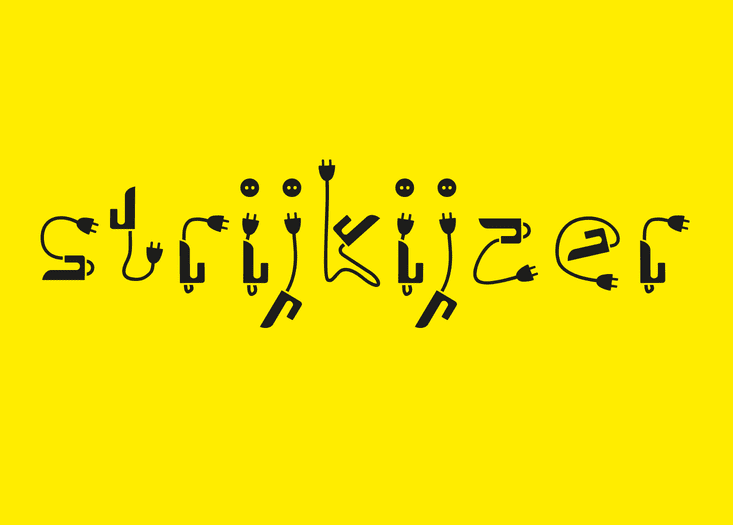
Ps Strijkijzer Free Font Download
Introduction Of Ps Strijkijzer Free Font Download Here is Ps Strijkijzer Free Font Download which is originated as a joke between friends. Ps Strijkijzer is a fun typeface that is suitable for many different projects. Don’t hesitate to download it for free...
How To Install Akeeba Backup?
In this article, I will show you install Akeeba Backup. We have three ways to install manually update Akeeba Backup: Install from URL Upload and install Manual installation 1) Install from URL The steps to install Akeeba Backup from URL: Step 1: You go to our...How to add a new Product Category in HikaShop for Joomla 3.x ?
To add a new Product Category in HikaShop: Step 1: Log into your Joomla Dashboard Step 2: In the top menu, hover over Components and click HikaShop to access the HikaShop Dashboard. Step 3: Click the Category icon and Click the New button in the top right menu Step...
The Flower City Script Free Font
Introduction Of The Flower City Script Free Font The Flower City is a premium Script Free Font with unique and impressive style that is perfect for logo, logotype, apparel design, and more. It’s inspired from Bandung. The Flower City typeface is made by hand and...How to tweak the cart and the checkout in HikaShop for Joomla 3.x ?
As you will see on the checkout, your users can click on the products name and go to the product page. In most cases, you will want to disable those links. To tweak the cart and the checkout in HikaShop for Joomla 3.x: Step 1: Log into your Joomla Dashboard Step 2: In...How to add a link to the entry form in HikaShop for Joomla 3.x ?
Now that you have your first product created, you can add a link to the entry form to it via a Joomla menu on the front end. To add a link to the entry form in HikaShop for Joomla 3.x: Step 1: Log into your Joomla Dashboard Step 2: In the top menu, hover over Menu,...How To Upgrade to the latest K2 version in the 2.x series?
Upgrading To The Latest K2 Version If you want to upgrade to the K2 version in the 2.x series, then follow these steps: Step 1. Install at least v2.0 on your Joomla site. Step 2. Download the latest zip package of K2. Step 3. In the backend, you go to Extensions...How To Install K2 Component?
Installing K2 Component What is K2? K2 is a content management component of websites built on Joomla platform, suitable for you to express any type of articles (including sales), with more powerful functions such as managing tag, Extra Fields, user,…. K2...How to add entry custom fields in HikaShop for Joomla 3.x?
Now that you created the products you need you will create the form elements using the custom fields. To add entry custom fields in HikaShop for Joomla 3.x: Step 1: Log into your Joomla Dashboard Step 2: In the top menu, hover over Components and click HikaShop. Step...Deal in this week!

All-In-One Package
(Best Deal for Agency!)
Recent Comments