
Which is the most useful WordPress PWA plugin to help you turn your WordPress site into a PWA? Read on to find the best answer.
Why should you use a WordPress PWA plugin on your site?
A PWA is a web application that gives your customers a native app-like experience. Thanks to it, your WordPress site can look and work like an app on both mobile and desktop devices. There are also a lot of reasons why you should use this kind of plugin such as add-to-home-screen prompts, offline access, fast loading and push notifications. For those reasons, in this article we show you the best WordPress PWA plugins. Let’s start and choose the best one!
Best WordPress PWA Plugins
PWA for WordPress

This great WordPress PWA Plugin enables you to turn your site into a PWA in real time. With the PWA for WordPress plugin, you can also fine-tune the cache, for example the expiration date and time and URL exclusions.
Provided features:
- Set the expiration time of caches
- Configure web applications
- Turn your WordPress website into a PWA
- Control PWA’s functions
- Fine-tune the cache
Highlights:
- Excellent solution
- Easy to use
Progressive WordPress (PWA)

Progressive WordPress enables you to add progressive web app features to your website easily. This WordPress PWA Plugin also allows your users to add your site to their home screen. Moreover, by sending push notifications, this plugin can keep your users engaged on your site effectively.
Provided features:
- Send push notifications
- Make your website reliable
- Provide an integrated user experience
- Add progressive web app features
Highlights:
- Just perfect
- Excellent app
- Amazing
PWA

PWA is a wonderful WordPress PWA Plugin that implements support for the Web App Manifest, HTTPS and Service Workers in WordPress. Moreover, this plugin is very reliable: pages load instantly and never show the downasaur, even in uncertain network conditions.
Provided features:
- Respond quickly to user interactions
- Load instantly and never show the downasaur
- Feel like a natural app on the device
- Provide the PWA building blocks
Highlights:
- Very exciting
- Very much needed
- Easy to configure
WP-AppKit – Mobile apps and PWA for WordPress

Here is a great way to deliver a reliable and fast mobile web experience. With WP-AppKit, you can also generate PWA (Progressive Web Apps) as well as mobile apps for your WP site with the help of HTML, CSS, and JavaScript.
Provided features:
- PhoneGap/Cordova
- Easy online compilation
- Create app themes
- Native support of WordPress
- Full support of progressive web apps
- Android support
- Hook into our API to add the features you need
Highlights:
- Nice app
- Excellent tool
- Wonderful
Super Progressive Web Apps

Super Progressive Web Apps is a popular plugin that combines the best of the mobile web and mobile apps to give you a superior mobile web experience. Furthermore, this plugin lets you turn your WP site into a Progressive Web App in real time.
Provided features:
- Show the “Add to home screen” notice
- Aggressive caching of pages
- Edit the Application Name and Application Short name
- Set the start page of your PWA
- Set a custom offline page
- Change the color of the browser address bar of Chrome
- Set Accelerated Mobile Page version of the start page
- And more
Highlights:
- Five stars
- Simply amazing
- Works brilliantly
PWA for WP & AMP
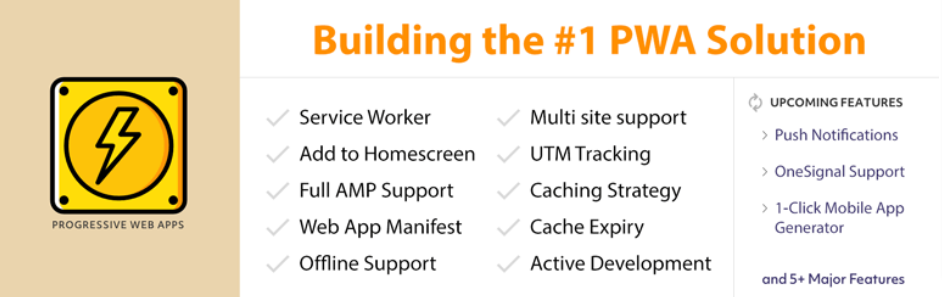
This WordPress PWA Plugin enables you to easily bring the power of Progressive Web Apps to your AMP and WP pages. With the PWA for WP & AMP plugin, you can get your site onto your audience’s home screen. It also loads instantly, like an app, with offline support.
Provided features:
- Easily change the start URL
- Caching Strategy for PWA enabled assets
- App banners on the home screen
- UTM Tracking
- Continuous Development
- OneSignal support with multisite
- Cache Expire option
- And more
Highlights:
- Excellent plugin
- Awesome
- Fantastic
WordPress Mobile Pack
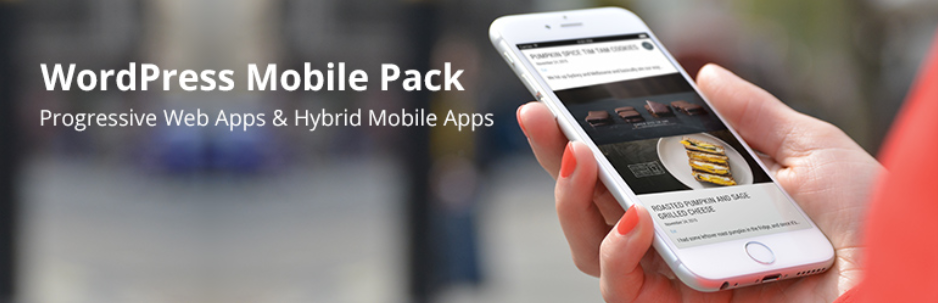
WordPress Mobile Pack is a great WordPress PWA Plugin that you can use to transform the content of your site into a progressive mobile web application. What’s more, you can customize the appearance of your mobile web app so that it matches your brand identity.
Provided features:
- Choose what pages you want to display
- Access to multiple app themes
- Customize your mobile web app’s appearance
- Load the mobile web application
- Add to Homescreen
Highlights:
- Works well
- Perfect plugin
- Very solid plugin
WebSuite PWA
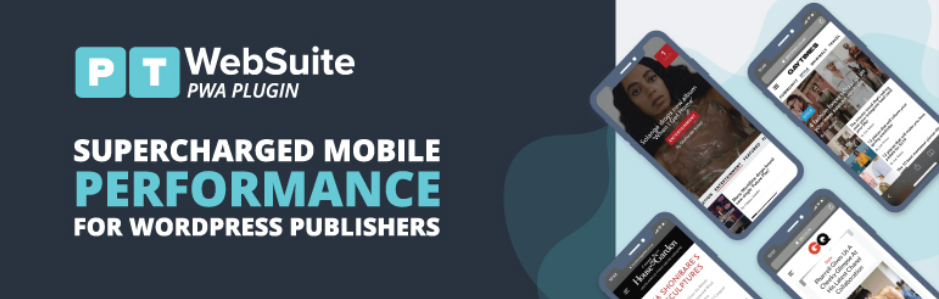
By using the WebSuite PWA Plugin, you can transform the content of your mobile site into a PWA. This plugin includes multiple app themes and display configurations to choose from. It also supports all smartphones and tablets and works with many browsers such as Chrome, Android and Safari.
Provided features:
- Easily integrates with Google Analytics
- Add the mobile web application to the home screen
- Increase engagement by sending web alerts
- Customize the appearance
- Preview display settings
Highlights:
- Impressive
- Great plugin
Conclusion
In short, we have shared with you some outstanding and useful WordPress PWA plugins. We will be happy if this blog is helpful for you. If you want more information on the topic, don’t hesitate to leave a comment below.
Furthermore, don’t forget that we are providing many responsive and free WordPress themes. So, take a look and get the best one for your WordPress site!