Are you trying to choose between Gutenberg vs Elementor? Let’s dive into the comparison below.
Why is the right page builder important for your site?
There is no denying that a page builder is an indispensable tool for those who don’t have any knowledge of HTML or CSS and want to create a professional website by themselves. In addition, using the right page builder brings you plenty of valuable benefits.
Firstly, a page builder has a user-friendly interface and doesn’t require you to write a single line of code, so you are able to design rich content just by dragging and dropping elements. Moreover, a page builder is regarded as an all-in-one plugin, which means that this tool comes with a bunch of powerful features and functionality. Therefore, you don’t need to install a lot of dedicated or single-feature plugins. In other words, without page builders, you would have to install four, five, or even 6 plugins to support creating your desired posts. However, with the support of a page builder, you just need one.
Unfortunately, there are loads of page builders in the market nowadays, and which is the best one? In today’s topic, we picked out the two most popular page builders to compare: Gutenberg vs Elementor. The two tools have received a lot of mixed opinions, so the Gutenberg vs Elementor comparison below will help you see which is the better page builder. Let’s start right now.
Gutenberg Vs Elementor: Introduction
Gutenberg
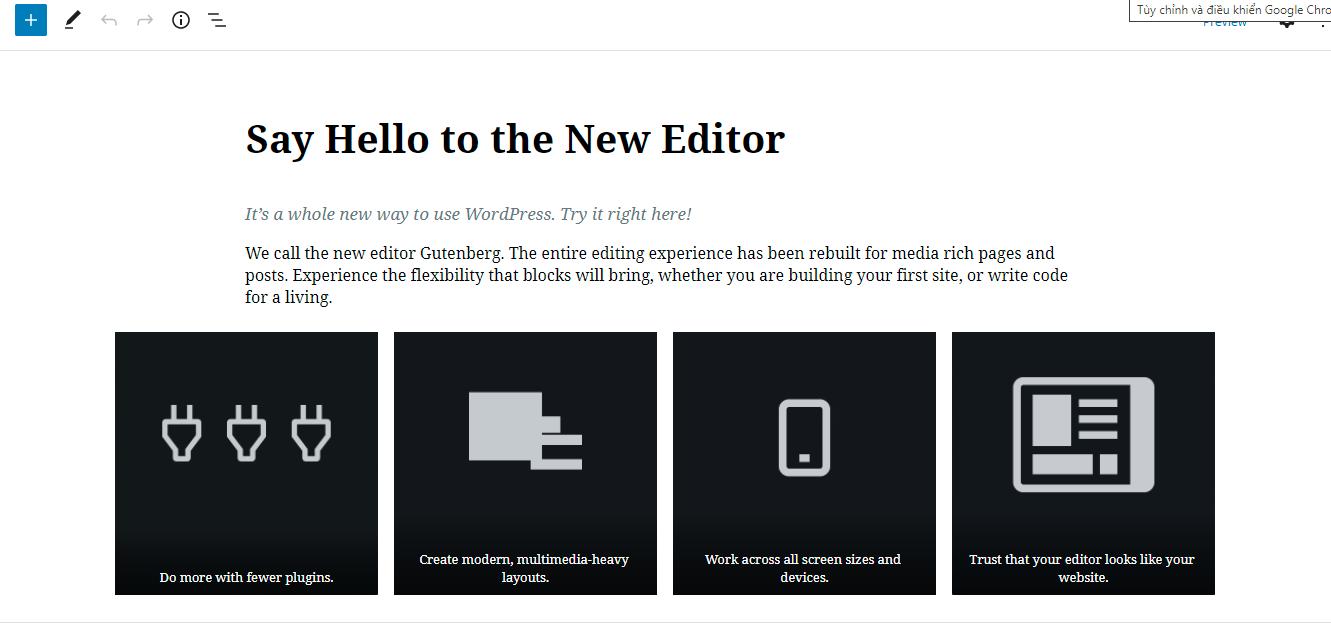
Gutenberg is the new default post Editor in WordPress. This editor is different from the Classic Editor that you have had before. Gutenberg allows you to create and design rich content through blocks. In addition, with each block, it is easy for you to customize the size, position and colors by using a set of helpful options. You can also drag and drop blocks around; however, it is not as flexible as Elementor. Best of all, Gutenberg is totally free because it is now part of WordPress core.
Elementor
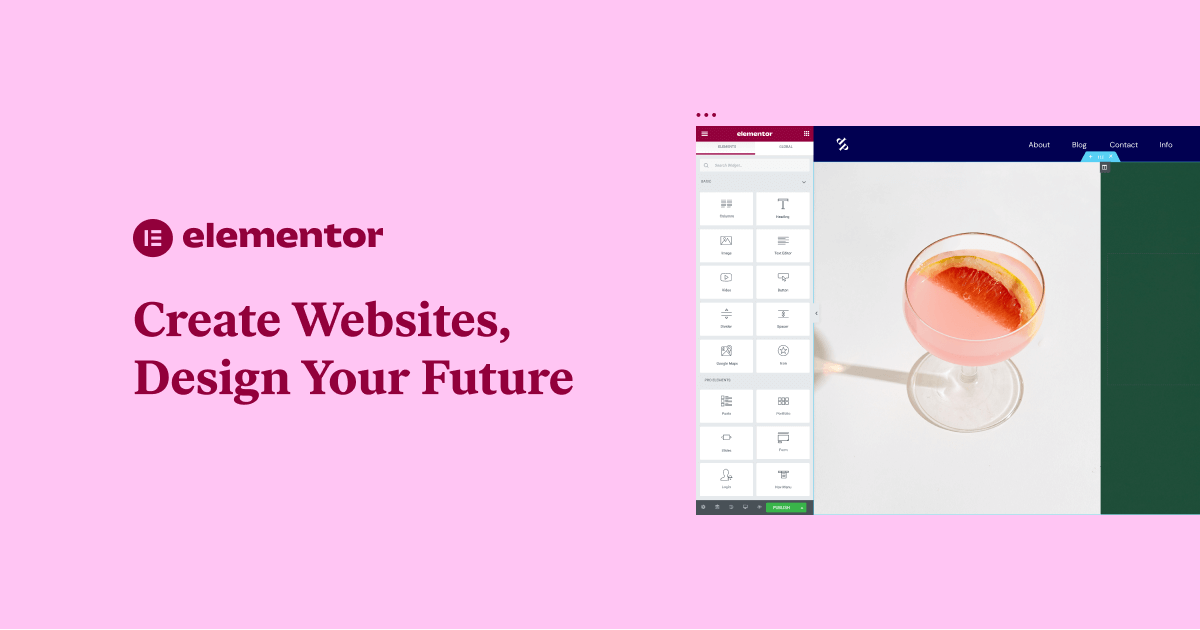
Gutenberg’s serious rival is Elementor. This is the most popular website page builder, able to design any highly functional website without any coding knowledge. So far, this plugin has had over 5 million installs around the world. In addition, Elementor comes with a full-featured free page builder. Moreover, there are a lot of Pro add-ons to add additional developer features.
By using Elementor, you have the ability to create complex layouts visually, and design your website live, without having to switch between the editor and the preview mode. The features offered by Elementor make it a much better platform than other website builders.
Main features
Gutenberg
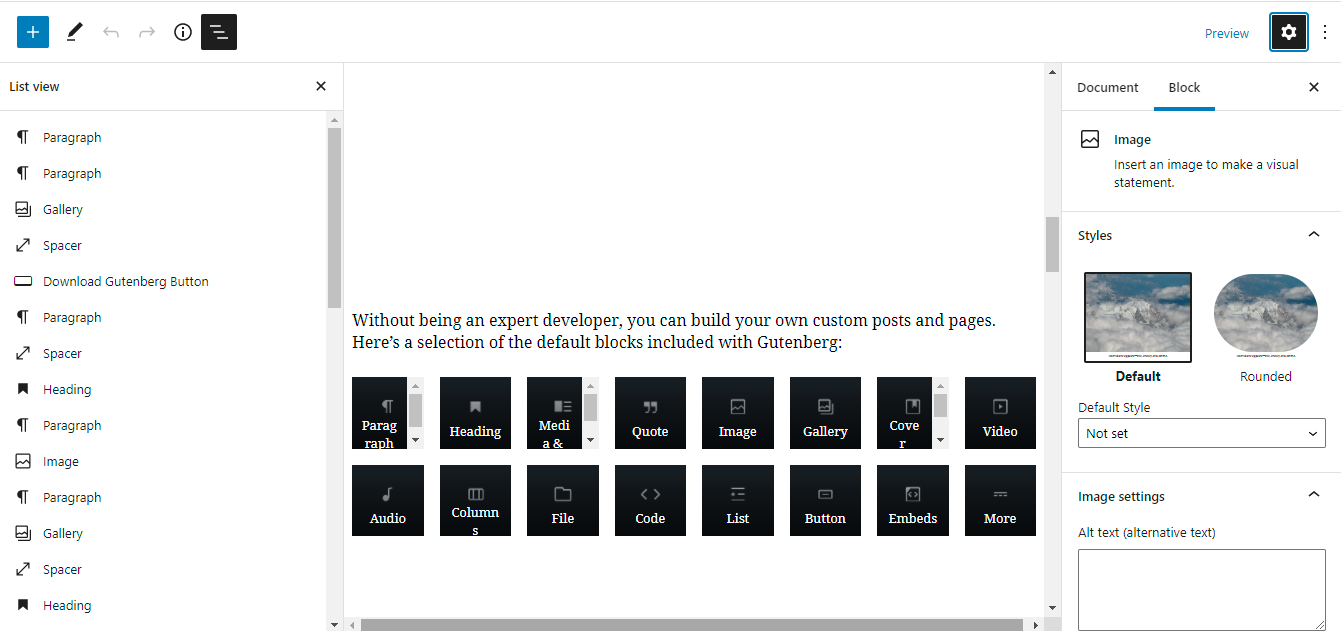
Gutenberg comes with a lot of unique features and functionality including:
- Allows users to embed rich content such as YouTube videos, Facebook and Twitter posts, and Instagram pictures
- Add required blocks directly from a drop-down menu
- Allows you to get a quick overview of the content structure from the top left menu
- The ability to add HTML anchors to your content
- A button block that allows you to add this feature to your content with ease
- Text columns enable you to split your content across responsive columns
- Adjustable font sizes allow you to easily change the size of your text
- The ability to create wide and full-width content
- With the Gallery block, you can create an image gallery
- Allows you to add Reusable Blocks
- Gutenberg works smoothly on mobile devices
Elementor
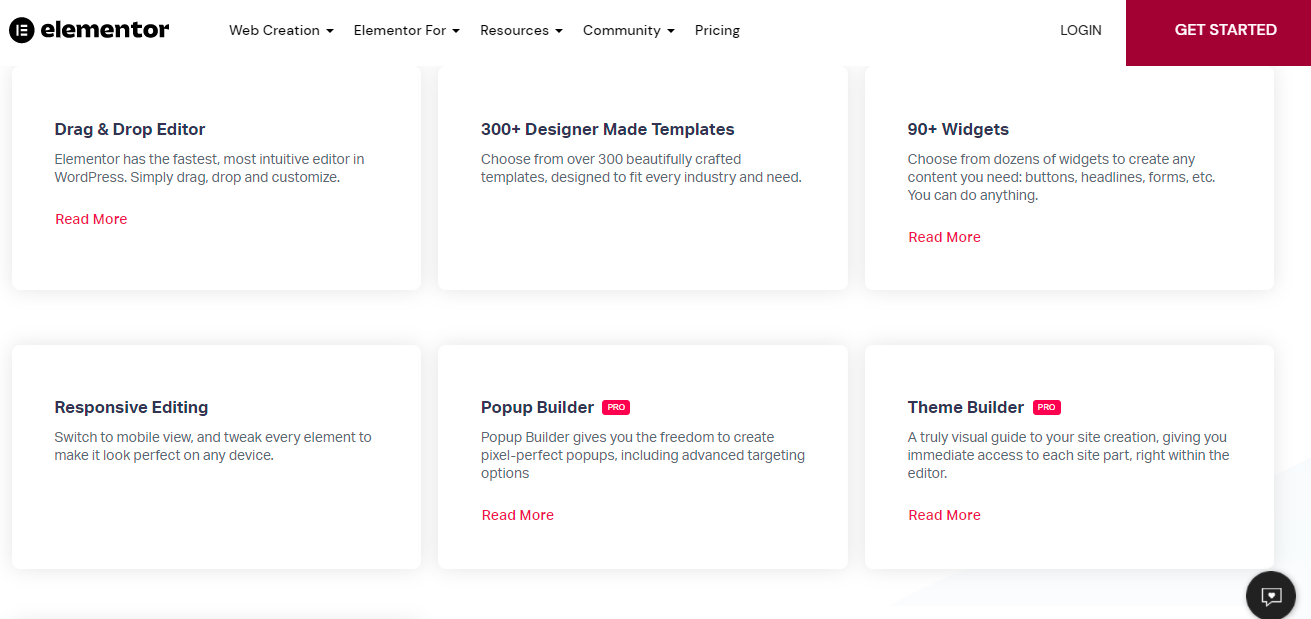
Unique features of Elementor compared to Gutenberg in particular and other page builders in general include:
- Elementor’s Theme Builder allows you to customize every page detail imaginable, with no limits on headers and footers
- Support WooCommerce builder, which gives you access to over 15 premium WooCommerce widgets
- Elementor Popup Builder allows you to generate the perfect popup with smooth animations
- The Form Builder lets you customize all your data forms and add a personal touch to the contact page
- Elementor integrates with a lot of marketing platforms such as Zapier, MailChimp, Drip, and much more
- With the role manager feature, you are able to assign access controls to various users with ease
- Access 30+ ready-made elements
- Integrate advanced elements like image carousels, maps, accordion tabs, slides, pricing lists, forms, etc.
Key differences
Backend vs frontend editing
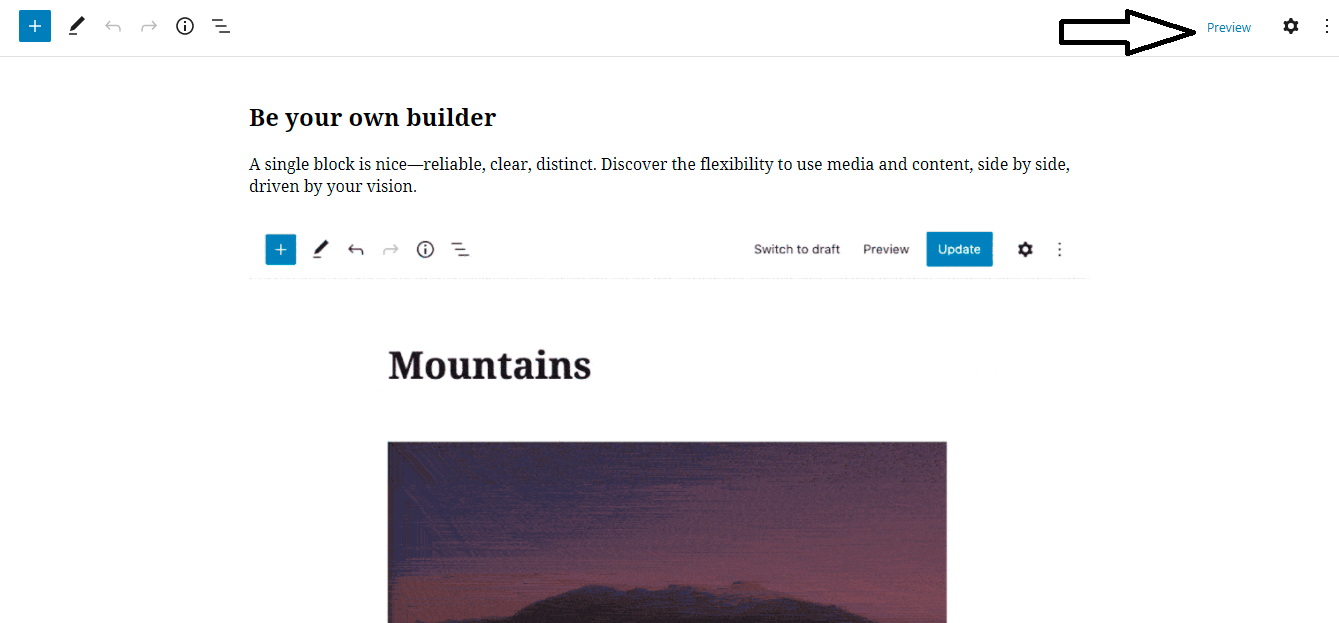
Gutenberg is a backend editor. Therefore, you don’t have the ability to see the live preview of your design while editing a post on Gutenberg. If you want to see how the content looks, you have to click the Preview button.
In contrast, Elementor offers a front-end editing function which means that you can view the changes live without needing to save the page. It is extremely convenient to see a real preview of your pages.
Drag and drop interface
Although both Gutenberg and Elementor offer the drag and drop function, Gutenberg only allows you to add blocks and move them up and down. In addition, when using Gutenberg, you don’t have the capability to resize their height and width or customize complex layouts.
Nevertheless, with the support of Elementor, everything is easier than ever. It offers you the ability to drag and drop blocks and widgets. What’s more, you can completely change the height and width of the blocks, design a complex layout or even insert blocks inside other blocks.
Page Speed
This is one of the most important factors used by Google that affect your website ranking in Google Search. Therefore, most webmasters consider this one of the necessary points that need to be compared to help them choose the best tool for their site.
It can’t be denied that Gutenberg websites are very fast for the following reasons. Firstly, Gutenberg has a lightweight and fast design. Secondly, unlike other page builders and editors, Gutenberg doesn’t require extra lines of code for your website. It is completely controlled by WordPress.
The speed of Elementor websites is also quite fast. We can’t say 100% that Elementor websites are faster than Gutenberg sites. However, when putting both page builders on the scale to compare, Elementor still seems to be a bit slower than Gutenberg because of the extra code the page builder adds to support its features.
Advanced formatting
Gutenberg blocks only enable you to make some customizations, such as customizing texts, images, lists, and much more. If you want more intensive customizations, you need to add custom CSS to the blocks you chose.
Elementor, on the other hand, gives you full control over formatting all elements on your page. Hence, it is not hard for you to edit image styles, change the background colors, resize elements, and much more.
Pricing Plan
Gutenberg
Gutenberg is built into WordPress. Thus, you can completely use this tool without any cost. This is also one of the outstanding advantages of using Gutenberg for your website.
Elementor
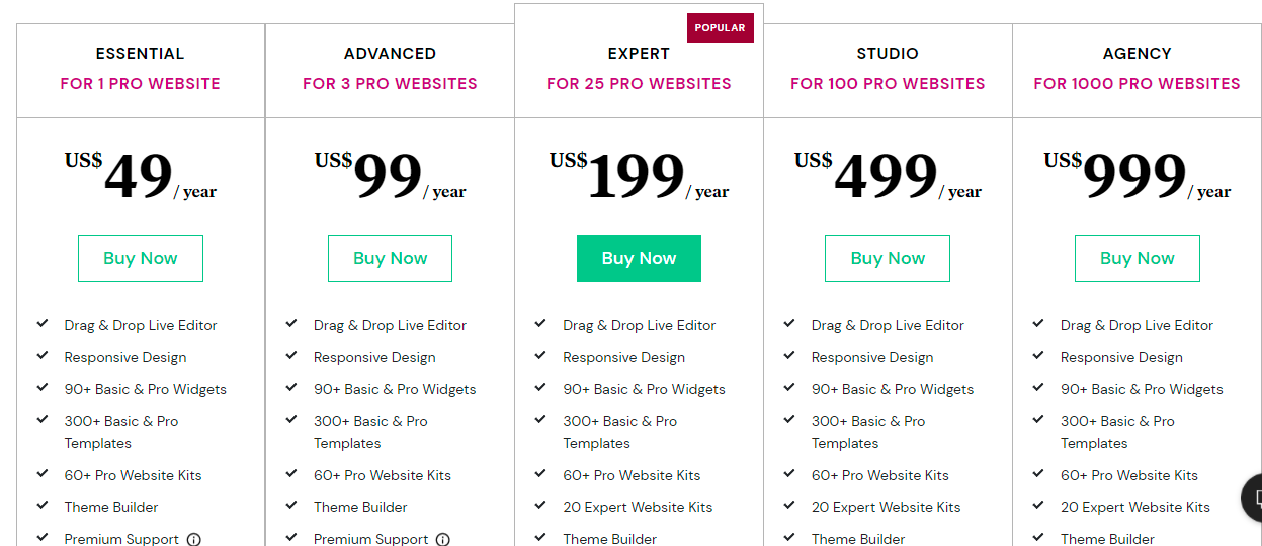
On the other hand, Elementor offers both the free version and the premium version. However, the free version only allows you to access basic widgets and templates. You can upgrade to the premium version to get more features and functionality such as pro widgets, templates, eCommerce, and much more.
Currently, the premium version is divided into 5 pricing plans including Essentials, Advanced, Expert, Studio, and Agency. In addition, the number of websites you can use it on increases depending on the package you choose.
Ratings from users

As you can see, Gutenberg has received 2,254 1-star ratings and loads of negative reviews. And there are only 693 5-star ratings. Meanwhile, Elementor has recorded up to 5,332 5-star ratings. In this part, Elementor seems to have captured the users’ hearts more than Gutenberg.
Gutenberg Vs Elementor: The final thoughts
Generally, both page builders are valuable for creating rich content for your website. However, it is obvious that Elementor has many outstanding features compared to Gutenberg. From our standpoint, we also use Elementor for our website building because it truly excels, from design flexibility to great features.
Nevertheless, that doesn’t mean Gutenberg is valueless. Gutenberg will be a perfect choice for those who just want a simple way to design new types of content or some basic layouts for their WordPress content.
And what is your perspective? Do you prefer to use Elementor or Gutenberg? We believe that the Gutenberg vs Elementor comparison will give you a lot of worthwhile information. Don’t hesitate to share with us your opinion as well as any query about the matter above.
Moreover, there are other options at WordPress page builders, you can visit and get one to design any of your desired websites. Last but not least, if you are interested in Themes and templates, don’t miss our free WordPress Themes. They provide hundreds of beautiful, sophisticated designs for your website. Take a look and try one.